Hello I cleared your ip address – 37.11.76.26. And I also setup a demo user to see the error . Here is all of the login information below:
Ftp Info:
ftp.blackchicagoevents.com/
username: myeventon@blackchicagoevents.com
password: NFQJap8Rf3mK
———————————————————————————————————
WordPress admin info:
Url: blackchicagoevents.com/wp-admin
htaccess Info:
username: techo
password: 85Bears$
————————————————————————————————————————————
WordPress login
username: techo
password: ARpPm)wQ#64pdd$#pI#ECzU#
—————————————-
Demo user
Username: donnarobinson
Password: u94h95BlMUtL
see this page
https://www.coloradoskitowns.com/eventon-test/
this video explain what I did
Thank you for the tip. I will make a screen recording if we can make the issue happen again.
Hi,
So I added [add_eventon tiles=”yes” tile_count=”3″ tile_bg=”1″ “event_type_2=’190′”] to this page: https://www.coloradoskitowns.com/vail-events/ and now no events are showing up. I then tried changing it to event_type_1=’190′ and still nothing. Can you please tell me what I’m doing wrong in the shortcode?
Thank you.
If you follow https://wpml.org/documentation/getting-started-guide/ and create a separate event for each language then EventON will know that /de is German and use the correct translation in Single Event Page https://www.elinesnel.com/de/cursus/online-workshop-achtsamkeit-fur-das-wohlbefinden-von-kindern-und-familien/. Because right now EventON has no idea that /de is German.
If you don’t want to do this then you need to use EventON’s built-in solution by adding ?l=L2 at the end of URLs:
https://www.elinesnel.com/de/cursus/online-workshop-achtsamkeit-fur-das-wohlbefinden-von-kindern-und-familien/?l=L2
If a single event page is loaded, check which WPML language is active and show EventOn languages in the corresponding language.
This is because there is no connection between EventON and WPML at the moment. You added lang=”L2″ to your shortcode, the thing is that when you want to directly link to Single Event Page, this doesn’t work. You need to specifically point this out for EventON by using WPML or ?l=L2 construct.
You can just test the WPML solution with one test event to see how it’s going to work.
Please check and let me know.
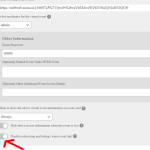
sometimes the link can stuff up- as in the special redirect link so if you toggle this option in the screenshot above then that removes the redirect
(normally however if you have the redirect issue its there always not intermittent.
the only thing I can ask is if you have a video screen recorder- record whats happening and send us the video
The CSS managed to take finally. Maybe there was a caching issue or something.
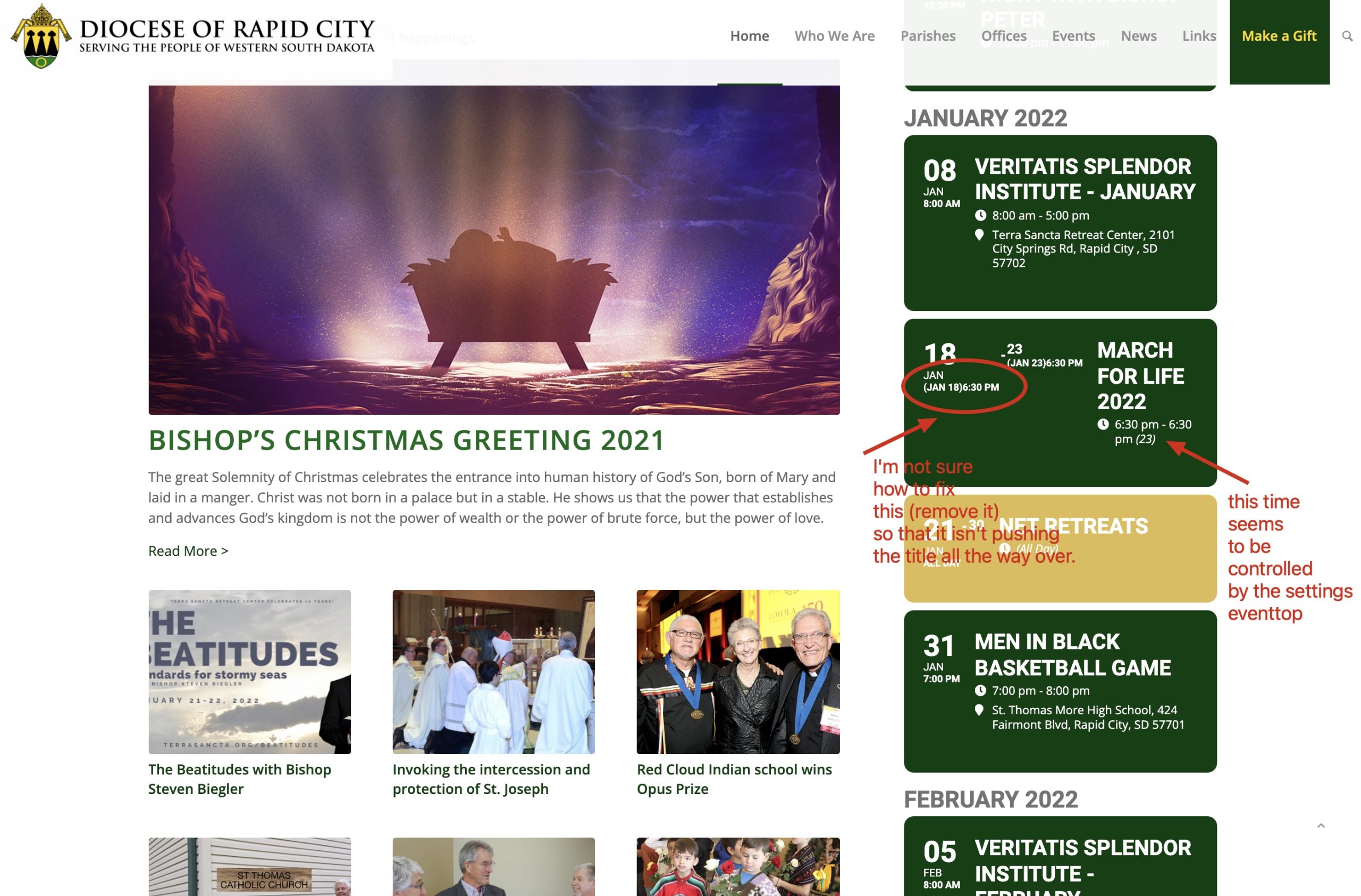
I’ve tried adding that css rule in the STYLES area of the eventon settings and the main theme area which normally manages styles ok.
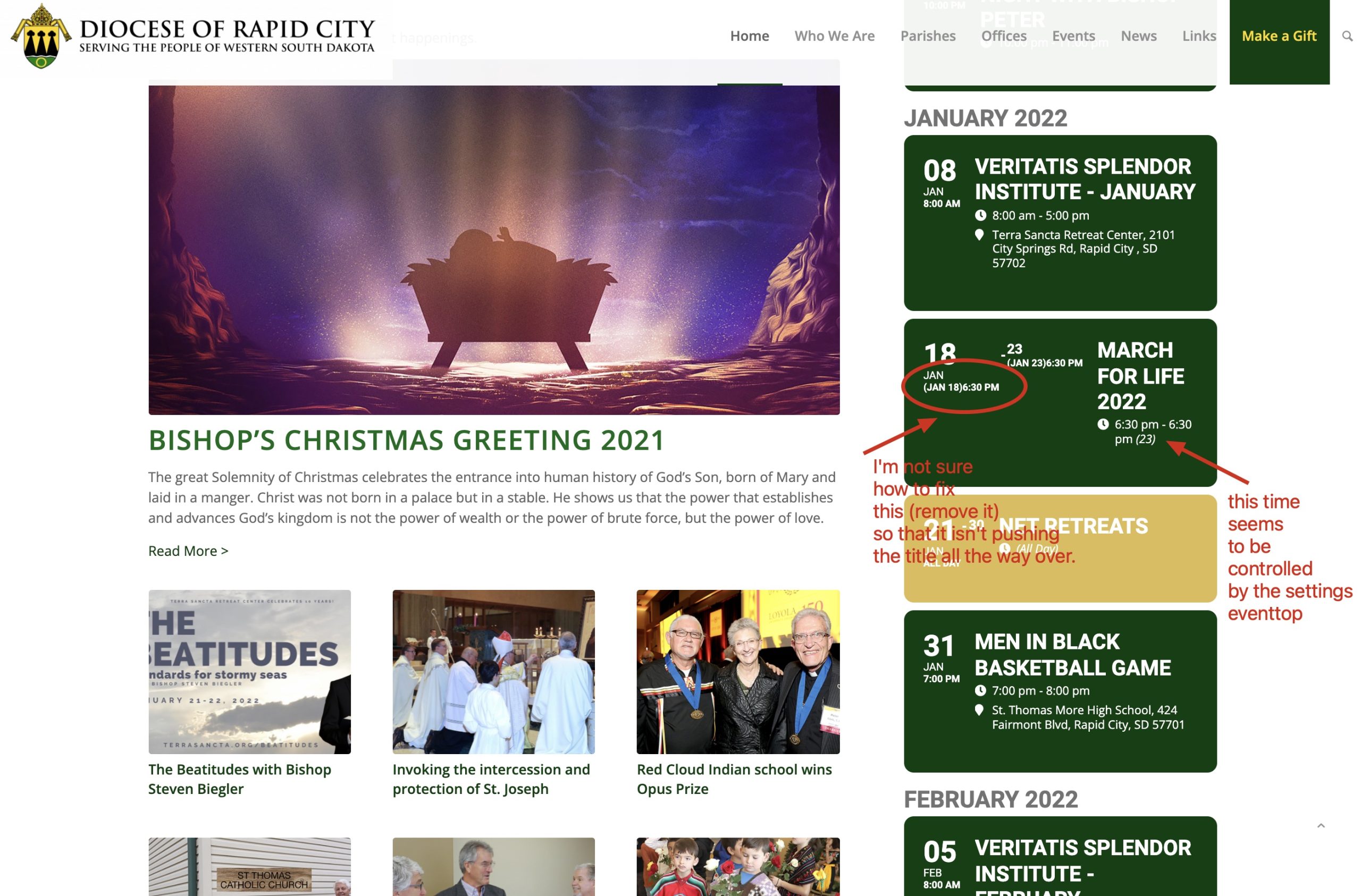
It looks like this is controlled by CSS .evcal_cblock .time
but when I add this either to the theme or the CSS editor in the plugin space it doesn’t do anything for me. Right now it is set to
display: block;
if I change it to display: none; it does nothing…