Hey David,
We pitched Ashan again so he can reply as quick as possible.
Replies for tickets on suppota
Hey David,
We pitched Ashan again so he can reply as quick as possible.
Hi,
Can you please clear cache and ensure latest version elements are loaded properly?
Hi There,
Yes we are reviewing the ticket, we are sorry for the delay, just requires a bit of extra time.
Hi there,
can u please distribute rest questions on another tasks, so it is better for us to manage and reply?
Than kyou
Can you help me?
I need Russian version EventOn
send me a translate
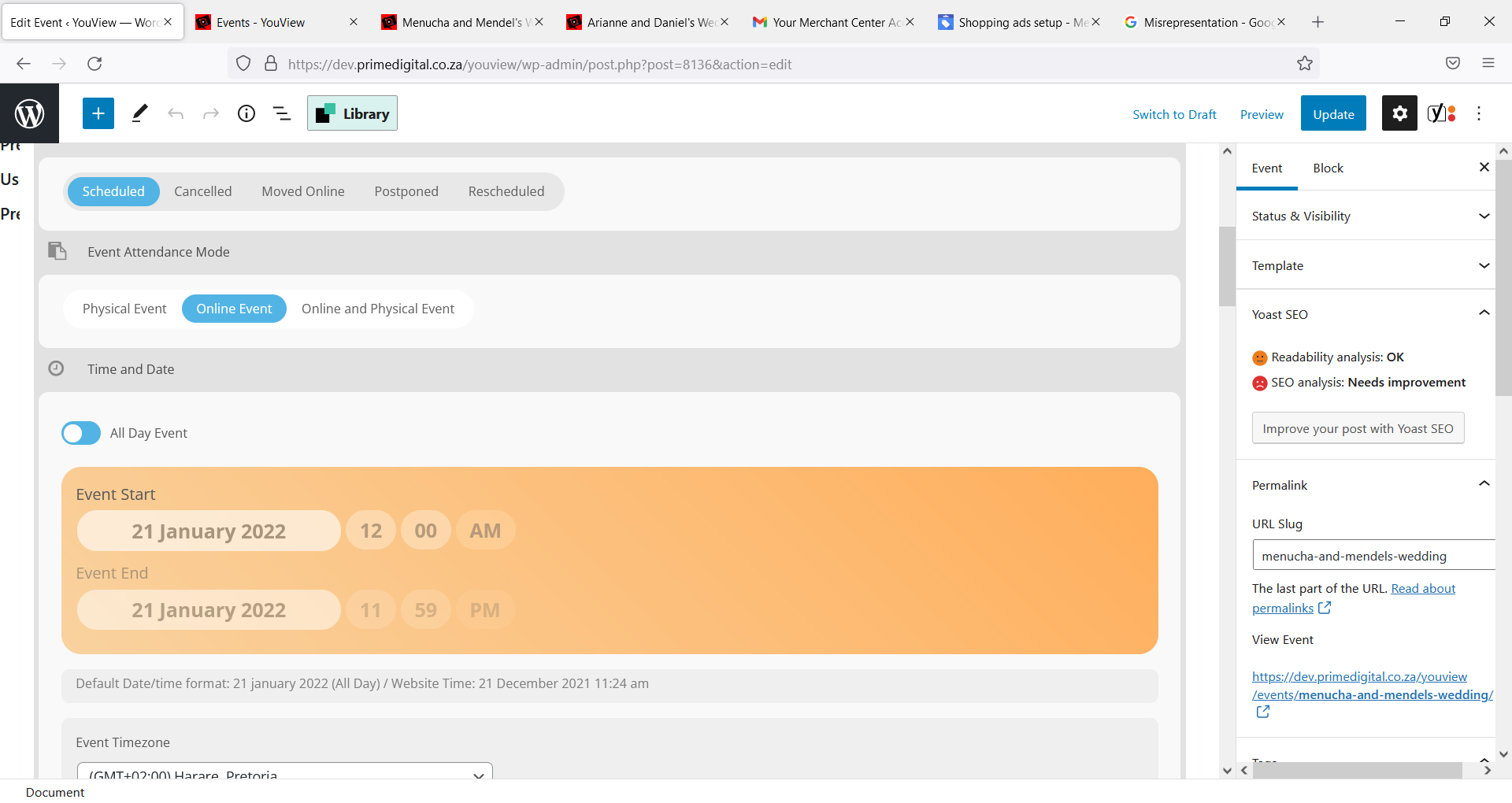
Hi,
Just have a few more question please:
1. On ths page: Menucha and Mendel’s Wedding – YouView (primedigital.co.za)
How do I move the youtube video to the top?
2. Is it possible to change the text that says ‘JOIN THE LIVESTREAM’?
3. when creating/editing an event, why can’t I add an event date – it is greyed out.
Thanka a mil
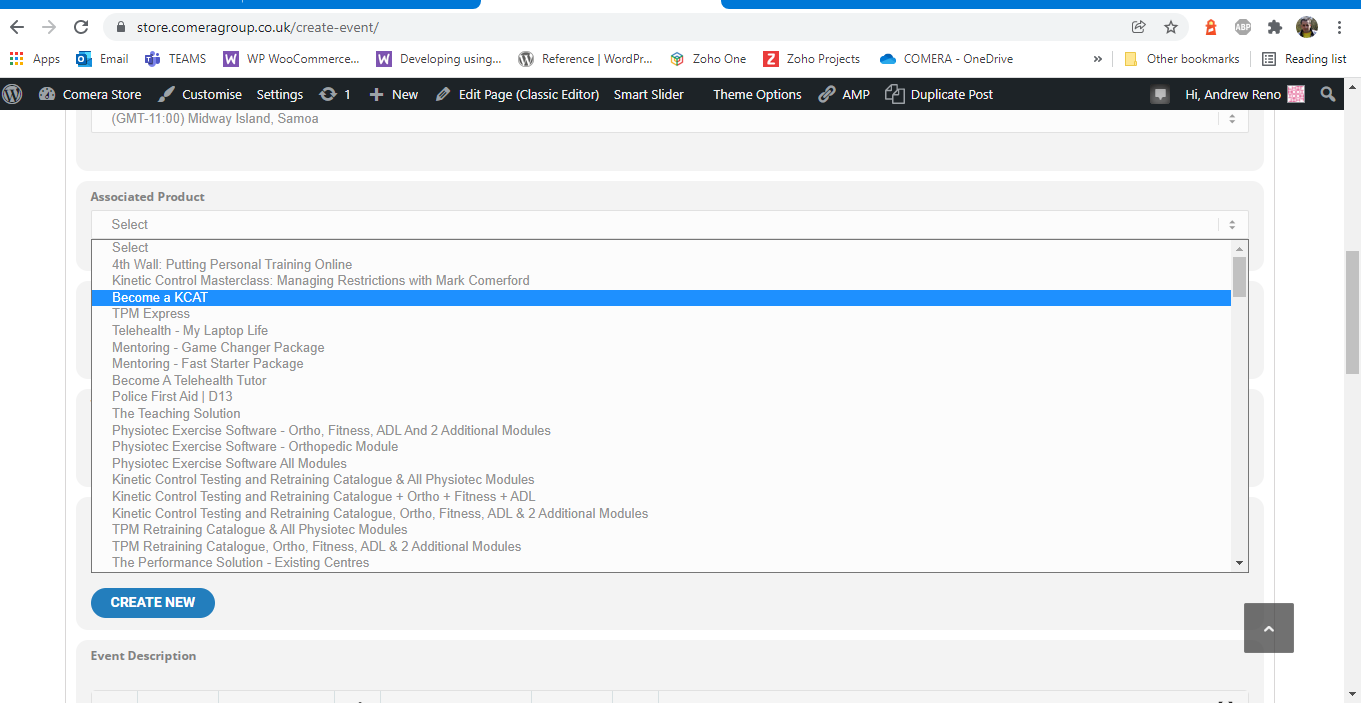
Hi, here’s the form with the list of store products and events. The list is ever growing longer and I need a way to to list only Events in this field, not everything in the store. How can I achieve that?
Yes we are using user action.
Kind regards,
Andrew
Hi Artem,
https://docs.myeventon.com/documentations/wpml-eventon-front-end/
This guide explains how to implement the correct language in the event list shortcode. We’re looking at a problem in the single event page, where we are not using any shortcode.
https://wpml.org/documentation/getting-started-guide/#translating-your-site-yourself
This shows how to translate events post type, and how to manage events in different languages.
We explicitly chose to set events as untranslateable in WPML, as we want all events to show in every language.
We don’t want to create every event in each language, if we we would have changes in text for “international” events then we would have to change it in 7 different spots. We have a lot of experience with WPML and we chose this setup as we think it would fit best.
Every single event page works fine when visited from the events list, but not by a direct link.
What we’re missing is:
If a single event page is loaded, check which WPML language is active and show EventOn languages in the corresponding language.
Any help would be greatly appreciated, you’re our only go-to in this case as WPML works exactly as expected. Thanks in advance.
Hello,
I found this article, it should help learn how to change the email sender name.
we don’t have a fix right now
the only thing to do is to remove
etc_override=”yes”
from the shortcode
and then select the right color on each event – the color you want it to appear