I removed this style from style.css. But nothing changed.
Archives: Replies
Replies for tickets on suppota
Reply to: tickets(404315)
Updated through the admin panel
Thanks for your help
Reply to: tickets(404410)
Thanks, works for me.
Reply to: tickets(402981)
This is to confirm that by installing 3.1 the problem resolved. Now notification emails are sent to recipients as CC.
Reply to: tickets(404422)
Thank you, I look forward to your updates.
Reply to: tickets(404441)
Thanks! This worked out good for me.
Jeroen
Reply to: tickets(403849)
How do I deselect the other options that are available in the pop-up?
Thank you for your great suggestion, at the moment it is not supported. However please create a new ticket and select Feature Request as category so others can vote on your idea and get it moved into development faster.
I don’t want ”All” selected. The user is only subscribing to a specific event or event type. How can I just subscribe them to that event?
What you were trying to achieve originally isn’t supported, so my suggestion was basically a hack that you can use, but it’s functionality is limited. So users must subscribe themselves manually.
Is there a way to capture the event ID when they subscribe?
Unfortunately, no option for this one.
Reply to: tickets(404441)
Please take a look at these screenshots on how to get a free copy of EventON with CodeCanyon’s license:
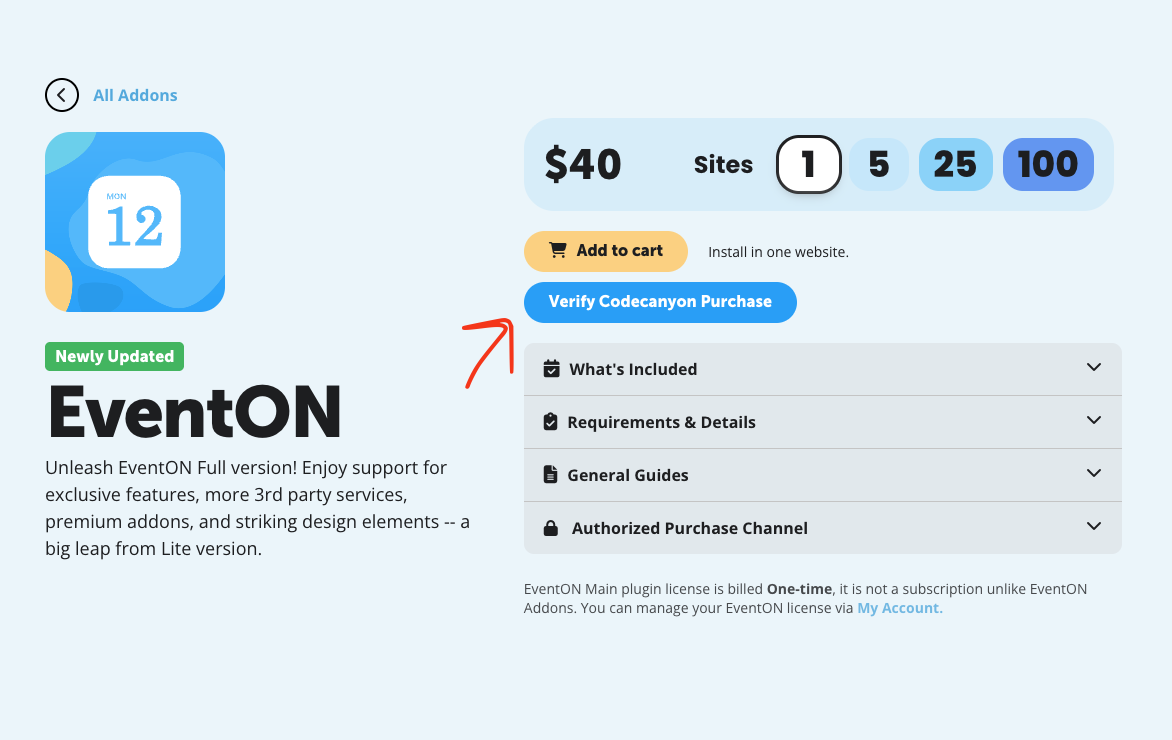
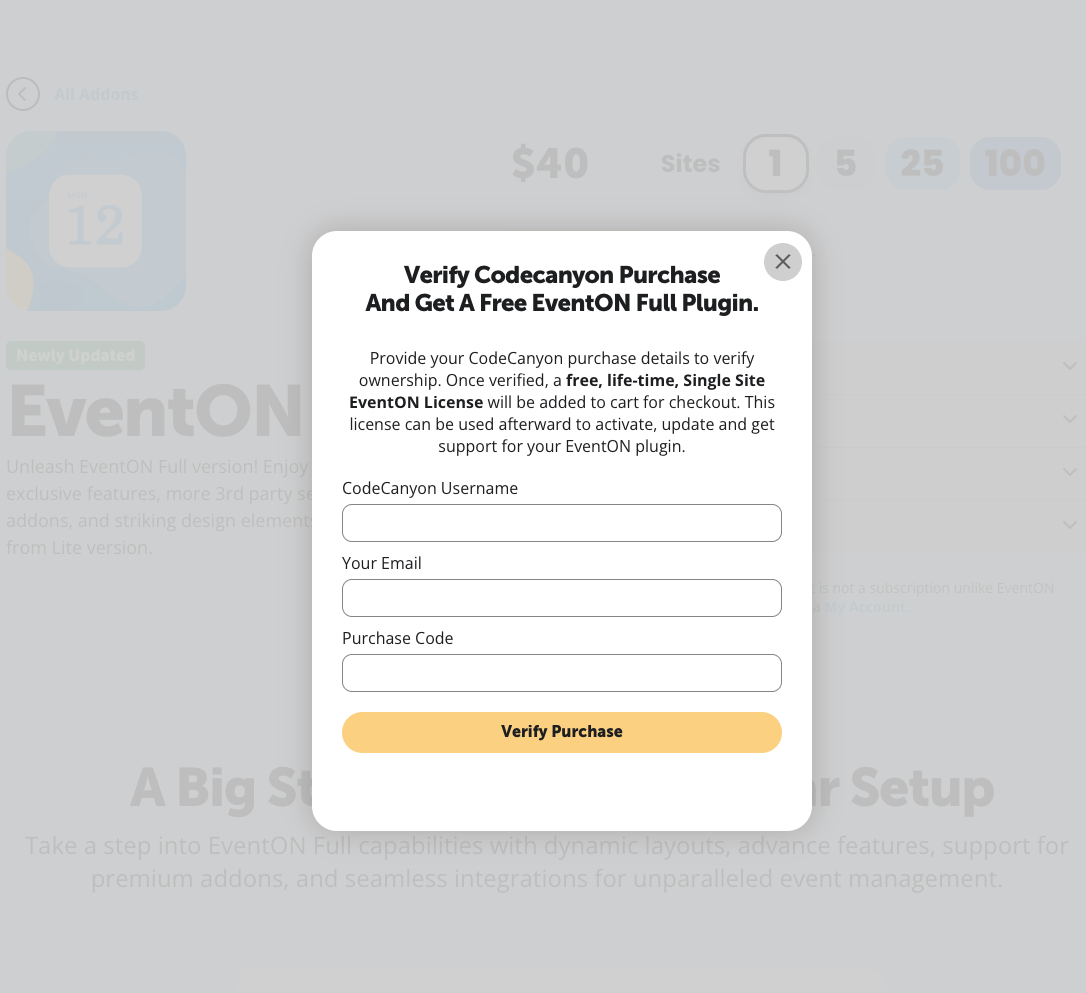
Reply to: tickets(404441)
Hello,
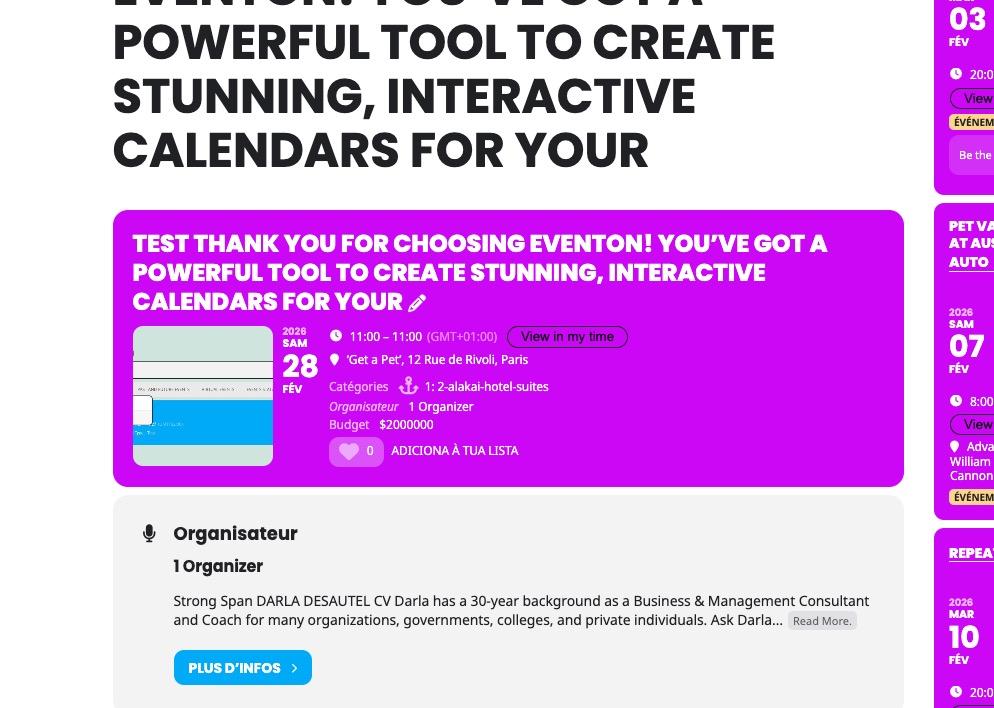
Could you try updating EventON to 5.0.8?
Seems to be working on our test site:
https://dev2.myeventon.com/events/test-80/
Reply to: tickets(404437)
Hello,
In order to override events’ colors with event types’ please follow this guide:
https://docs.myeventon.com/documentations/override-event-colors-event-type-colors/
There is no way of assigning colors to icons automatically, so please use this custom CSS code:
.ajde_evcal_calendar.fp_ff .evofp_ffb .eventon_filter.has_icon[data-termid=”131”] i { color: red; }
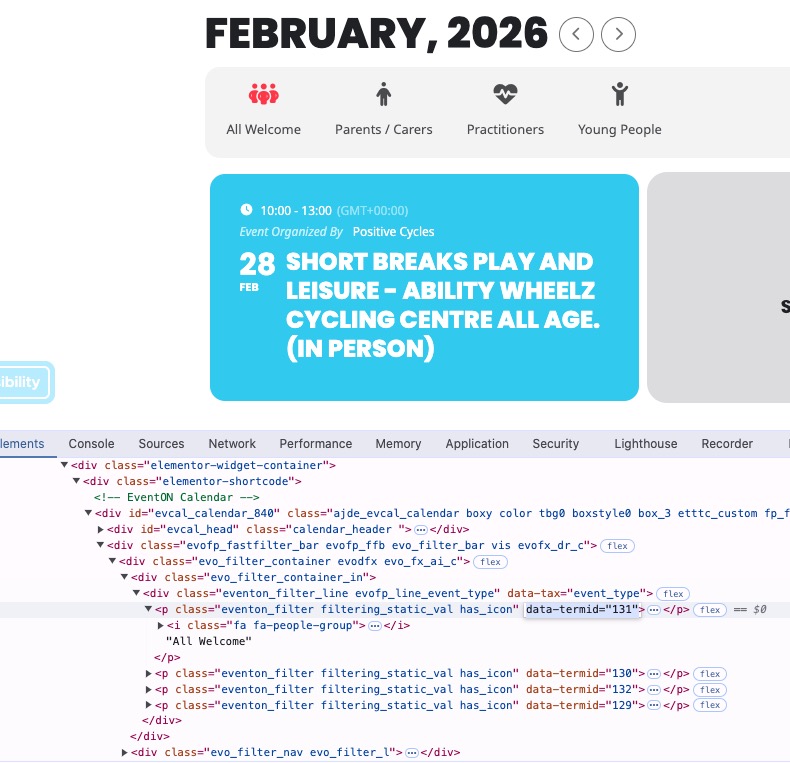
Use the css line above as an example and add as much as you like with different data-termid to change each icon for each type.