Thanks, I did a test event and now we can select button and goes to Zoom Event.
Archives: Replies
Replies for tickets on suppota
Reply to: tickets(409311)
Hello,
Please go to EventON > RSVP > set ”When to close RSVP to new RSVPs” to ”Allow until event ends”.
Reply to: tickets(409125)
Perfect! If you have any further questions or concerns please create a new ticket.
Reply to: tickets(409305)
Hello,
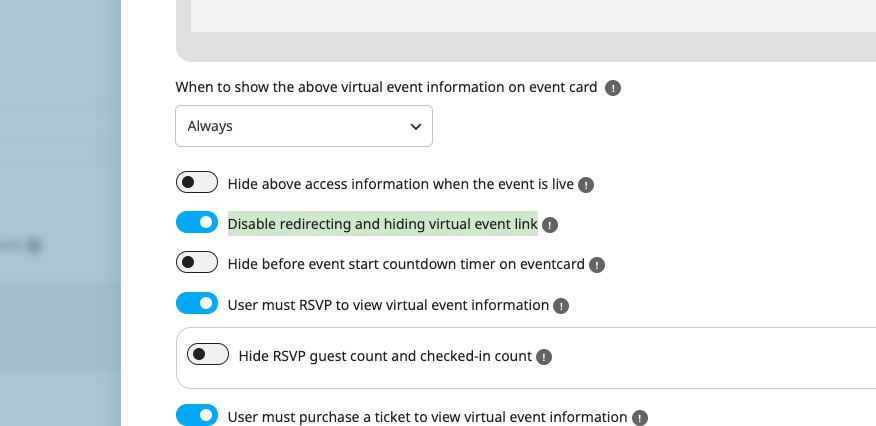
Please go to Edit Event > Virtual Event > enable Disable redirecting and hiding virtual event link:
Reply to: tickets(409125)
I figured it out with more troubleshooting. Thanks for your help.
Reply to: tickets(408960)
It is currently at 512M, which is a temporary fix our host has in place. By default it’s 256M. For us to make that permanent we have to pay more for our hosting plan, and we’re not sure if we want to do that to accommodate changes with your plugin. I have tweaked the EvenOn settings a bit and we’ll just see what happens when our host knocks us back down to 256M. If the page crashes again, I guess we ditch the plugin.
I’ve asked a few times for recommended settings but you haven’t provided those. Do let me know when you have an answer to this question I asked earlier, which I’ll repeat here:
If I were to create an event today (June 23rd) for an event 6 months away (Dec 23rd) and if I have the WP Query method set at ”created in last 5 months”, it stands to reason that when that event rolls around, it wouldn’t load because it wasn’t created in the last 5 months, correct? What good is that? Is the client possibly limited to only creating events so far out from the date of the event?
Reply to: tickets(409285)
Updates are available when I check the staging website:
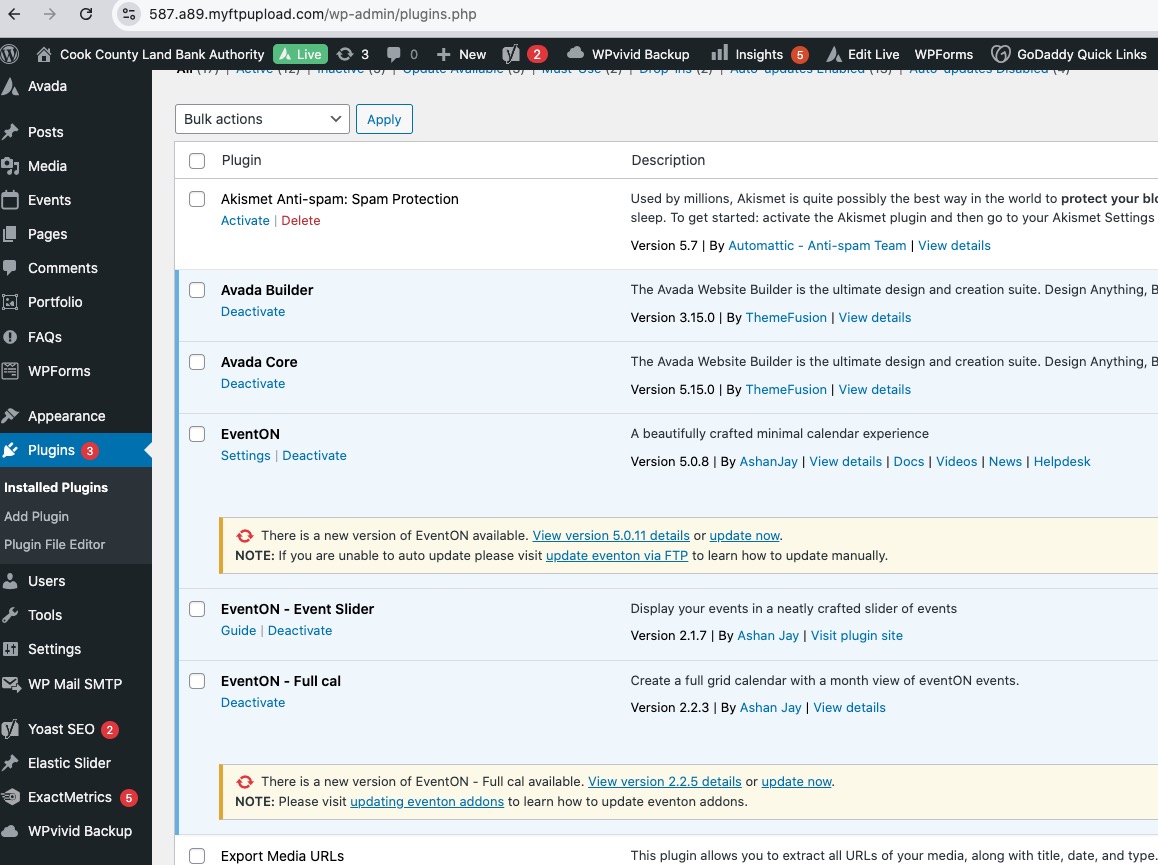
Could you send us a screenshot from your side?
Reply to: tickets(409285)
Hello,
Could you update EventON to the latest version?
To update eventon to latest version: (If auto update works, please try that from with your website plugins page)
1. If you purchased eventON from codecanyon > Go to EventON Full page and verify your purchase to get a free copy of eventON latest version and move your purchase over to myeventon.com.
2. If you already purchased eventON from myeventon.com go to My Account > Downloads and get the latest version copy.
Once you have the latest version zip file. Then you can go to your website > make sure ”Delete eventon settings & data when EventON is uninstalled” is De-slected from eventon settings, delete old eventon, install new one and activate. This link will further explain the process it. Follow us on X to get real-time announcements on updates!
Reply to: tickets(408960)
Can you increase the memory limit according to this guide?
https://docs.myeventon.com/documentations/increasing-wordpress-memory-limit/
Also how much RAM is available on your server?
Reply to: tickets(409083)
Please send us wp-admin access to your site from ”Access Info” box on right side menu, to further assist your situation.
You can use this or similar website and send us a link to the file:
https://wetransfer.com/