We are glad your issue is resolved, if you have any further questions or concerns please create a new ticket.
Archives: Replies
Replies for tickets on suppota
Reply to: tickets(253761)
The code from Reply to: 260469 removes the left space. Removing show_et_ft_img=”yes” also removes a featured image.
Reply to: tickets(262109)
Hello,
1. Unfortunately, you cannot make calendars RTL from the shortcode itself. You need to go to EventON > Enable RTL (right-to-left all eventon calendars) to change it globally.
2. Please take a look at these guides:
https://docs.myeventon.com/documentation/translation-languages/
And also
https://docs.myeventon.com/documentations/wpml-eventon-front-end/
Reply to: tickets(261071)
refreshing the page works for me
Reply to: tickets(261071)
you need to add
fixed_month=”1″
to the 2021 shortcode
Reply to: tickets(262107)
it does show all events on first load
can you provide a screenshot of which weekly demo?
Reply to: tickets(253761)
Okay thank you it works, but can can you now explain to me, what you have changed? Than I can change it in my real website too.
Reply to: tickets(262042)
Done
Thank you 🙂
Reply to: tickets(261071)
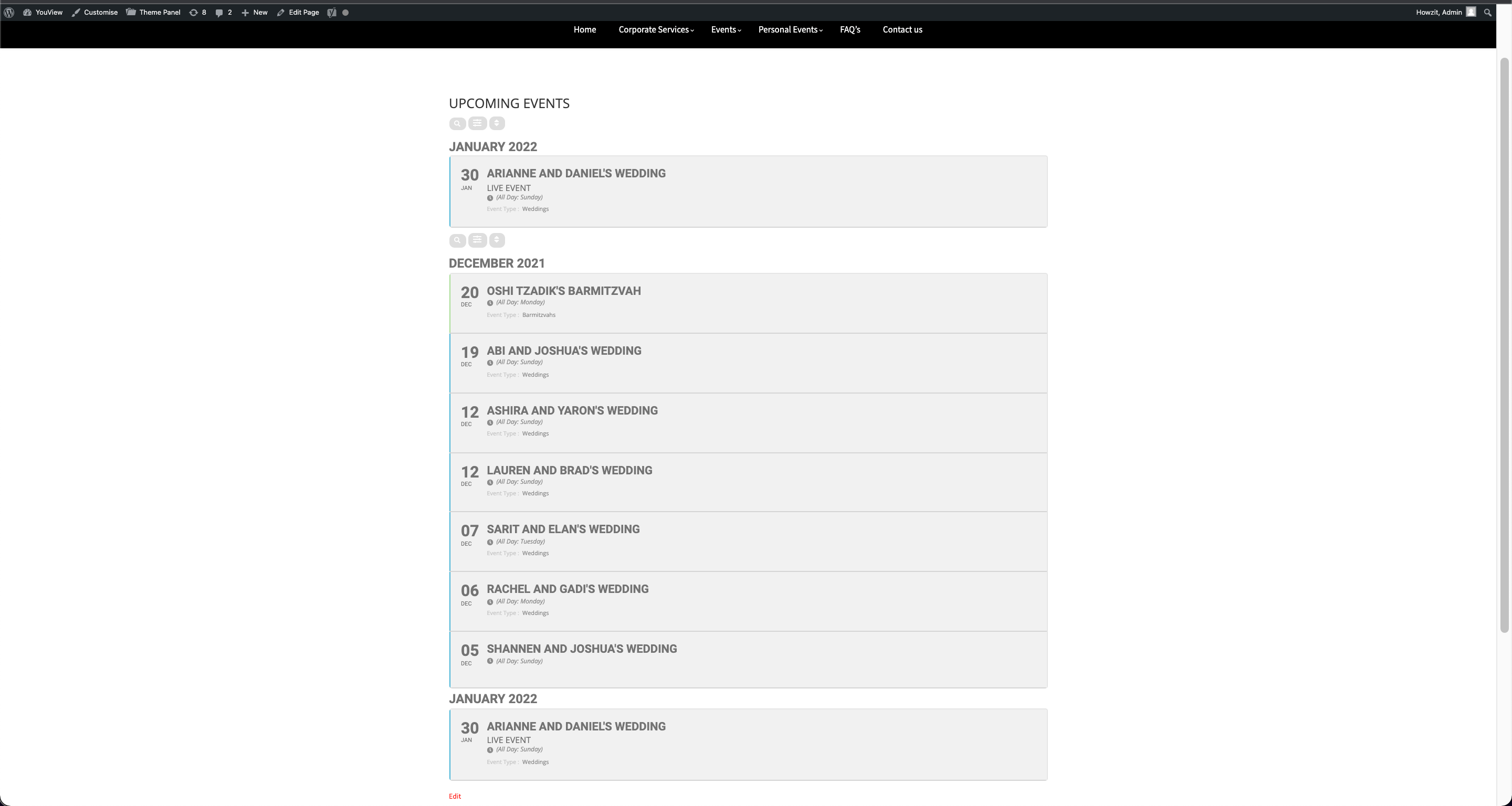
Also I have this on that page:
[add_eventon_list number_of_months=”12″ fixed_month=”1″ fixed_year=”2022″ event_order=”DESC” hide_empty_months=”yes” show_year=”yes” search=”yes”]
[add_eventon_list number_of_months=”12″ fixed_year=”2021″ event_order=”DESC” hide_empty_months=”yes” show_year=”yes” search=”yes”]
but it shows 2022 twice.