Hello,
Which of this 16 videos does explain how to fix it?
Thanks, Enrico
Archives: Replies
Replies for tickets on suppota
Reply to: tickets(261675)
Thanks!!!
Something was be playing with the styles ….
Excuse me
Oriol
Reply to: tickets(261794)
Hi Enrico,
Please take a look at this tutorial on how to fix that.
Reply to: tickets(260846)
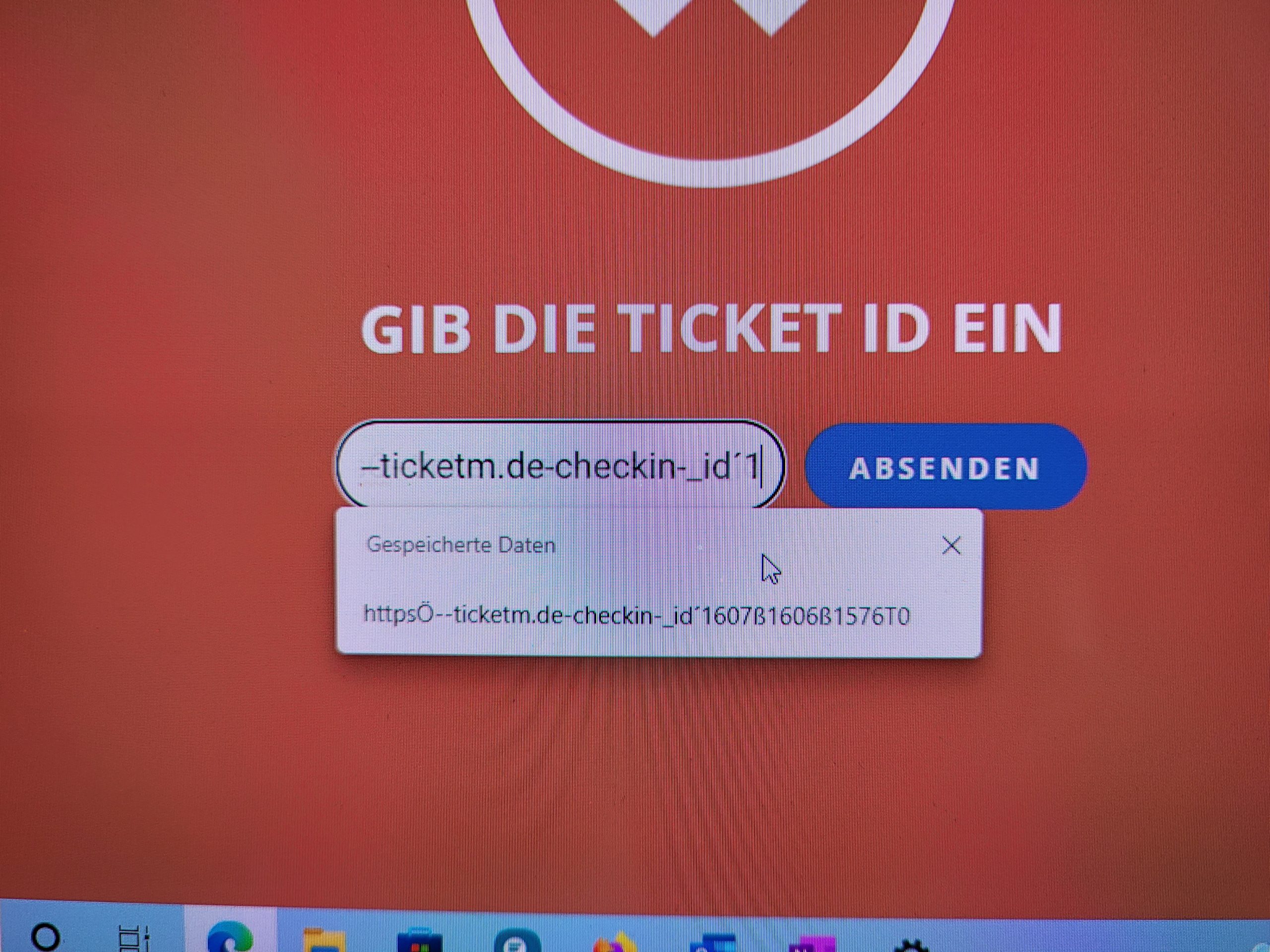
so if i type manually the ticket number it works but ths scanner gun reads the following if scanning the qr code:
httpsÖ–ticketm.de-checkin-_id´1607ß1606ß1576T0
and then this url is typed in in the field for the ticketnumber and is sended and doesnt cause any further reaction. it just stays at the check in website.
Reply to: tickets(260846)
Hello,
thanks for assigning to Ashan. Would be great to hear his thoughts to this topic.
In 2 days i have the first situation to realise the check-in situation with the qr-code tickets and the scanner gun… 🙂
Thanks!
Reply to: tickets(239661)
I did read the disclaimer after my purchase too 🙁
Please implement this 🙂
Reply to: tickets(261556)
Hello,
Please update FullCal add-on:
To update eventon addons: You can download latest eventon addons from myeventon > my account. Then you can go to your website, deactivate old addon and install new one and activate then delete the old addon. This link will further explain the process. Also you can follow us on twitter to get real-time announcements on updates!
Reply to: tickets(261667)
Hello,
In order to show the whole list of events please use ESE widget
https://docs.myeventon.com/documentations/use-eventon-shortcode-executor-widget/
With this shortcode:
[add_eventon_list number_of_months=”12″ hide_empty_months=”yes”]
About the color could you try EventON > Scripts & Styling > turn off Write styles to header > save settings > turn on Write styles to header.
Reply to: tickets(261771)
Hello,
Unfortunately, we don’t provide customizations at the moment. If Basilis haven’t contacted you yet through an email then he doesn’t provide customizations individually as well.
Reply to: tickets(261774)
Hello,
We need to check the error itself so please follow the instructions in this documentation to activate debug in your site to see any PHP errors recorded that can provide insight on to whats going on. Please reply with a link to debug.log file. If you are not able to do this please send us FTP access to your site so we can do this for you.
The page needs almost 2GB memory and more than 45 seconds to load and finally ends up with an error 500, so we have increased memory_limit of server to 2GB and max_execution_time to 360 seconds but without success.
Are you sure that this amount of physical memory is available on the server? Also in some cases only the hosting provider can change this in php.ini.