Hey Jason,
Thank you for all the details and clarifications!
We will review this deeper and accordingly update
Replies for tickets on suppota
Hey Jason,
Thank you for all the details and clarifications!
We will review this deeper and accordingly update
You are welcome Phillip!
If you have a moment, we would greatly appreciate if you could kindly leave us a review at codecanyon! from your account > downloads. Cheers!
Hey Cheryl,
You want to add specific IDs’ on the filtering?
Hey Paul,
Can u re-save the event see, so we can see if issue is fixed?
It works now. Thanks for the fix!
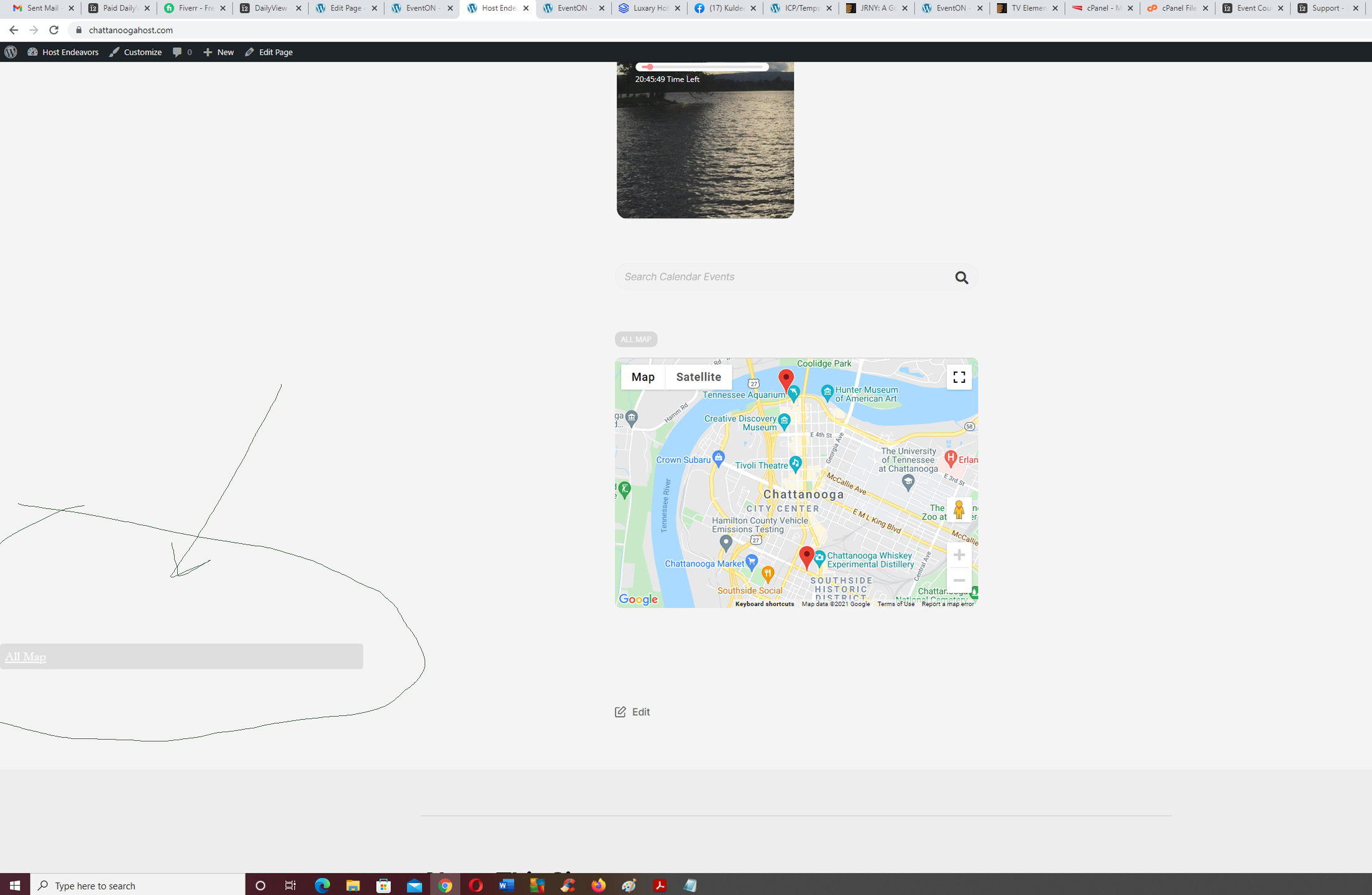
Update:
The problem is in the events-map addon folder /includes in file class-frontend.php
I tracked it down to this:
if($args[‘map_type’]==’upcoming’){
echo ‘<a class=”evo-mapfocus evo_btn”>’. evo_lang_get(‘evoEM_l2′,’All Map’).'</a>’;
If I remove “upcoming” from the shortcode, the problem goes away – but so does the feature. The “All Map” button above the map doesn’t seem to reset the map after clicking on an event within the map, which I believe it is supposed to do.
Since I’m just getting started I left the shortcode in place so you could see the issue in action.
My guess is that code is supposed to drop a button below the map; instead it places a bar with no compatible formatting on the left side of the screen (on mobile it responsively moves below the map.)
In short, I can solve the issue on my end by eliminating the “upcoming” shortcode, but it also changes the feature. I’m okay with that for now, this is mostly an FYI since the add-on is paid and shouldn’t do that.
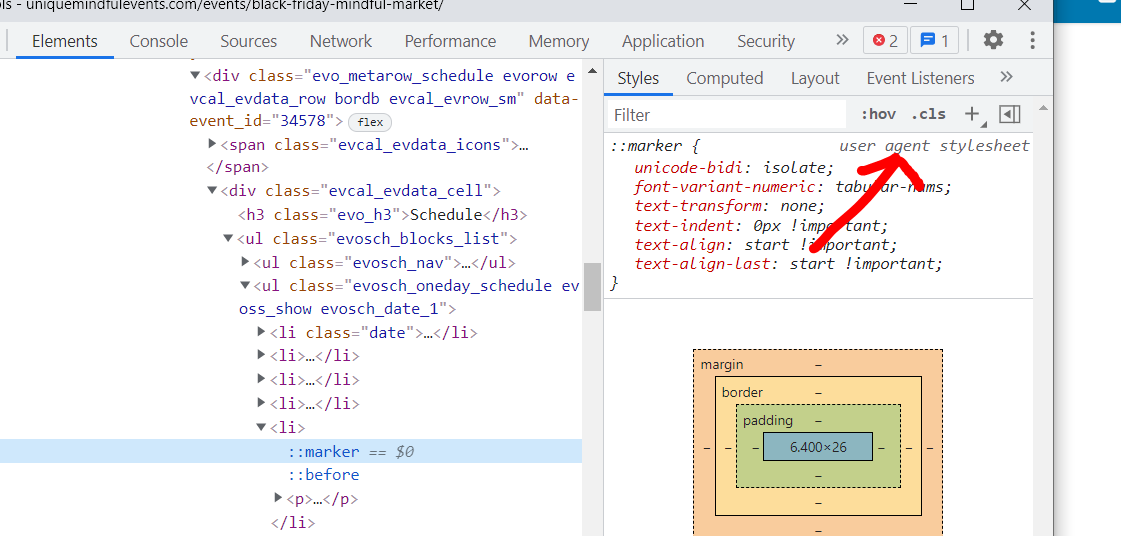
It appears as tho your theme is adding it
I worry that if we change it within your theme it will effect all point forms within your site (not just those in an event)
Agent Style sheet is where its coming from- without access to your backend of wordpress I have no clue if thats a theme, or other plugin
https://UniqueMindfulEvents.com/events/black-friday-mindful-market
Cancel that, I figured it out.
I added an image to the event, but had not found the setting for “Event Image.”
That’s found, got it working.
THANK YOU!
Thank you for replying!
I did add an image, no change. It still doesn’t show on the front tiles.