Sorry, it appears to be working now.
Archives: Replies
Replies for tickets on suppota
Reply to: tickets(391276)
Hi,
Sorry, we’ve been on vacation for a few days. I’ve updated the user and confirmed that it’s working correctly.
User: EventOn
Password: Elquelodiceloes#
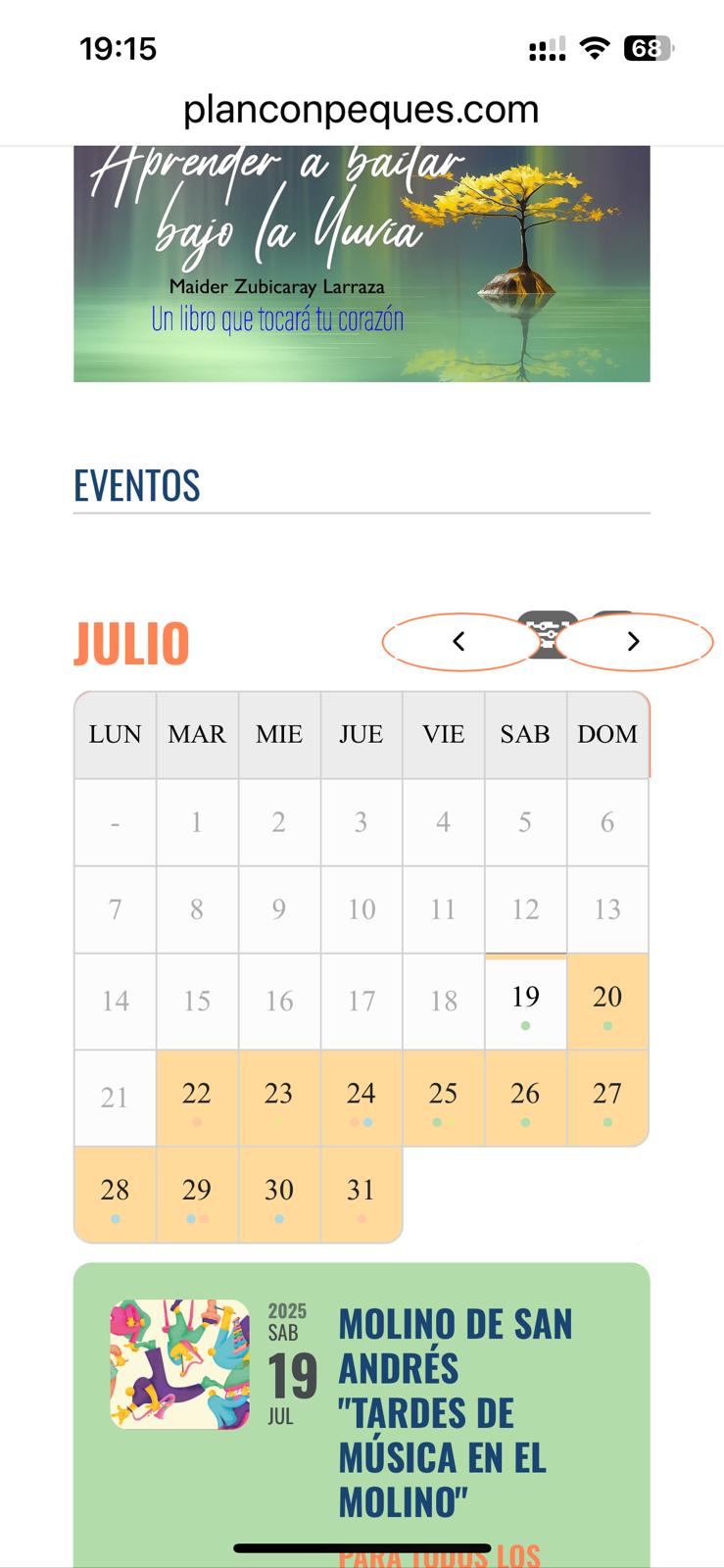
I’m also experiencing another issue: after updating the EventON plugin to version 4.9.11, the arrows to change the month appear way too large. I’m attaching an image so you can see how my website looks with each version.
As you can imagine, I’ve had to downgrade both the EventON plugin and the FullCal addon.
I’d really appreciate your help to resolve this.
Thanks in advance.
Reply to: tickets(392672)
After saving Permalinks it works.
Thank you.
Reply to: tickets(392672)
Please see:
When you tap on “Añade a tu calendario” the link does not work.
When you tap on “Google cal” the link works.
Reply to: tickets(391993)
Everything has been updated and we are still having the same issue. We are selling same seats average 5 to 10 times per event. We need to figure out why this is happening and how to prevent it from happening.
Reply to: tickets(392048)
I’ve spent about 3 days solid trying to sort out things that you have made no effort to answer. You have all the login details This page (https://forfleetssake.co.uk/whats-on-in-fleet-events/) needs to show the times and full description of the event when clicked on. Perhaps you could answer that at least? Nothing I do works.
Reply to: tickets(392239)
Did you check Action User add-on?
https://www.myeventon.com/addons/action-user/
With “Action User – Event Manager” shortcode promoters can checkin guests from the front-end:
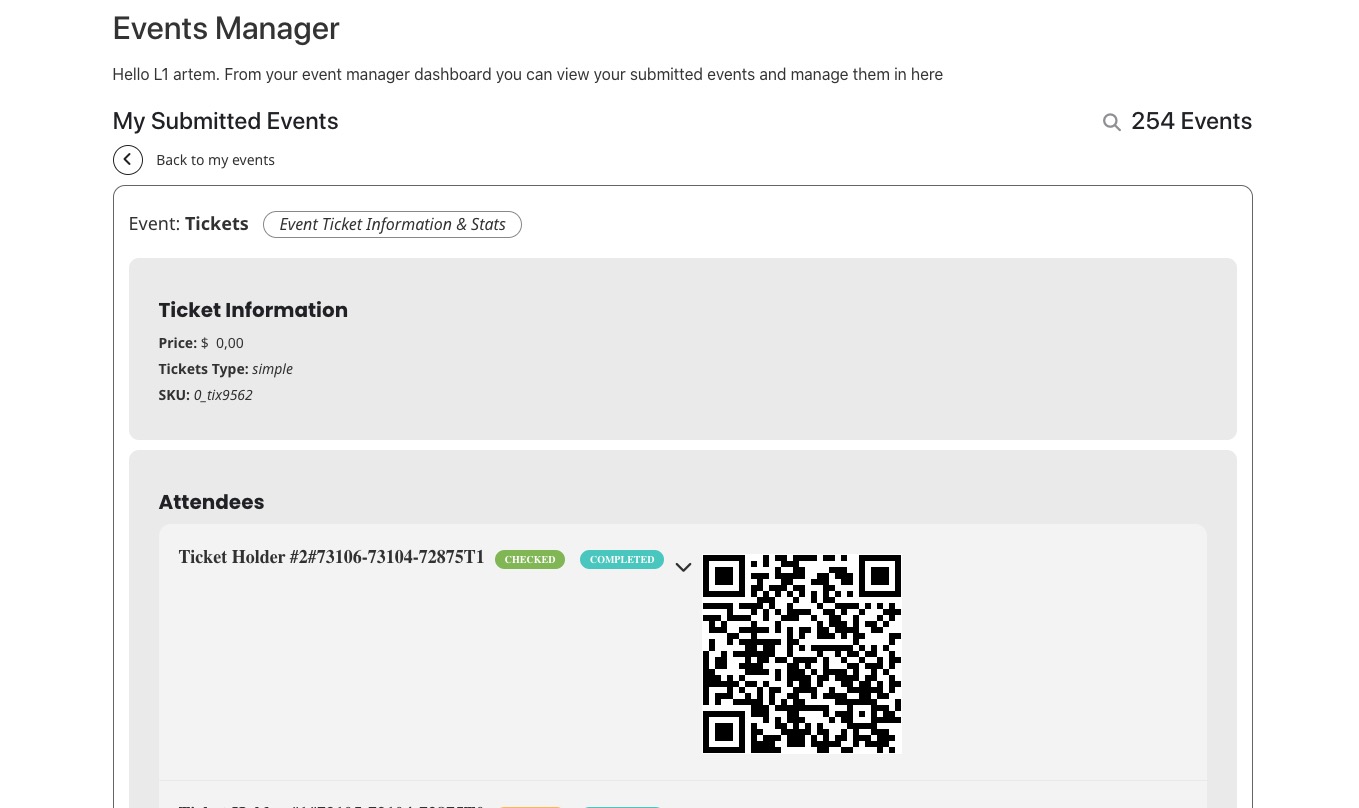
But they need to be assigned to events to see them in the manager:
https://docs.myeventon.com/documentations/assign-users-events/
Try on
https://dev.myeventon.com/wp-admin/
Reply to: tickets(392546)
We are glad your issue is resolved, if you have any further questions or concerns please create a new ticket. If you have a moment, we would greatly appreciate if you could kindly leave us a review at EventON WordPress Page OR Codecanyon. Your review helps us a lot in continuing EventON improvements!
Reply to: tickets(391771)
There is still styling that affects EventON:
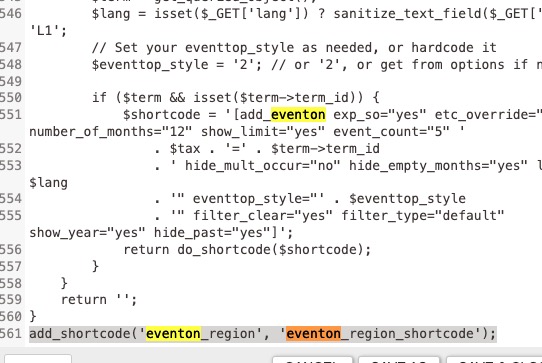
If you replace your custom functions.php with the default one from twentytwentyfour, will it work?
Maybe it’ll be easier if you downgrade to the working for your version of EvenON? Which one did you have?
Reply to: tickets(392669)
Hello,
I believe that it’s hidden at the moment. Cache issue it seems like.
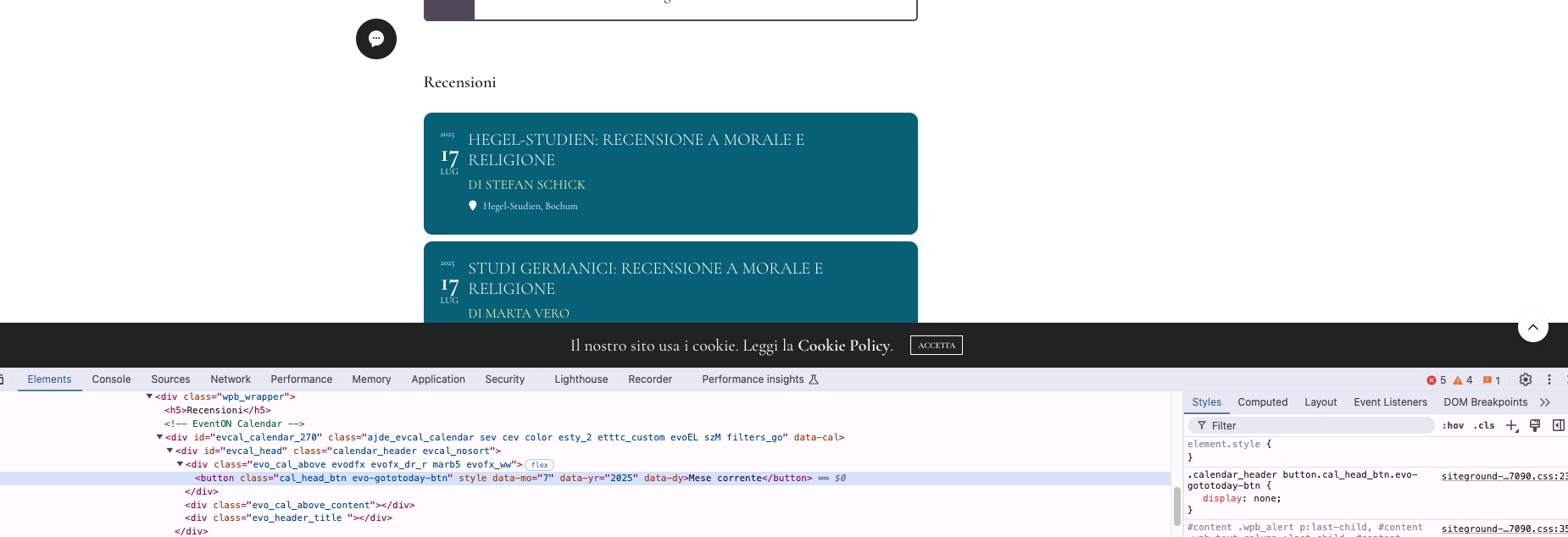
Could you try clearing website’s cache plugin?
Also try EventON > Scripts & Styling > turn off Write dynamic styles to header > save settings > turn on Write dynamic styles to header.