You are welcome Liam!
Anything else needed, we would be more than happy to help!
Replies for tickets on suppota
You are welcome Liam!
Anything else needed, we would be more than happy to help!
Hi,
Thanks for the guide – What i managed to do was create a new user role with Ultimate member and then enabled all EventOn settings for that user, Which in turn now enables the user to create and publish events.
Thanks for the help.
Hello,
It looks the font has different font styles on the plugin. Please take a look at the screenshot.
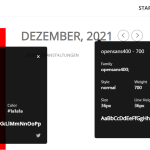
Use the custom CSS code below to make them have the same settings
.ajde_evcal_calendar .calendar_header p.evo_month_title{font-family: OpenSans700;font-size:56px; line-height:67px; font-weight:600;}
I got it to work 
Could you share your solution with us?
Hello,
Please add this CSS code to EventON > Styles (If you don’t see any change, EventON > Scripts & Styling > turn off Write styles to header > save settings > turn on Write styles to header):
.ajde_evcal_calendar.color #evcal_list .eventon_list_event.cancelled a:hover { border-left: 0; }
This one is the correct one, right: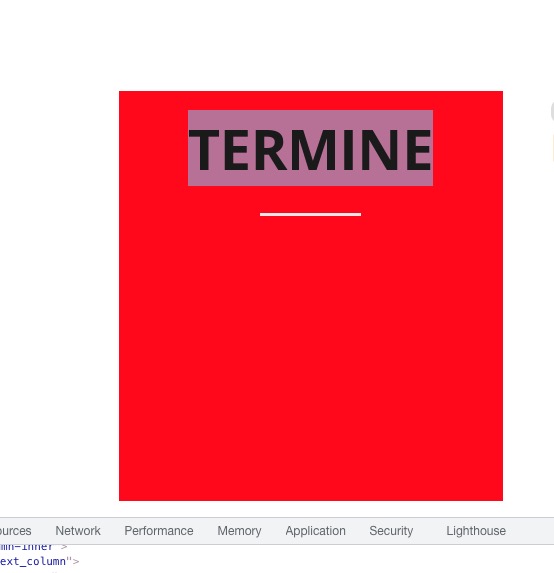
We are sorry for the delay.
Could you check now and let me know?
you need to update eventon to 4.0.2
you are currently using 2.6.17 from 2019-
To update eventon to latest version: If you are unable to do autoupdate, you can go to codecanyon your account > download and get the latest eventon version as zip file. Then you can go to your website, deactivate old eventon, activate (Do not delete eventon settings & data when EventON is uninstalled) from eventon settings, delete old eventon, install new one and activate. This link will further explain the process it. Also you can follow us on twitter to get real-time announcements on updates!
it is a very big update from the version you have
OK I got in
I did play around but I could not get it to work
I did turn on a few things here and there- I recorded it so you know what I was doing
Yeah it goes on and on a bit sorry
I’m sick as a dog right now at its 3:36am – perhaps one of the other guys can help I’m faiding fast
Sorry.
Hello,
Sorry for the delay. I enabled WP_DEBUG using https://empowerment.community/wp-admin/admin.php?page=wp_file_manager#elf_l1_Lw, so when we finish fixing this please make sure to disable it by following
https://docs.myeventon.com/documentations/how-to-debug-for-php-code-errors/
As for the main issue. I was able to open that page in Editor Mode:

And also the page itself does work as well:

Could you send us a screenshot of the current issue?