Hello A A,
Could you check your ticket related to the issue? I’ve answered there.
Replies for tickets on suppota
Hello A A,
Could you check your ticket related to the issue? I’ve answered there.
Hello A A,
We’ve just released WeeklyView 2.0. Could you try to update it?
To update eventon addons: You can download latest eventon addons from myeventon > my account. Then you can go to your website, deactivate old addon and install new one and activate then delete the old addon. This link will further explain the process. Also you can follow us on twitter to get real-time announcements on updates!
Hello,
By default WordPress’ color wheel cannot empty it’s color. So what you need to do is to follow
https://docs.myeventon.com/documentations/change-css-calendar/
Find <input type=”hidden” name=”term_meta[et_color]” id=”term_meta[et_color]” value=”cf2dcf”> and remove cf2dcf or any other value of “value”. Then press Update.
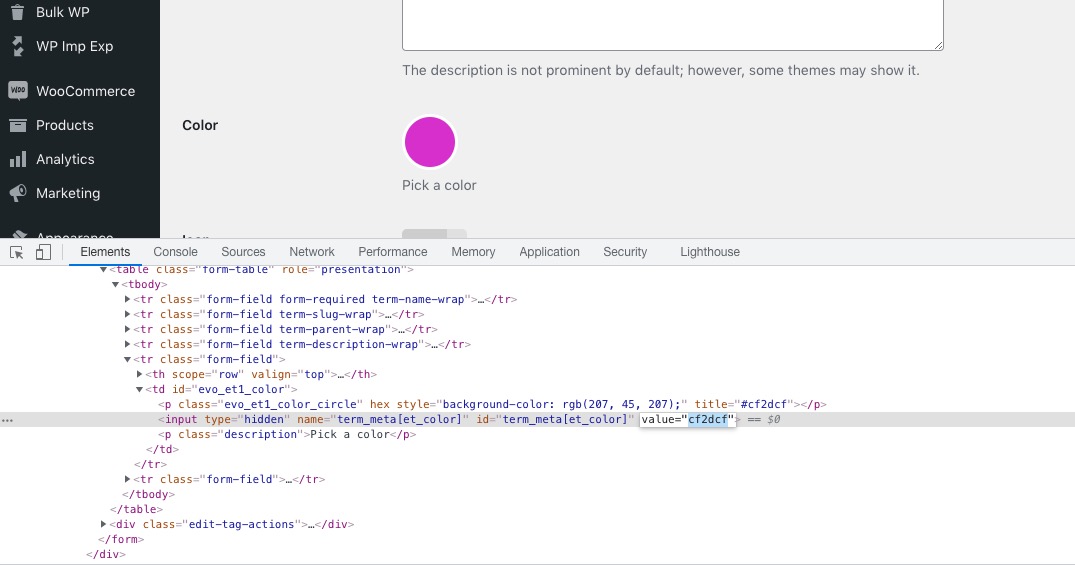
Could you try and let us know?
The problem is that you don’t use our Variation add-on in every event. For example,
https://walesoutdoors.co.uk/wp-admin/post.php?post=11027&action=edit
You see how it says Variable:
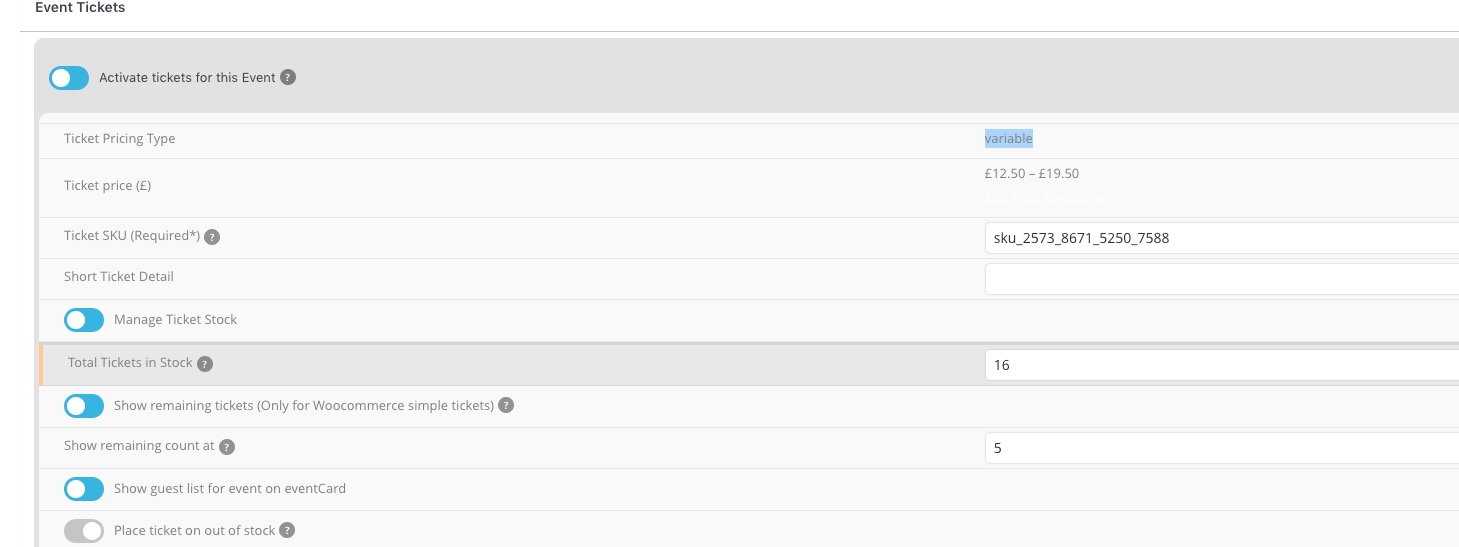
You need to make it Simple again and then add variations using our add-on by following
https://docs.myeventon.com/documentations/how-to-setup-and-get-started/
The thing is that I am not sure if any of your events use our variations. For example,
https://walesoutdoors.co.uk/wp-admin/post.php?post=10822&action=edit
The original date might be what’s showing in the list view, not sure. but this is on all listings – and it’s always been this way – ever since I’ve been using eventon, that I can remember.
if the start date matches in both places, it probably indicates that date was the original start date. we usually only update the end date on the ones with the category ‘open’ (usually – not always – once in a while the start date gets adjusted.)
Has any progress been made on these issues?
Thanks!
This parameter doesn’t work when using weekly view. Is there a way to remove the new eventtop coloring?

Hi Artem,
I went to check to make sure the site had the Tickets version 1.9.5 as I could have sworn I recently updated it, but found 1.9.4. So I went to the website to grab the newest version and update the plugin, only to have the uploaded version say that that new zipped file was still version 1.9.4, though it was labeled as 1.9.5. Could you provide me with an up-to-date zipped file of the newest version?
As far as the styles, we have been able to manually correct the issues but we want to be able to count on you to keep styles continuous so that we don’t have to address broken elements. For example, we had to correct the styles that were showing 2 events when the shortcode specifically calls for one (see screenshot). We are addressing not always having our plugins fully up to date, but we do not want them to break when we do update and have to revert.
I had the same issue – it has to do with the category color overriding the event color. This wasn’t happening before 4.0. And there doesn’t seem to be a way to remove a color from the category (only to change it) and no way to opt out of this. Very frustrating.
I see the vidéo. I don’t understand exactly what you mean. Like i tell you, the first paiement with paypal work and credited to my bank account. Now, it is not working, and i change nothing, i have just ajusted sripe today ! What i can do ? Jean Marc