Please contact ThemeForest about refunds.
The problem is in your server so there is not a lot we can do from our side.
Replies for tickets on suppota
Please contact ThemeForest about refunds.
The problem is in your server so there is not a lot we can do from our side.
Add event_count=”7″ to your shortcode like this:
[add_eventon_el event_count=”7″ number_of_months=”12″ event_count_list=”yes”]
You should be able to find the additional fields names by checking the HTML source code of the page: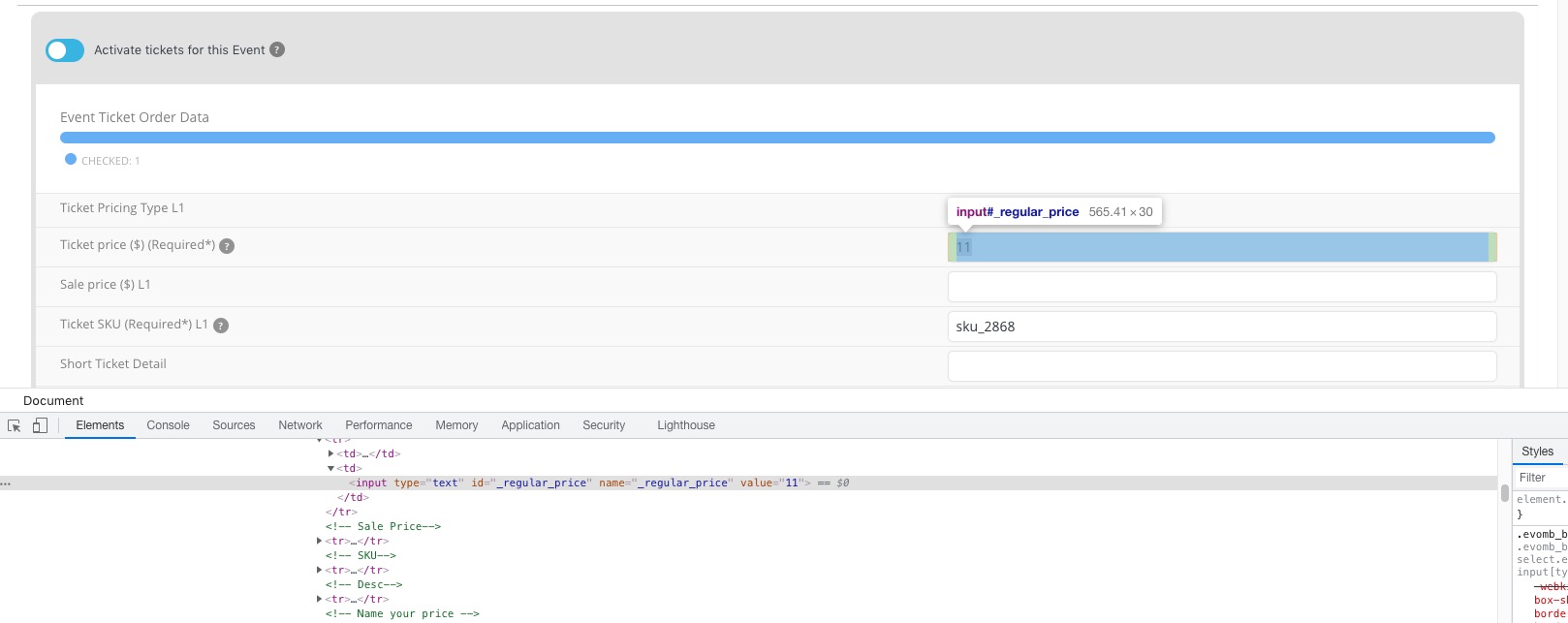
For example, evcal_subtitle can be replaced with _regular_price to add a new ticket price and so on.
Hello,
Unfortunately, there are no purchases associated with the email on this screenshot: https://helpdeskx.s3.amazonaws.com/wp-content/uploads/2021/10/27001234/Screenshot-2021-10-27-18.12.05.png
Could you try a different one?
Hello,
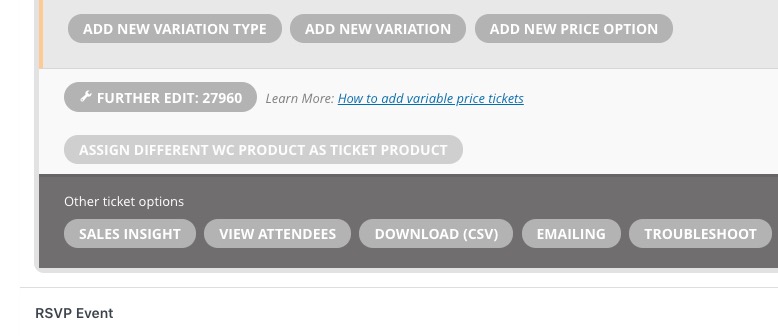
You can change the product by going to wp-admin > Events > Edit Event > Tickets > ASSIGN DIFFERENT WC PRODUCT AS TICKET PRODUCT:
Not sure if WordPress allows moving some functionality on a subdomain.
Please take a look at this guide that covers some of EventON’s hooks and actions: https://docs.myeventon.com/documentations/hooks-actions-filters/
PS. Unfortunately, there is always functionality that isn’t available at the moment. The problems is that we cannot do much about it since there is a list of features that we are working on. However you can change the order by creating a new featured request.
I tried and it works. Unfortunately we’ll be usign this plugin on live site too. Although I appreciate your help, we are not getting any closer to a viable solution.
I am in talks with my client about using some other events plugin. If we can’t make it to work properly, are there any options for a refund?
Hello,
EventON uses Gutenberg for this. Could you try adding it’s gallery element:
https://dev2.myeventon.com/events/gallery/

Hello,
Could you try going to EventON Settings > Single Events > Select EventTop Style: Clean White?
Hi there I do have the same issue since this morning (11 am – France). Everytime I tried to change colors it doesn’t take it in consideration. Please let me know what I have to do to fix it ! The problem appears to be on calendar card and the header just like Sasha Reinhardt described in his/her post.
Regards,
Lucile