Hi Thomas,
Please take a look at this tutorial on how to use that addon.
Replies for tickets on suppota
Hi Thomas,
Please take a look at this tutorial on how to use that addon.
Hello,
Would you mind sending admin access to the live site as well so that we can compare the setup environments?
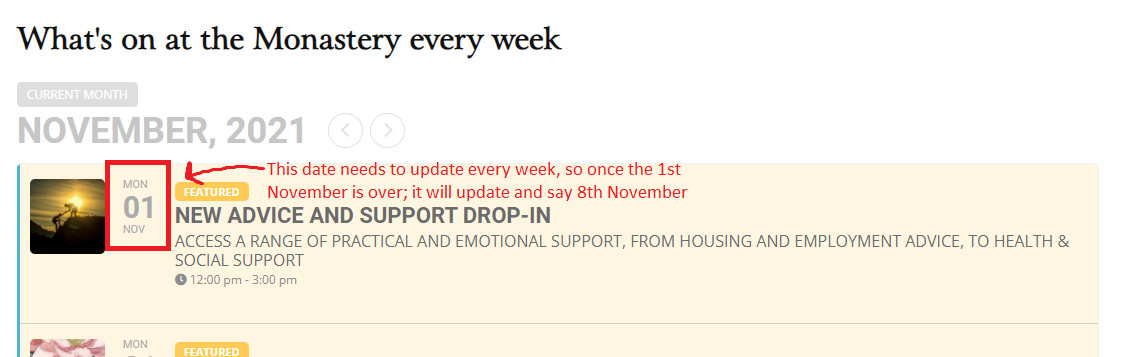
Hi; I have added the shortcode ([add_eventon hide_mult_occur=”yes” event_past_future=”future” only_ft=”yes”])
I need the the only featured option as all my recurring events are set to be featured.
I just need to make sure that the date will be updated. See screenshot; I have an event on Monday 1st November that repeats every week, so after the 1st is over will the date update to say the 8th? Or will it still say the 1st?
Thank you
As I wrote in my first post: yes, if I deactivate Litespeed cache and ProfilePress plugins, adding new event works. I am OK with ProfilePress being deactivated, but Litespeed cache plugin is not optional. So I need a solution with this plugin turned on.
Dear Artem,
Your Sync Tool is very tricky. I did two things:
I actually have a lot of work with this tool, so important for us!
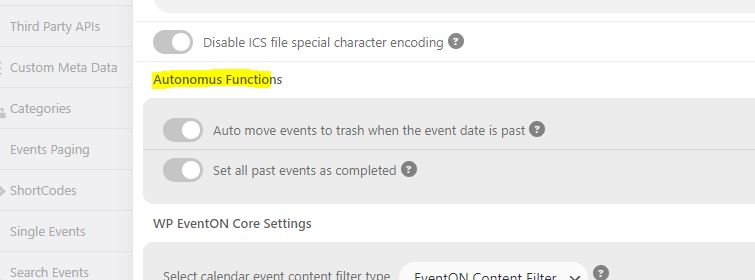
ok i found it. so i added this cal_init_nonajax=”yes” to my weekly view shortcode and now the entire page doesn’t display 🙁
https://www.staging4.xtremebarbingo.com/
add this to the calendar shortcode:
ux_val=”3″
that will cause the event to pop up
ux_val=”4″
will open the single event page
ux_val=”4a”
will open the single event page in a new window
see video:
Thanks. I’ve downloaded and installed on STAGING site but still seeing the same problem. Is there a setting i need to make? i noticed in Changelog cal_init_nonajax=’yes’ but i dont see where to set this.
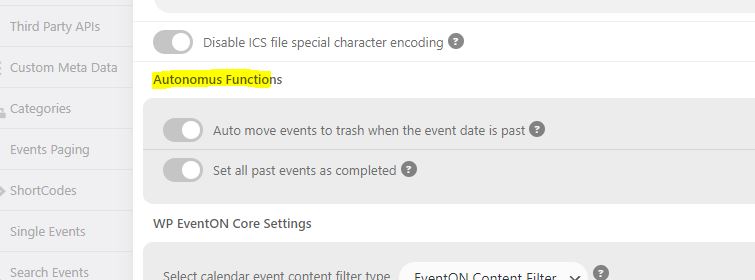
also just FYI see screenshot for misspelling fix.
CAN YOU UPDATE TICKETS TO 1.9.5
To update eventon addons: You can download latest eventon addons from myeventon > my account. Then you can go to your website, deactivate old addon and install new one and activate then delete the old addon. This link will further explain the process. Also you can follow us on twitter to get real-time announcements on updates!