Ashan,
Is “(GMT+00:00) Universal Time UTC” supposed to be available among default Event Timezones?
Could you let the customer know?
Replies for tickets on suppota
Ashan,
Is “(GMT+00:00) Universal Time UTC” supposed to be available among default Event Timezones?
Could you let the customer know?
Hello,
Thank you for your messages, I am going to assign this ticket to Ashan and he will be able to take it from here and find you a solution. Please allow some time for him to get back to you, we greatly appreciate your patience and thank you for being a eventon customer! Also please disable any IP blocking on your site if there are any.
Please add this CSS code to EventON > Styles (If you don’t see any change, EventON > Scripts & Styling > turn off Write dynamic styles to header > save settings > turn on Write dynamic styles to header). You can also add this code to wp-admin > Appearance > Customize > Additional CSS.
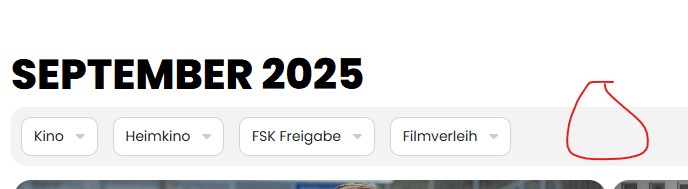
.ajde_evcal_calendar .eventon_sort_line, .eventon_filter_line { justify-content: center; }
Hello,
Please add this CSS code to EventON > Styles (If you don’t see any change, EventON > Scripts & Styling > turn off Write dynamic styles to header > save settings > turn on Write dynamic styles to header). You can also add this code to wp-admin > Appearance > Customize > Additional CSS.
.eventon_events_list .eventon_list_event .evoet_dayblock, .eventon_events_list .eventon_list_event .evoet_cx .evoet_dayblock span, .evo_pop_body .evoet_dayblock { flex-wrap: nowrap; flex-direction:row; }
I am referring to Shortcode Generator you can find by going to EventON > Shortcodes > Configure Calendar:
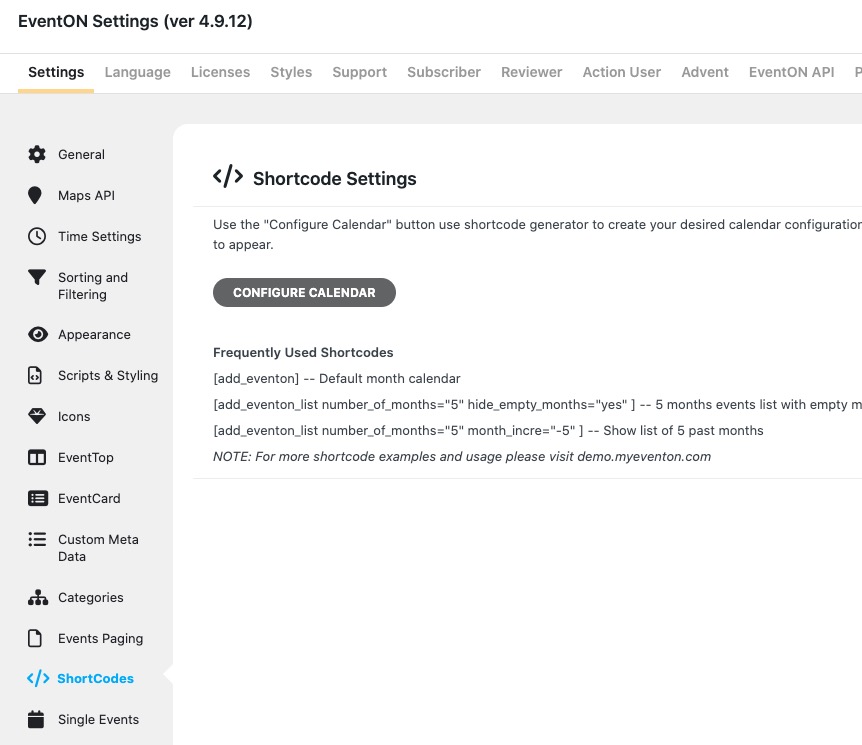
More info:
https://docs.myeventon.com/documentations/shortcode-generator/
Please check and let me know.
Hello,
Please take a look at this guide:
https://docs.myeventon.com/documentations/how-to-add-additional-fields-to-download-attendees-csv-file/
Order notes are located in order_comments variable.
Please also create a new ticket and select Feature Request as category so others can vote on your idea and get it moved into development faster.
Hello
Thanks, I’ve added the parameter to the shortcode but it doesn’t do anything. Where about’s can I see the User Interaction settings please?
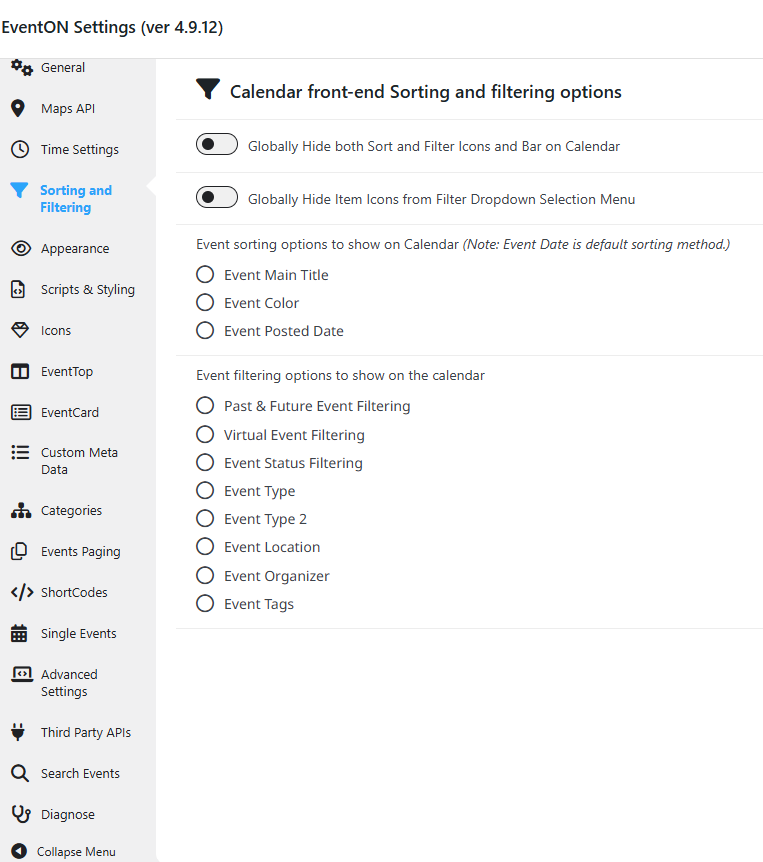
These are the options I have
that is weird…yeah added sftp creds
ok, ich verstehe und so wollte ich es. Kann man dan den Rest auch noch Zentrieren (Siehe Screen) und bei der Filterfunktion würde ich die Hintergrundfarbe ändern aber finde es im Style nicht. Danke!!!