Hello,
It seems that in your case it’s easier to use CSV Importer https://www.myeventon.com/addons/csv-event-importer/.
More info on how to add additional fields: https://docs.myeventon.com/documentations/how-to-add-additional-fields-to-download-attendees-csv-file/
Hello,
Please send us wp-admin access to your site as a private message for us to further assist your situation.
Hello,
Could you make sure to update to EventON 4.0.1? After, please go to your shortcode and add eventtop_style=”0″.
If necessary, please go to EventON Settings > Single Events > Select EventTop Style: Clean White.
Hey Allyson,
If it came like this, that means you are not using the latest version from github 🙂
I have added some events but the problem remains the same. The last event is not visible on smaller screens.
Thanks
Hi,
He has a wordpress administrator account and has full access rights.
Cordialy,
Pierre
Thank you.
User: millionhopeCK
PW: Gnk_7z6#m!-5JRjy1795!?xYxnc
https://bettfedernfabrik-oberwaltersdorf.com/wp-login.php
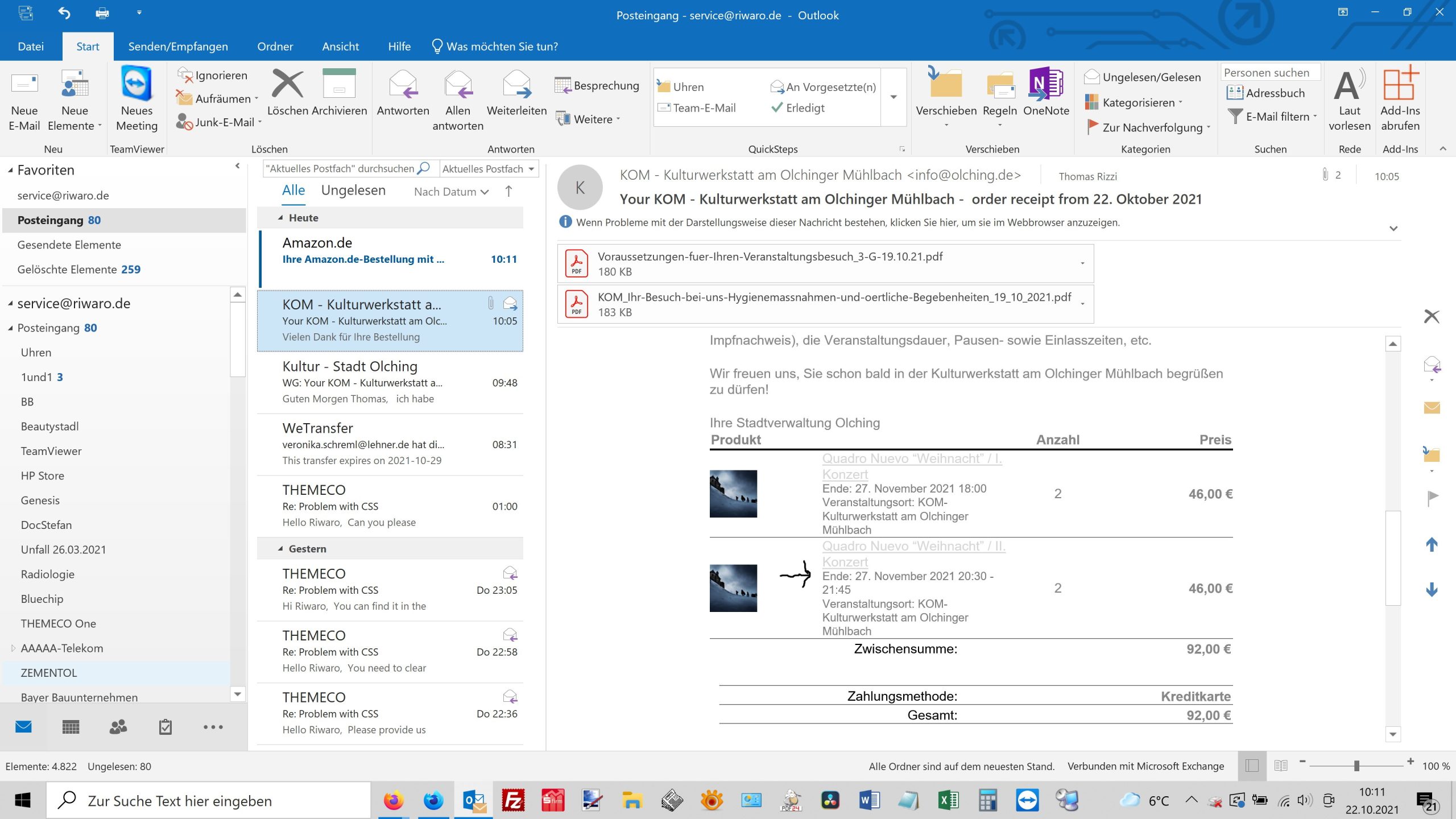
Hello,
we have another problem. In the order confirmation that the customer receives, the following is shown in front of the time: End: Either the “end” has to be removed or it should read: Start of the event: 8.30 p.m. End of the event: 9:45 pm Here is a screenshot
Thomas