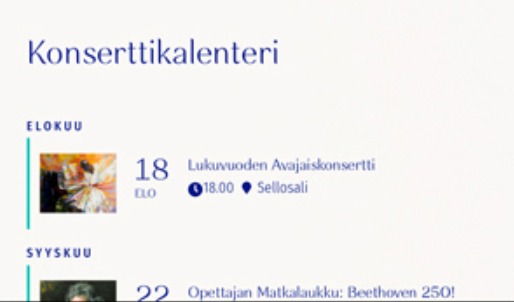
This is the .ics file. I think I updated ICS import correctly, but nothing happened when I tried it.
webcal://tcbc.ccbchurch.com/w_calendar_sub.ics?campus_id=1
Replies for tickets on suppota
This is the .ics file. I think I updated ICS import correctly, but nothing happened when I tried it.
webcal://tcbc.ccbchurch.com/w_calendar_sub.ics?campus_id=1
I have never had this much trouble with the most basic functionality like picking dates and times.
https://www.pbec.org/wp-admin/post.php?post=3886&action=edit
The minutes show up now, but it won’t save. I have tried editing the time to 1030am to 12noon about 5 times now and it never saves the changes….
Ashan,
When you download an .ics file from an event it’s description looks like this:
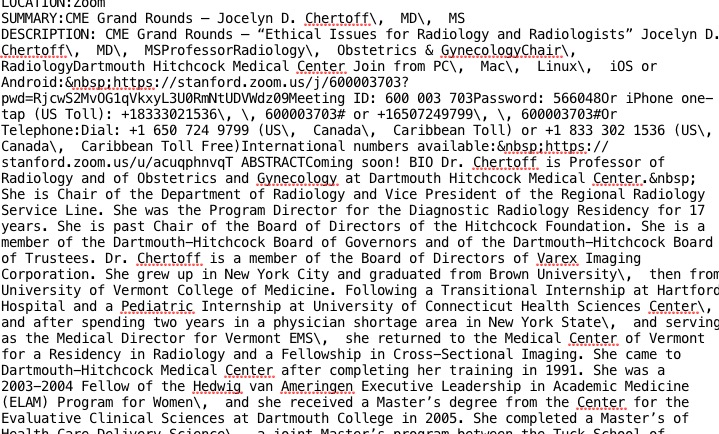
So instead of br it replaces them with /. Is this correct?
Thank you for your messages, I am going to assign this ticket to Ashan and he will be able to take it from here and find you a solution. Please allow some time for him to get back to you, we greatly appreciate your patience and thank you for being a eventon customer!
It seems that there is incompatibility issue between EventON and SABAI plugin that cannot resolved from EventON’s side by disabling/enabling Google Map API.
Could you make sure that when only EventON is activated it works the way it should?
Old account- design@makeanimprint.ca
New account- showroyd9@gmail.com
Please send us wp-admin access to your site as a private message for us to further assist your situation.
We are glad your issue is resolved, if you have any further questions or concerns please create a new ticket.
If you have a moment, we would greatly appreciate if you could kindly leave us a review at codecanyon! from your account > downloads. Cheers!
We are glad your issue is resolved, if you have any further questions or concerns please create a new ticket.
If you have a moment, we would greatly appreciate if you could kindly leave us a review at codecanyon! from your account > downloads. Cheers!
Comparing to this screenshot https://helpdeskx.s3.amazonaws.com/wp-content/uploads/2021/10/19022908/index.jpg, the only issue is the title color, right? Could you tell us more?
Please add this CSS code to EventON > Styles (If you don’t see any change, EventON > Scripts & Styling > turn off Write styles to header > save settings > turn on Write styles to header):
.ajde_evcal_calendar.boxy #evcal_list .eventon_list_event .evcal_desc span.evcal_event_title { color: #001589 !important; }