We are glad your issue is resolved, if you have any further questions or concerns please create a new ticket.
If you have a moment, we would greatly appreciate if you could kindly leave us a review at codecanyon! from your account > downloads. Cheers!
Perfect!
We are glad your issue is resolved, if you have any further questions or concerns please create a new ticket.
If you have a moment, we would greatly appreciate if you could kindly leave us a review at codecanyon! from your account > downloads. Cheers!
Hello,
Could you update RSVP add-on to 2.7.4?
To update eventon addons: You can download latest eventon addons from myeventon > my account. Then you can go to your website, deactivate old addon and install new one and activate then delete the old addon. This link will further explain the process. Also you can follow us on twitter to get real-time announcements on updates!
Please also try refreshing Permalinks by following this guide: https://docs.myeventon.com/documentations/single-events-page-not-working-404-error/
Hello,
Could you try updating EventON to 4.0.1 and Action User add-on?
To update eventon to latest version: If you are unable to do autoupdate, you can go to codecanyon your account > download and get the latest eventon version as zip file. Then you can go to your website, deactivate old eventon, activate (Do not delete eventon settings & data when EventON is uninstalled) from eventon settings, delete old eventon, install new one and activate. This link will further explain the process it. Also you can follow us on twitter to get real-time announcements on updates!
To update eventon addons: You can download latest eventon addons from myeventon > my account. Then you can go to your website, deactivate old addon and install new one and activate then delete the old addon. This link will further explain the process. Also you can follow us on twitter to get real-time announcements on updates!
Could you also send us the shortcode that you are using for Action User?
Hello,
Could you go to EventON Settings > Google Maps API > Disable Google Maps API > select Google maps javascript file only (If the API js file is already loaded with another gmaps program)?
Fixed. Thank you for your help.
Nope Still the same.
Hmm. Okay.
If you go to: https://dev.ungdomsringen.dk/eventsworkshops/ and put “UNGDOMSRINGENS MUSIKFESTIVAL 2022” into the basket and hit “Vis kurv” it will show the first cart i sent you. If you then clear the basket and put in “ÅRSMØDE OG KONGRES 2022 (2) and hit “Vis kurv” it shows the second cart i sent you.
If both are in the basket the first one is showing. So it seems to be overruling the theme one.
UNGDOMSRINGENS MUSIKFESTIVAL 2022 uses your plugins variations.
ÅRSMØDE OG KONGRES 2022 (2) uses Woo’s variations.
Very strange.
Does it make sense?
I am sorry, the access information you have provided did not work for us. Please check them and post the correct login information as a private message, thank you!
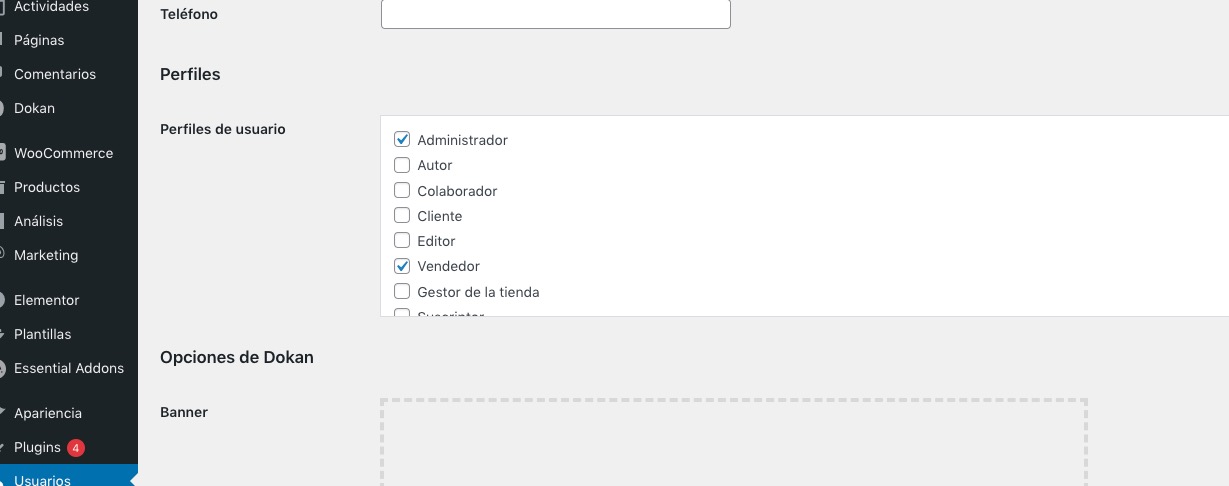
I am very sorry, it seems that I forgot to attache the screenshot. This is the part I was referring to: