Hello,
Please go to
and click ”Verify Codecanyon Purchase” to get the latest version of EventON.
You don’t need to renew your support subscription for EventON anymore since we fully moved to our own website.
Replies for tickets on suppota
Hello,
Please go to
and click ”Verify Codecanyon Purchase” to get the latest version of EventON.
You don’t need to renew your support subscription for EventON anymore since we fully moved to our own website.
I guess something with your user roles/permissions is wrong.
I have changed a user account from role fachübungsleiter (=author) to admin and can see all my events again.
We have not changed the roles since 2y
Looking forward for a non invasive way of fixing this, thx
*typo* even
Thanks! I will test! 🙂
You can see also where:
https://search.google.com/test/rich-results/result/r%2Funknown-type?id=dRIvaDGw7UH5M6P82DDv6g
Could you check now with cleared browser cache?
Is it possible to create a clone website, so we can check the issue?
Hello,
Please take a look at FullCal:
https://myeventon.com/addons/full-cal/
With this shortcode
[add_eventon_fc nexttogrid=”yes” show_et_ft_img=”yes”]
it should look like this:
https://dev2.myeventon.com/test-277/
If you need to change it’s style, we can send you some custom CSS code.
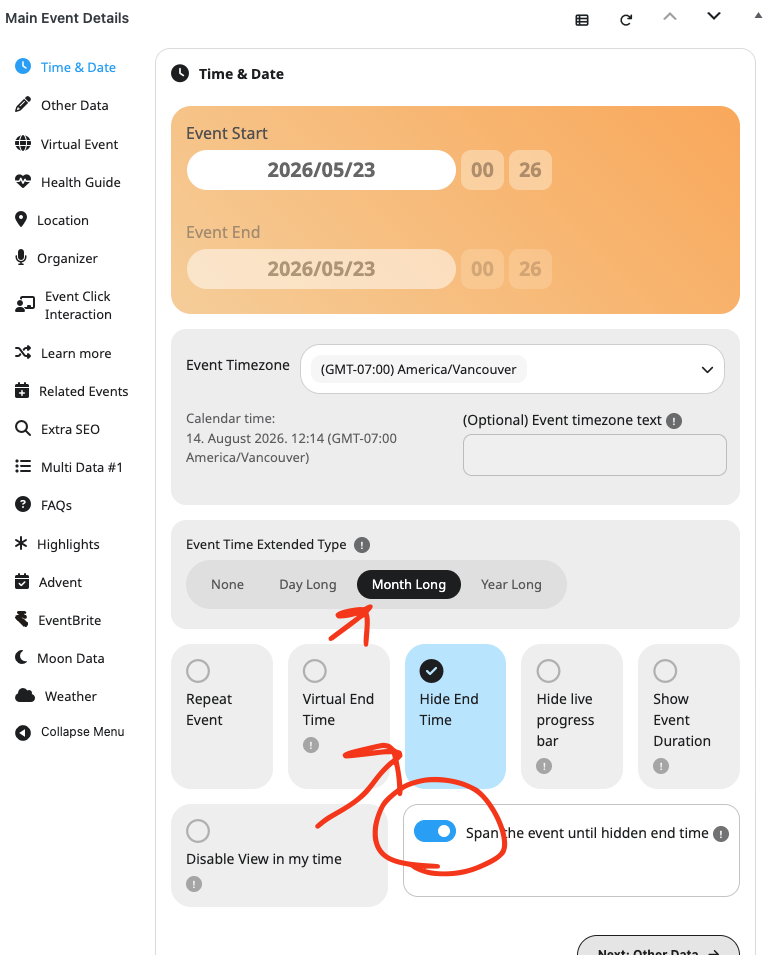
Perhaps try switching the event to month long event and set to hide event end date? Like this:
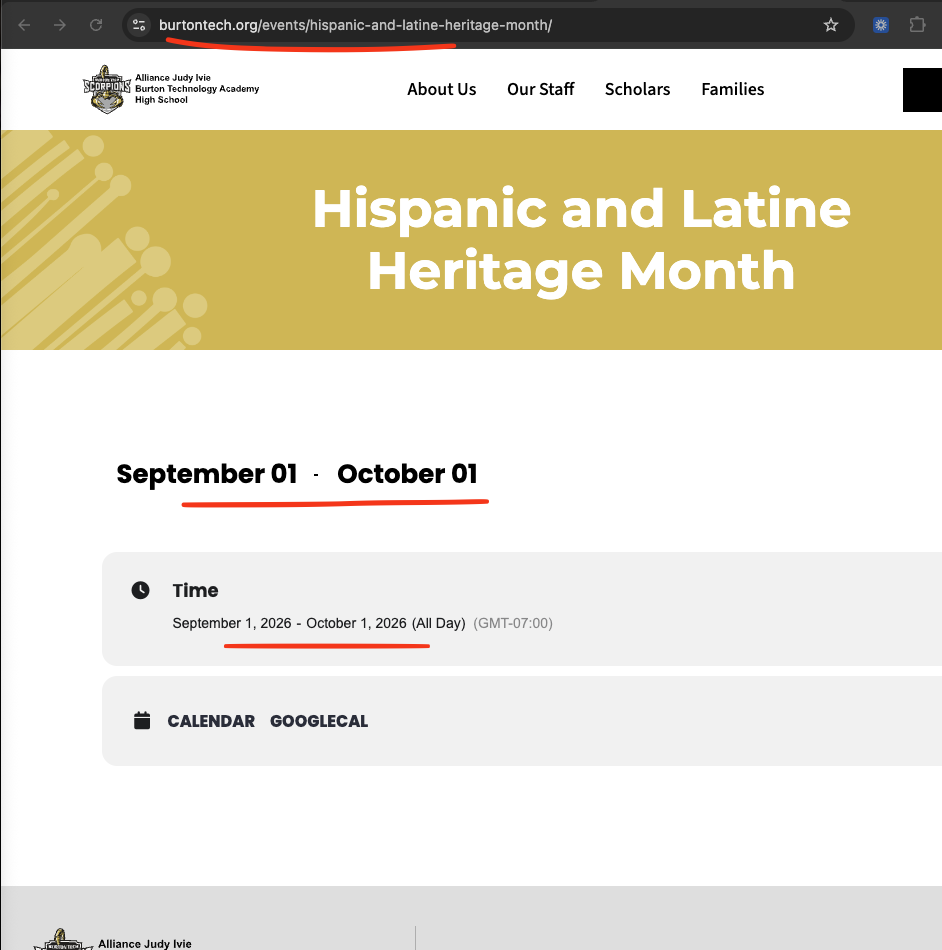
Looks like your event is spanning from Sept 1 to Oct 1st. That is why it is showing the event for both those months and showing both those month values.