Ashan,
Please check: Reply to: 255422
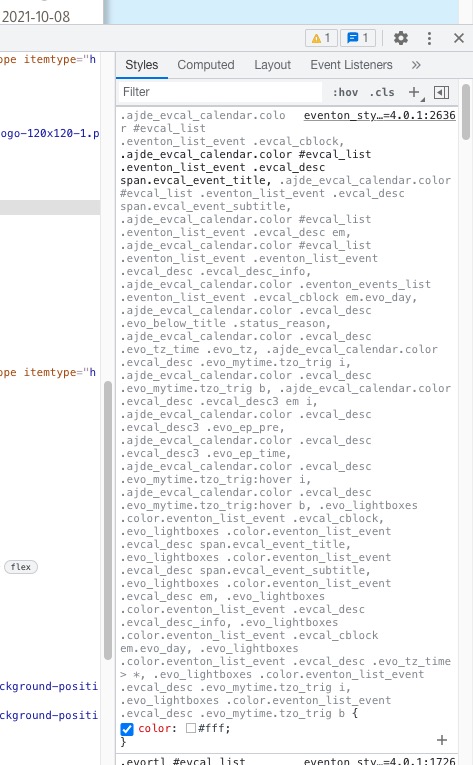
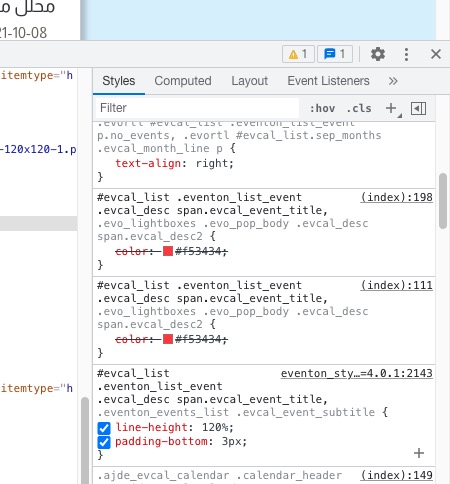
This style overwrites everything else:
Replies for tickets on suppota
We are sorry for the delay. I am going to assign this ticket to Ashan and he will be able to take it from here and find you a solution. Please allow some time for him to get back to you, we greatly appreciate your patience and thank you for being a eventon customer! Also please disable any IP blocking on your site if there are any.
As a temporary solution please use this code:
#evcal_list .eventon_list_event .evcal_desc span.evcal_event_title, .evo_lightboxes .evo_pop_body .evcal_desc span.evcal_desc2, .ajde_evcal_calendar.color #evcal_list .eventon_list_event .evcal_cblock, .ajde_evcal_calendar.color .evcal_desc .evo_mytime.tzo_trig b, .ajde_evcal_calendar.color #evcal_list .eventon_list_event .evcal_desc em { color: #f53434 !important; }
Thank you Basilis
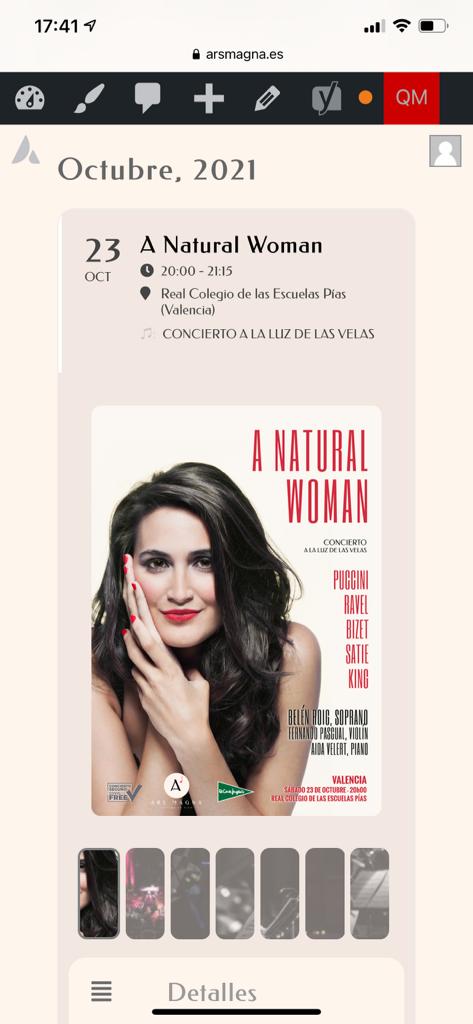
Isn´t it possible to have the site width for event single pages? After adding the code the width has improved, but it is still very narrow.
As for the color of the event type word (I putted a note Symbol) is alright now for the single page, but continues white in the tile view.
I’d much prefer a phone call at 407-304-9557
Our webmaster Terri Golas originally bought the plug in. It expired and we just renewed it and she transferred it to our account. We need to make sure the license is fully active because folks are having issues submitting to our calendar.
Hello,
Please add this CSS code to EventON > Styles (If you don’t see any change, EventON > Scripts & Styling > turn off Write styles to header > save settings > turn on Write styles to header):
.ajde_evcal_calendar #evcal_list .cancelled.eventon_list_event .desc_trig:before { content: none !important; } .ajde_evcal_calendar #evcal_list .cancelled.eventon_list_event .desc_trig { background: white !important } .ajde_evcal_calendar.cev.sev #evcal_list a.cancel_event em i { color: black !important; }
The difference is that Homepage uses a widget with a shortcode inside. Could you try putting the shortcode inside of a Elementor’s text element?
Hello,
Please use the code below:
.evo_cal_above span:hover { color: #ffffff; background-color: #d3d3d3; }
I’ve added custom CSS code to EventON Styles.
Do you need our help with anything else?
It’s better to add the custom code to EventON Styles. Please also note that if you don’t see any change, EventON > Scripts & Styling > turn off Write styles to header > save settings > turn on Write styles to header.
Do you need our help in anything else or can I close the ticket?
Please go to https://www.pbec.org/wp-admin/options-general.php > Date Format > try selecting F j, Y or similar.