2. Please remove/comment the lines. More info https://www.w3schools.com/css/css_comments.asp
Just select and then remove from the file.
Replies for tickets on suppota
2. Please remove/comment the lines. More info https://www.w3schools.com/css/css_comments.asp
Just select and then remove from the file.
Perfect! Thank you very much for sharing this with us.
We are glad your issue is resolved, if you have any further questions or concerns please create a new ticket.
If you have a moment, we would greatly appreciate if you could kindly leave us a review at codecanyon! from your account > downloads. Cheers!
Hello,
Please go to EventON Settings > Single Events > Select EventTop Style: Clean White.
After, go to your shortcodes and add eventtop_style=”0″.
Hello,
Please use Event Lists shortcode:
[add_eventon_list number_of_months=”12″ hide_empty_months=”yes”]
You can find more options in Shortcode Generator https://docs.myeventon.com/documentations/shortcode-generator/
Hello,
We are sorry for the inconvenience. We are aware of the issue and fixing it at the moment.
As a temporary solution could you go to EventON Settings > EventCard Design > “Learn More” > click on “eye”?
https://thenatwork.info/dukommstnichtrein
and then login
can you pleas look to this page “organizer and Location” layout isent ok. thank you so much
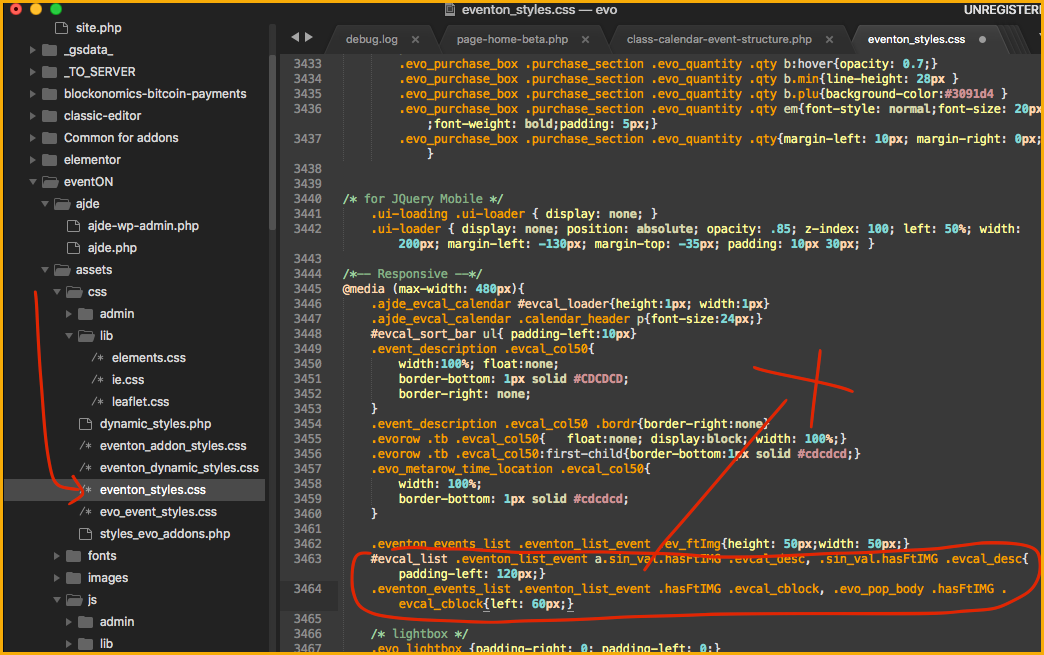
sorry, I wanted to write four lines of code
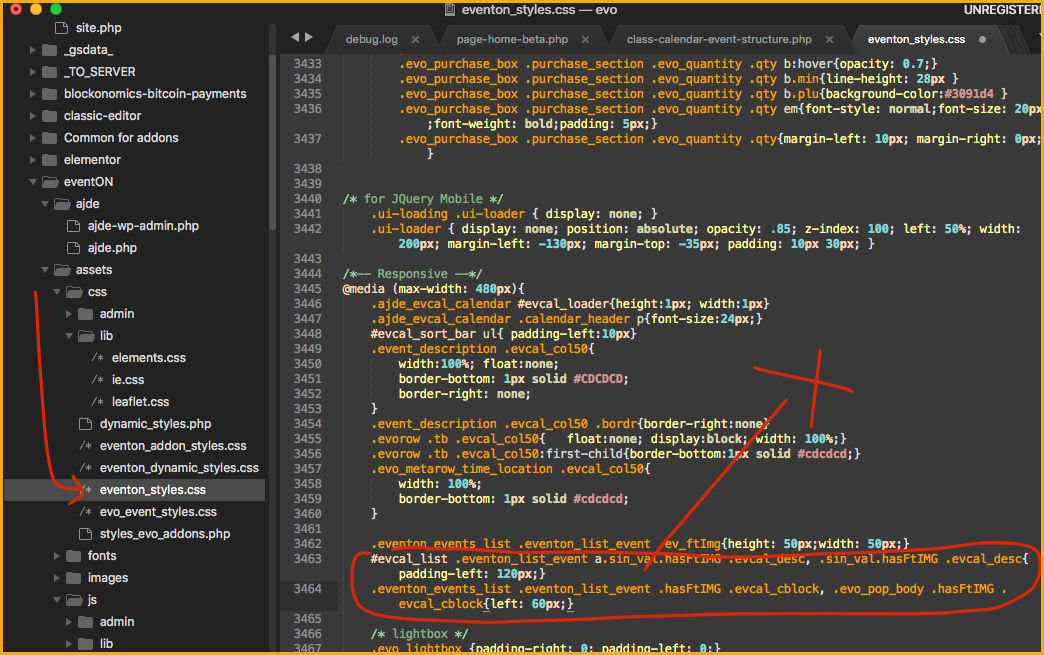
As I mentioned, I do not know what to do with these for lines of code.
Do I have to move them to where the x is?
It worked for me. Thank you.
But I had this extra part of code that was not on your screen ( I deleted it too)
- .eventon_events_list .eventon_list_event .hasFtIMG .evcal_desc, .evo_pop_body .hasFtIMG .evcal_desc{padding-left: 140px;}
#evcal_list .eventon_list_event a.sin_val.hasFtIMG .evcal_desc, .sin_val.hasFtIMG .evcal_desc{padding-left: 120px;}
.eventon_events_list .eventon_list_event .hasFtIMG .evcal_cblock, .evo_pop_body .hasFtIMG .evcal_cblock{left: 60px;}