Hello,
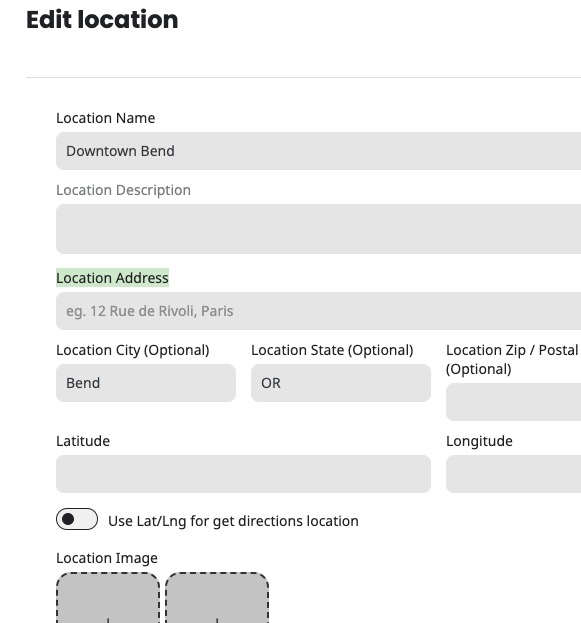
Please make sure to add Location Address to each location to show “Get Directions”.
Replies for tickets on suppota
Hello,
Please make sure to add Location Address to each location to show “Get Directions”.
Thank you do you know where the code is located? Sorry. And look forward to hearing back from Ashan.
Could you add certain links to GoDaddy Cache to remove them from the cache?
New version changed the functionality, so now you need to click on a button to see Custom Meta Fields.
This was done to increase the overall performance of Edit Event page.
Hello,
Do you want to sell tickets to your event or just allow users to RSVP for free?
To sell tickets, please take a look at:
https://www.myeventon.com/addons/event-tickets/
https://www.myeventon.com/addons/bookings/
Bookings add-on is for if you want to allow users to book certain times.
RSVP for free:
https://www.myeventon.com/addons/rsvp-events/
Try on
https://dev.myeventon.com/wp-admin/
I changed the code:
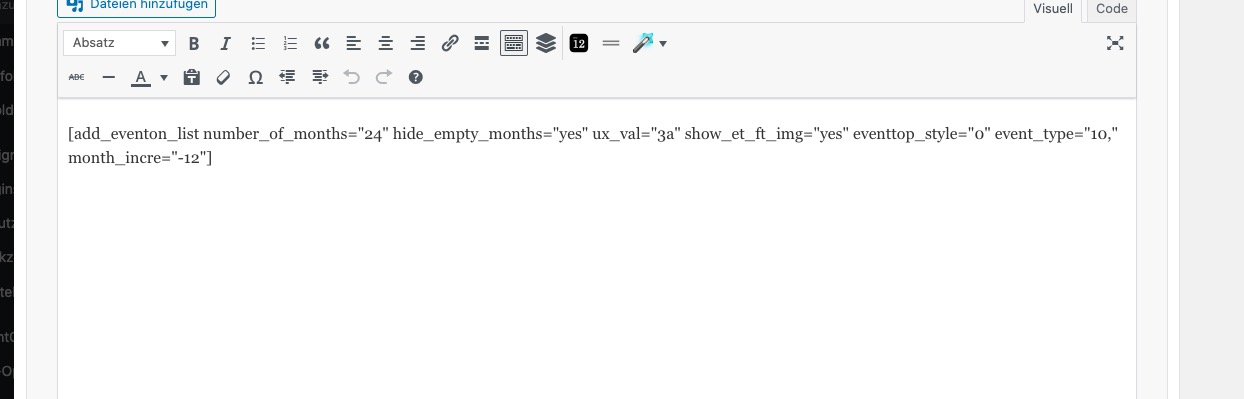
You only have one event assigned to Event Type with ID=10:
https://kultur-am-kapellenplatz.de/wp-admin/edit.php?event_type=orgelplus&post_type=ajde_events
Could you add more?
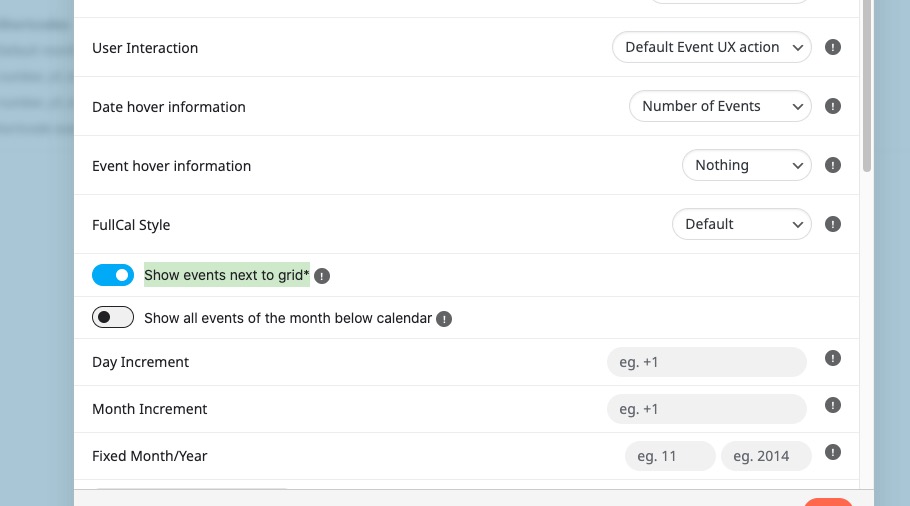
Maybe you can enable “Show events next to grid*” and then add the text above the calendar itself:
Hello,
Thank you for your great suggestion, at the moment it is not supported. However please create a new ticket and select Feature Request as category so others can vote on your idea and get it moved into development faster.
Hello,
Please take a look at “User Interaction: Open in single event page”:
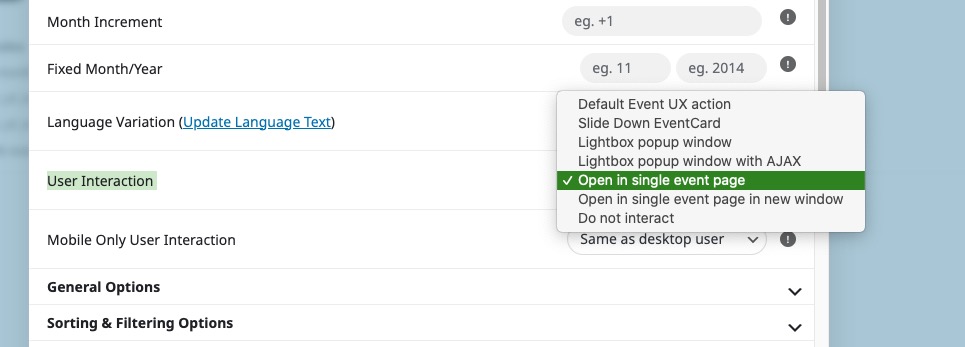
Add ux_val=”4″ to the shortcode to open events as Single Event Page.
Hi
I’ve updated the plugin to the latest version 4.9.12 and the events section is now accessible via a keyboard which is great, but because each event has a pop up that is not accessible. Is there a way to easily load the event data in a page rather than a pop up?
Regards
Amanda