Test mode is enabled fully, i really don’t now how to help you with that.
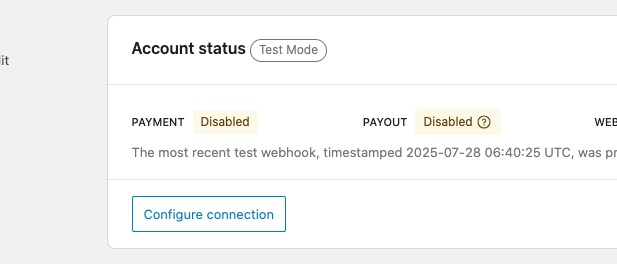
PAYMEENT and PAYOUT are meant for live and they cannot be enabled on test mode.
Replies for tickets on suppota
Test mode is enabled fully, i really don’t now how to help you with that.
PAYMEENT and PAYOUT are meant for live and they cannot be enabled on test mode.
Hello,
1. We are aware of the issue and are going to fix it ASAP.
2. Please apply the patch from Ashan in this ticket
https://helpdesk.ashanjay.com/ticket/open-in-single-event-page-in-new-window/
3. Please go to Edit Event > Learn More > “Open in new tab“:
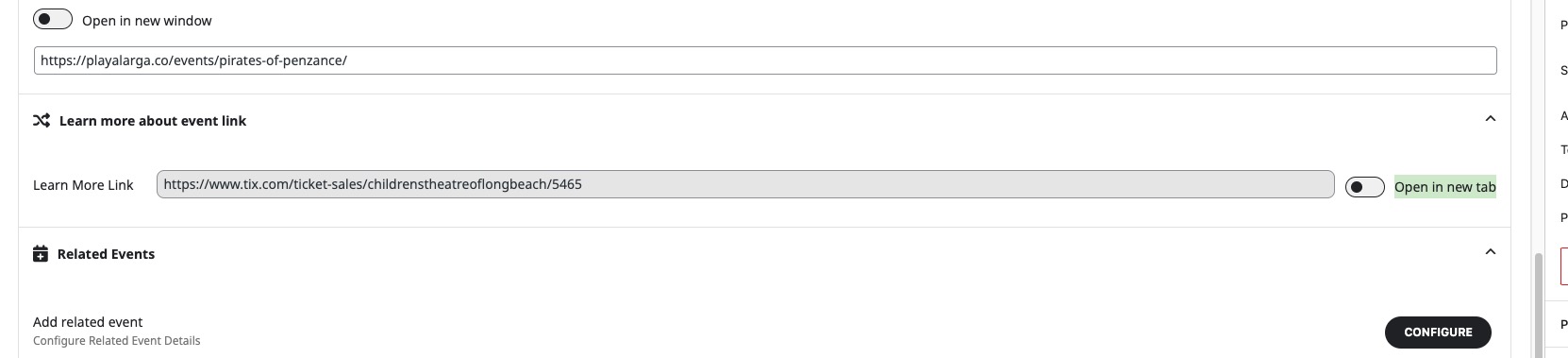
4. Could you elaborate more? JS issues or PHP?
I don’t have an iPhone to test the payment, because it asks me for one:
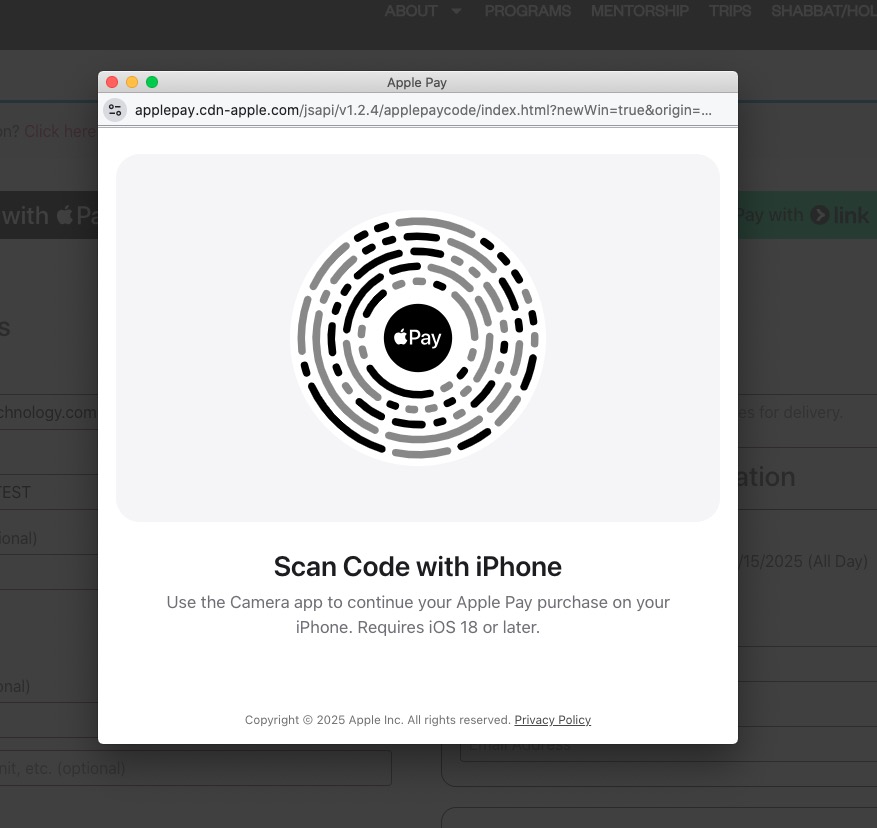
I don’t think that the test mod has been enabled fully.
Could you try enabling these two as well:
Hi,
Today I can leave the website updated so you can check it. Yesterday it wasn’t possible because it was the day we send out information to our WhatsApp lists, and it’s the day we receive the most visits of the week.
I’m going to update the EventON plugin now, and I kindly ask you to let me know as soon as possible if the issue with the arrows in the calendar view on smartphones is resolved. If not, I would also appreciate it if you could tell me quickly so I can perform a downgrade.
Thank you very much for your help.
Schedule View with set August 2025
[add_eventon_sv fixed_month=”08″ fixed_year=”2025″]
seems to be working:
https://dev2.myeventon.com/test-1048/
Please check and let me know.
We are glad your issue is resolved, if you have any further questions or concerns please create a new ticket.
If you have a moment, we would greatly appreciate if you could kindly leave us a review at EventON WordPress Page OR Codecanyon. Your review helps us a lot in continuing EventON improvements!
Hello,
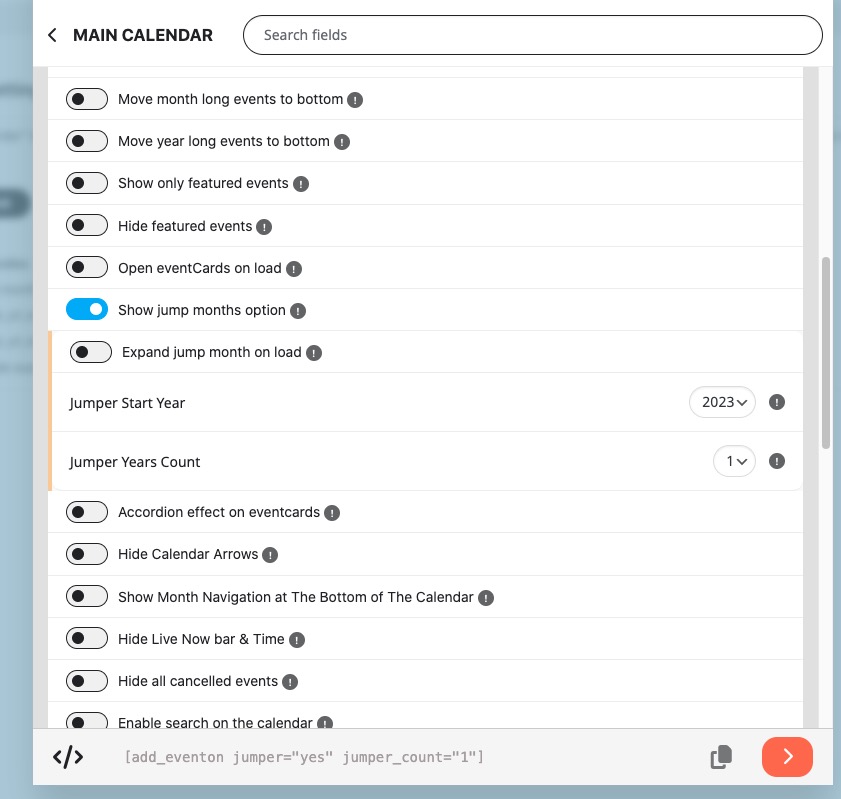
Please add jumper_count=”1″ to the shortcode:
Hello,
Please go to EventON > Single Events > enable Shareable Options. Each individual event should show Share section.
Try and let me know.
We cannot help with any PHP customizations since it’s against CodeCanyon’s Support Policy.
I believe that creating events programatically is similar to creating Post:
https://stackoverflow.com/questions/14605868/how-to-create-a-post-in-wordpress-programmatically
Instead of post in
‘post_type’ => ‘post’,
please replace it with ajde_events.
For taxonomies, please take a look at:
https://docs.myeventon.com/documentations/taxonomies-eventon/
Hello,
Please follow this guide:
https://docs.myeventon.com/documentations/increasing-wordpress-memory-limit/
Try increasing to 512M.