Hello thans for your help. It is still not working.
I referr to the image i sent you.
1) is not working (please see here : https://bettfedernfabrik-oberwaltersdorf.com/)
2) is fine
3) is fine
Any help most wellcome! Thanks.
Replies for tickets on suppota
Hello thans for your help. It is still not working.
I referr to the image i sent you.
1) is not working (please see here : https://bettfedernfabrik-oberwaltersdorf.com/)
2) is fine
3) is fine
Any help most wellcome! Thanks.
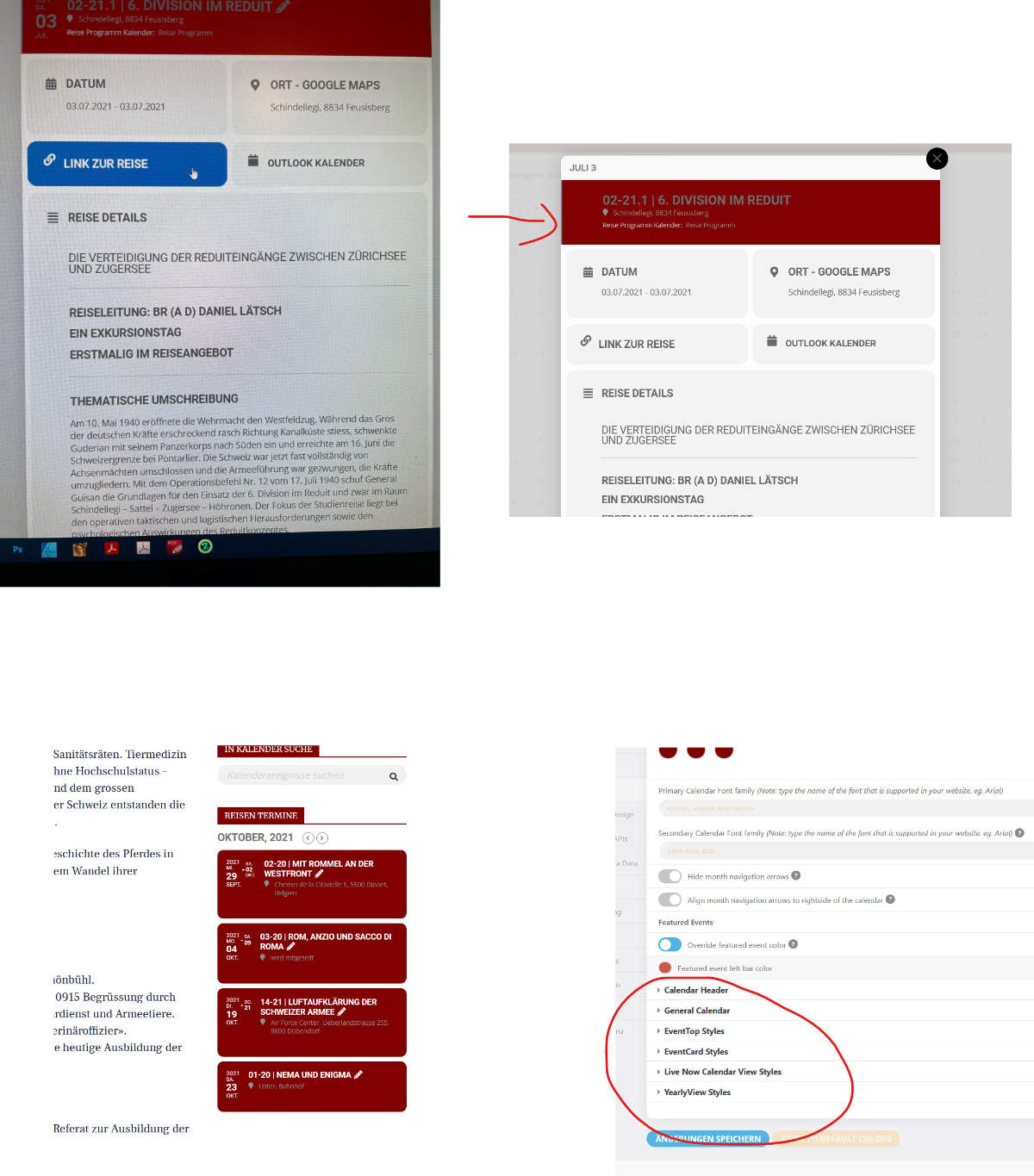
This morning I got the message that a new update is available, V 4.0.1
There are still some details different from the old version, please help.
Link color, where can I use that like the other elements without this blue background?
Background color not red and text black
Background color not red and text black
Where exactly can I make these changes?
Please answer quickly, I have several licenses and I need to adjust everything!
Can you please attach a larger screenshot, a small image is attached
Wow what an answer Dave. 😳
Any colleagues of Dave that want to give me a proper answer on my 2 questions?
Thank.. I actually think there is a “set standard image for all tickets” somewhere so I don’t have to do it every time. I have used that for another client, but I can’t remember where the setting is..
Regarding the 2nd question. I don’t want to translate anything. I just want to set the category that tickets are put into as standard.. Instead of putting them in the default category “Ticket”, that is automatically added when installing tickets addon, I want to create a new Woo Product category and assign all tickets to be put in that new category – instead of the standard “Ticket” category..
example
Thank you for your great suggestion, at the moment it is not supported. However please create a new ticket and select Feature Request as category so others can vote on your idea and get it moved into development faster.
but if you would like us to have a look at version 4, then please provide wp-admin access
there was a change to the eventon 4 look
to correct it if you add
eventtop_style=”0″
to the shortcode of the calrndar it reverts it back to the legacy (previous version)
I added
eventtop_style=”0″ to the shortcode and cleared your cache and to me now it is grey
please check (perhaps even clearing your browser cache)
now wp-admin access does not work
please post the link to log in and also the right username and password
please provide the link to log in as https://www.lakecountybloom.com/wp-admin/ doesn’t work for us
also we would need admin privileges