Hi infotainerdave.
I checked again and it appears the same, what I want is that the view looks like before, in which the event box had a white color and the green/blue color is as a border.
Replies for tickets on suppota
Hi infotainerdave.
I checked again and it appears the same, what I want is that the view looks like before, in which the event box had a white color and the green/blue color is as a border.
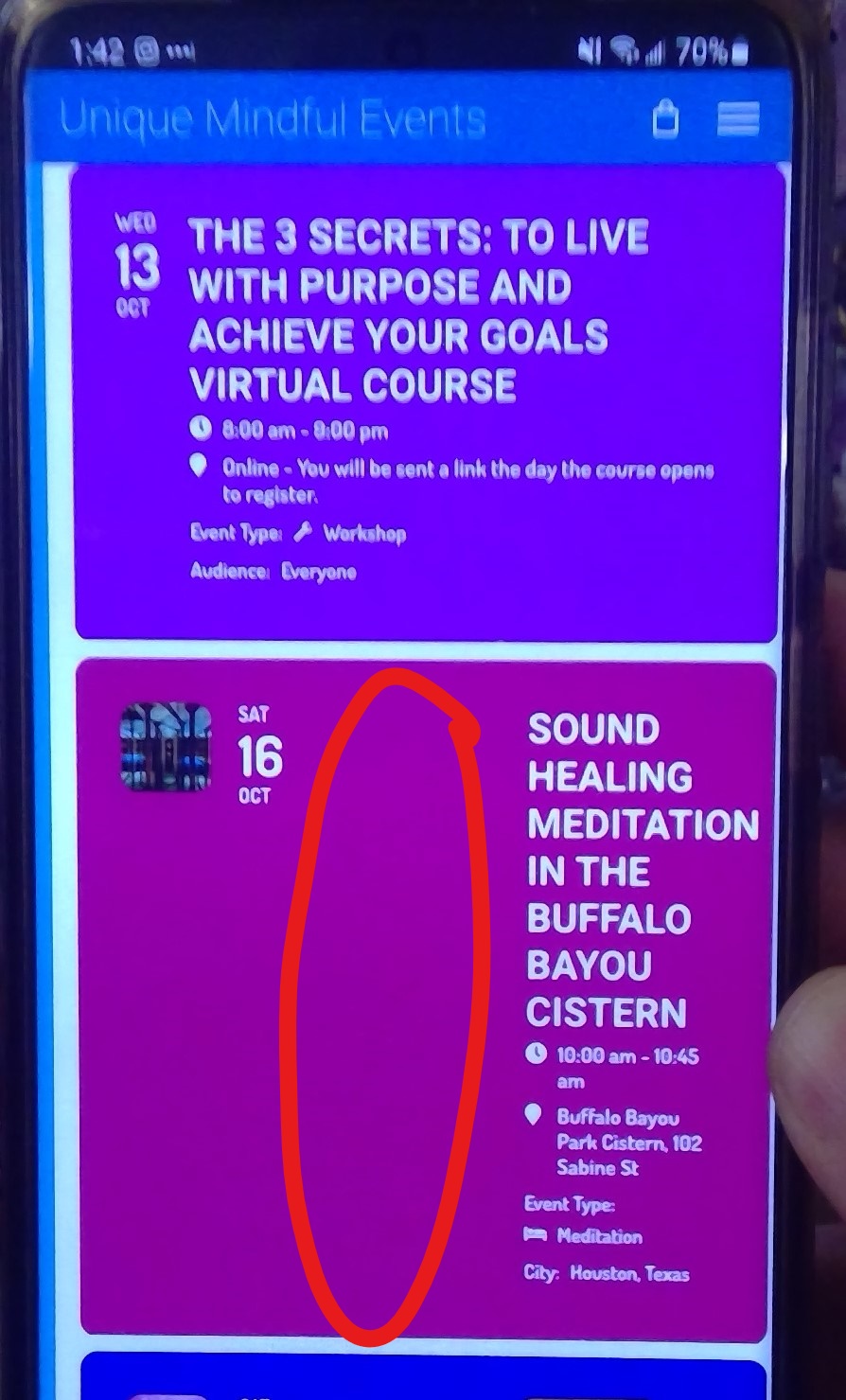
Also note the dead space on mobile browsers circled in the picture below. This was not like this before.
Thank you! I eagerly await your response.
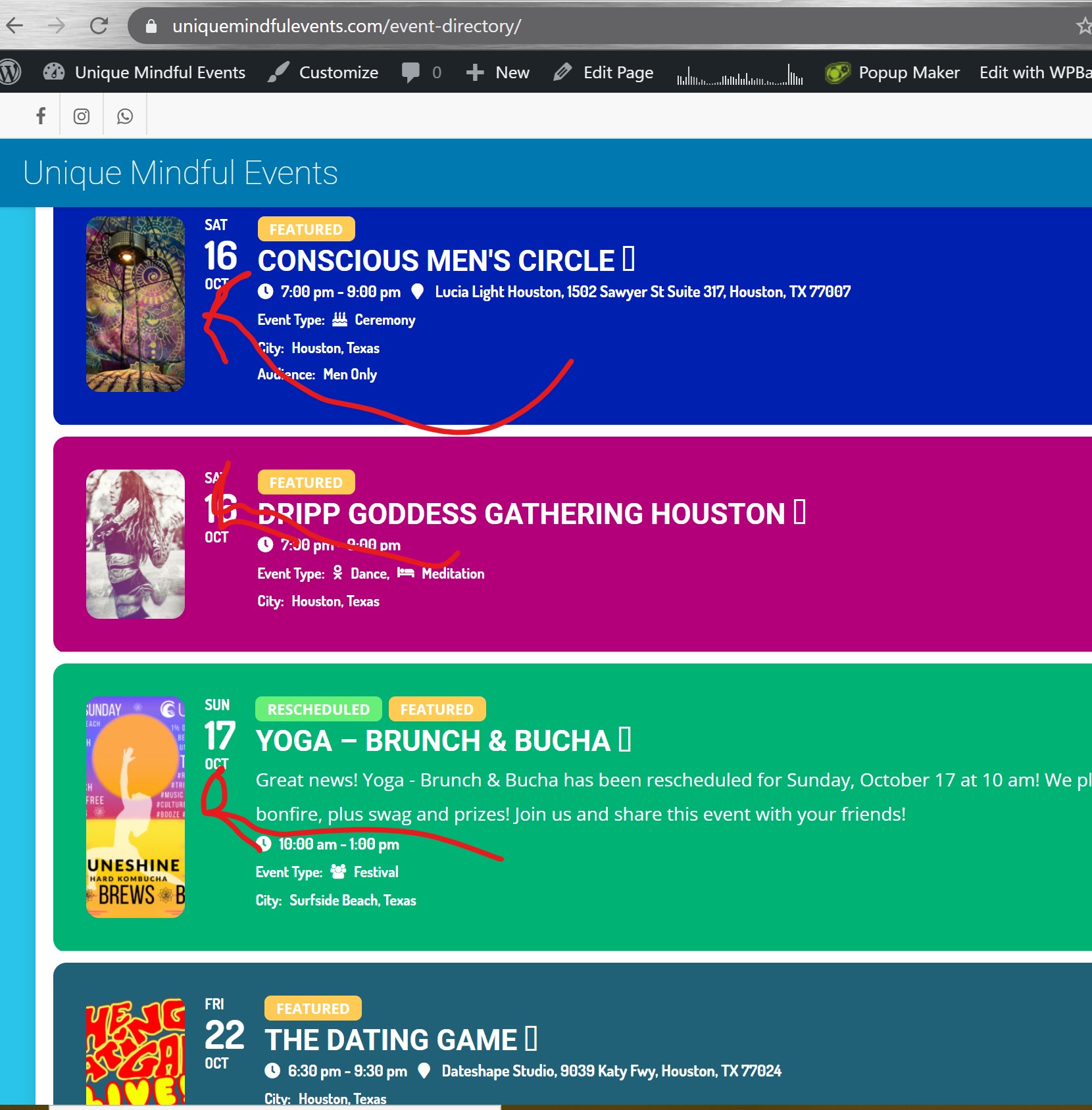
Please see attached image. The highlighted images used to be square on a desktop browser before the latest 4.0 update. They are still square on a mobile browser.
Sometimes, after the plugin update, you need to go to EventON Settings and save them. Also you need to make sure that the ticket box was checked: https://docs.myeventon.com/documentations/make-sure-eventcard-data-visible/
We are glad your issue is resolved, if you have any further questions or concerns please create a new ticket.
If you have a moment, we would greatly appreciate if you could kindly leave us a review at codecanyon! from your account > downloads. Cheers!
It’ is working, thank you!
Игорь Решетников,
Could you create a new ticket with included login info for us to check.
Please send us wp-admin access to your site as a private message for us to further assist your situation.
Do you have some kind of cache solution on the server that needs to be cleaned?
“If you want to switch your Stripe to live payments and test with a live card, please make sure you’ve configured the plugin in live mode – https://docs.woocommerce.com/document/stripe/#section-2”