Hello Artem,
There is no ““Show only certain additional fields in RSVP form (separated by commas)”-section or field when I edit an event.
Replies for tickets on suppota
Hello Artem,
There is no ““Show only certain additional fields in RSVP form (separated by commas)”-section or field when I edit an event.
Ah, thank you. Now it works! It would be helpful if this was mentioned in the docs somehow.
Why am I unable to access it? The URL is correct.
It seems to be working fine on my side, which is strange.
Also, I was able to fix the slider issue with the option. Could you please let me know if it’s possible to make the top card and the pre-loaded images inside the event card show the top part of the image first?
With the provided login I cannot access Edit Page to check the shortcode. Could you check and let me know?
Hello,
Please take a look at my reply in your other ticket.
I also cannot find any purchases associated with your email. Did you purchase the plugin from CodeCanyon or our website?
You can use the plugin while we are working on the issue without activating it.
Hello,
Please send us wp-admin access to your site from “Access Info” box on right side menu, to further assist your situation.
Hello,
I can see your refund request, but let’s try to figure out if there is anything we can do to help you.
Do you have an example of what you are trying to achieve? Usually with all the available basic EventON functionality add-ons aren’t needed.
I went to EventON > EventCard > set Feature image display style: Fit entire image, resized box height, so images aren’t cropped.
Could you tell us more about issues?
Forgot to attach the image.
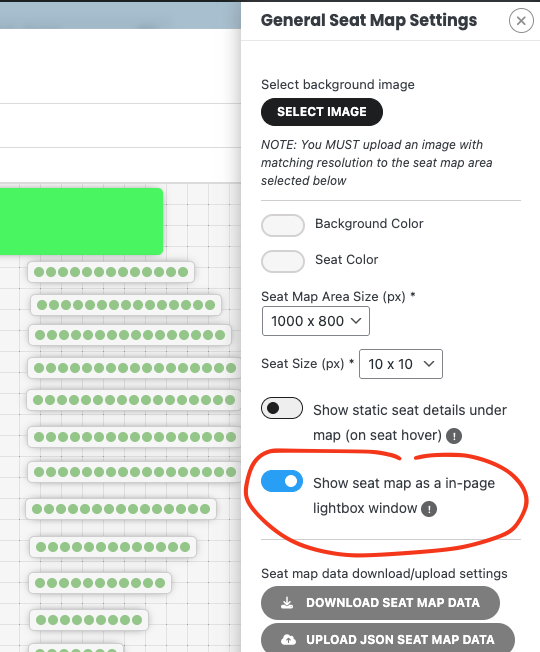
Also another alternative could be to have the seat map open in lightbox which would clear some of the distractions away. I can see this need some work to get it working better in mobile — we will make those changes in the next version and get it out soon!