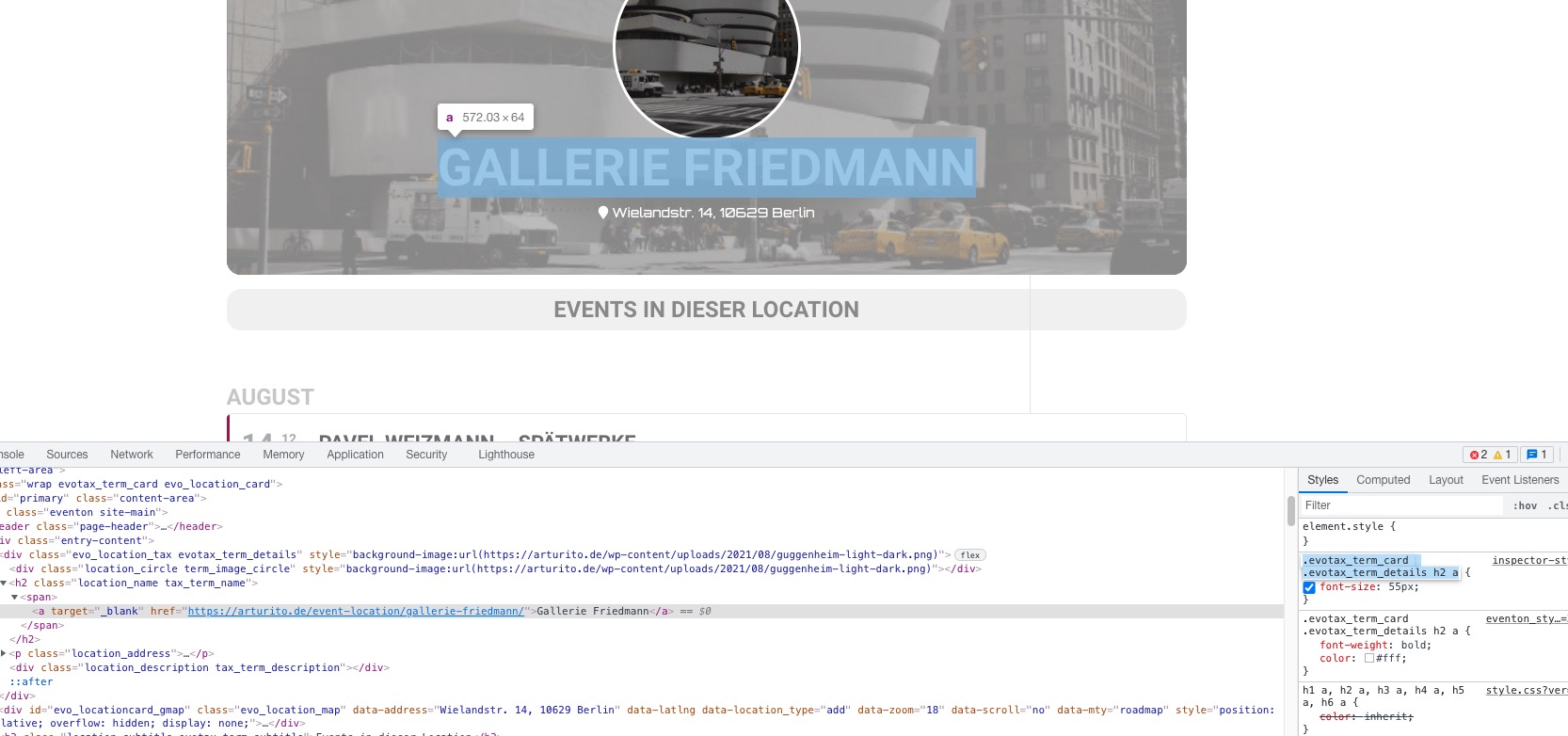
1. Unfortunately, you cannot separate them without customizing the source code. You can also just hide the location and then make the time 100% width.
2. Sidebar. Please add this CSS code to EventON > Styles (If you don’t see any change, EventON > Scripts & Styling > turn off Write styles to header > save settings > turn on Write styles to header):
.tax-event_location #left-area { width: 100% !important; }
3. Do you need our help with this one? Here’s how you can target elements:
Hello,
Unfortunately, FullCal doesn’t support cal_init_nonajax at the moment. However please create a new ticket and select Feature Request as category so others can vote on your idea and get it moved into development faster.
Please also take a look at this guide: https://docs.myeventon.com/documentations/check-eventon-working/
So the Shortcode is currently:
[add_eventon_wv week_style=”1″ table_style=”1″ ux_val=”4″ event_type_2=”132″]
Is there any other options for the shortcode that WILL allow me to display other fields in the calendar view?
Other calendar views – that do not have the premium additional cost – allow you to display a lot more infrmation.
Weekly View seems very limited – especially as it is a pad for add-on.
Thanks,
Tom
Unfortunately, in order to add any custom info under the title (with the shortcode you are using) you’ll have to customize the source code. You can submit a customization request to 3rd party developers via Customize EventON Page.
Hi Kenneth,
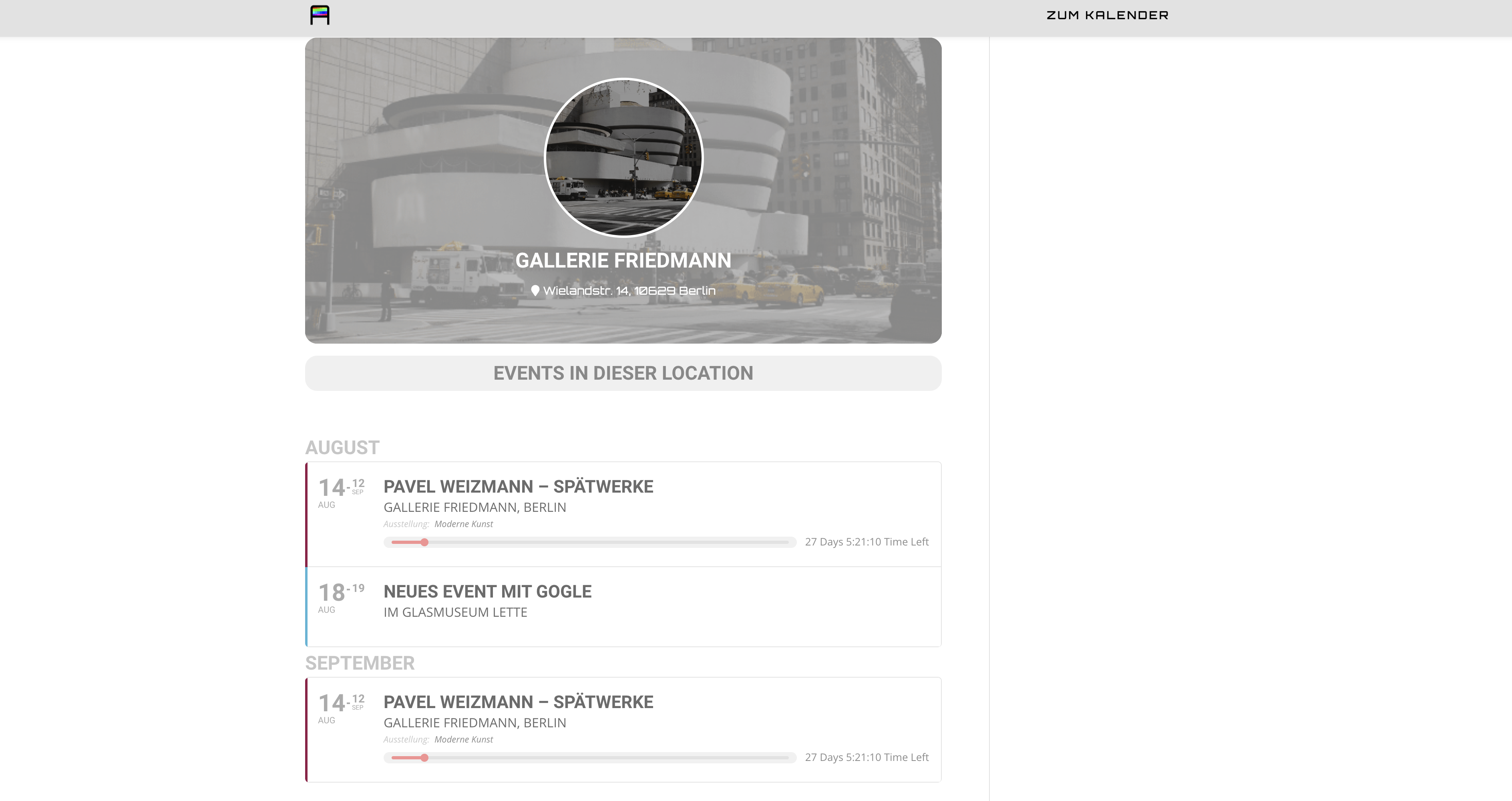
concerning my question nr.3: I followed the CSS customization guide and fixed nearly everything; but the sidebar, I did not mage to erase it…maybe you can give me further support in this case. I send you a screenshot of of how my template-work-in-progress looks now.
I thank you
best
Hans
Sorry – should all be:
https://dev.kewcommunitytrust.org.uk/avenue-club/timetable/
UID:
kct2021
PID:
!Development*
Thanks
https://dev.kewcommunitytrust.org.uk/avenue-club/timetable/
kct2021
!Developer*
I only want users to see a “fixed” timetable – so I have hidden the options to scroll between weeks etc.
But I would like some other general info in the main timetable view – that wil be 2 – 3 words that can be from the subtitle field.
To appear under the main Event title. e.g.
- Book Online
- Zoom Class
- Back in September
Thanks,
Tom
Hello,
I cannot check your current calendar because of modal Sign-in window. Could you send us your shortcode?
thanx for your efforts. What did you change so far? Meanwhile we get notified by the system whenever a post is added or edited which is some progress yet 😉
The only feature we´re still missing is an automated notice when an event is cancelled.
I just checked it and it still does not work.
I have seen this in Daily View – but it is infinitely scrollable which does not work, and i dont think there is a way to specify a specific date range is there?
We preset a weekly calendar and need the 7 days of one week. The weekly view seems like it would do this, but when you load it, it ignores the current day in the ribbon and just shows you every event for the week without even breaks to show the different days and no indicator of where in the week you are.
This doesn’t really make sense, since if you are presetting for the week, and a user views the page – they need to focus on the day of the week it is.
If this is possible in any form, let me know.