Hello,
You can try using ”Price Options” from this guide ”Add ticket price options”:
https://docs.myeventon.com/documentations/how-to-setup-and-get-started/
Add options with 0.00 price for your customers to choose from.
’are table covers required?’ – is a yes/no questions so you can add a new option for people to add it to their ticket.
Please check and let me know.
Please also note that usually such questions are added to Checkout. Please take a look at this guide:
https://docs.myeventon.com/documentations/how-to-add-additional-fields-at-checkout/
Instead of type=”text”, you can try using any of ”Attribute Values” from this guide:
https://www.w3schools.com/TAGs/att_input_type.asp
Any assistance would be appreciated.
Please add <img src=”…” /> after ?> on line 26.
It will be, but not sure when. So better update with the version I sent you to fix the issue ASAP.
Please check now and let me know. I’ve added the code.
Hello,
Could you update EventON to the latest version?
To update eventon to latest version: (If auto update works, please try that from with your website plugins page)
1. If you purchased eventON from codecanyon > Go to EventON Full page and verify your purchase to get a free copy of eventON latest version and move your purchase over to myeventon.com.
2. If you already purchased eventON from myeventon.com go to My Account > Downloads and get the latest version copy.
Once you have the latest version zip file. Then you can go to your website > make sure ”Delete eventon settings & data when EventON is uninstalled” is De-slected from eventon settings, delete old eventon, install new one and activate. This link will further explain the process it. Follow us on X to get real-time announcements on updates!
I apologize, I think I placed the code in the wrong place because I got a critical error. I have removed it back. May I share FTP credentials with you?
Hostname: giowm1095.siteground.biz
Username: guest@dunsinane.org
Password: Iwfati@2026!
Port: 21
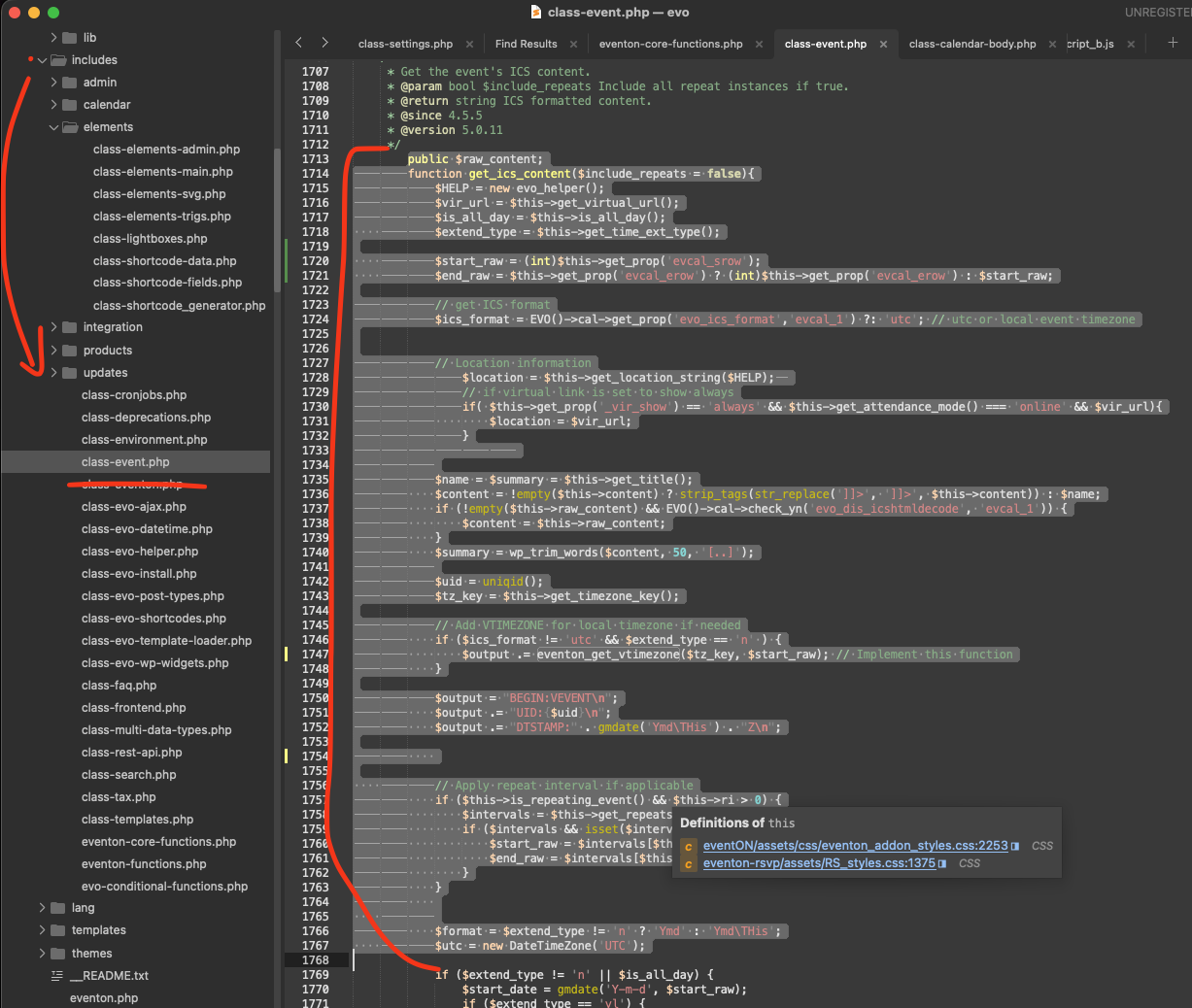
Ryan, kindly apply this code change in to your eventON code.
file: /includes/class-event.php line 1714
code:
Amuar9casnl8
This ticket is 3 months old we have a newer version of eventON which has addressed all these issues. 5.0.10 — if you still having these issues with the latest version as well, kindly let us know. Otherwise we will proceed to close this ticket.
Thank you very much!
Which browser do you use that shows issues? if it works fine on one browser but not in others, that could also mean delayed cache issue.