WORKING CODE!!!!
This is the FINAL working code we used on our site in our functions.php file.
/* remove EventOn Fields in Dashboard */
add_action(‘admin_head’, ‘dismiss_eventon_fields’);
function dismiss_eventon_fields() {
echo ‘<style>
#ev_virtual, #ev_status, #ev_health, #ev_location, #ev_organizer, #ev_uint, #ev_learnmore, #ev_seo, #ev_releated, #ev_add_func {display: none;}
}
</style>’;
}
Hi Artem,
thank you so much for your support.
It nearly looks perfectly.
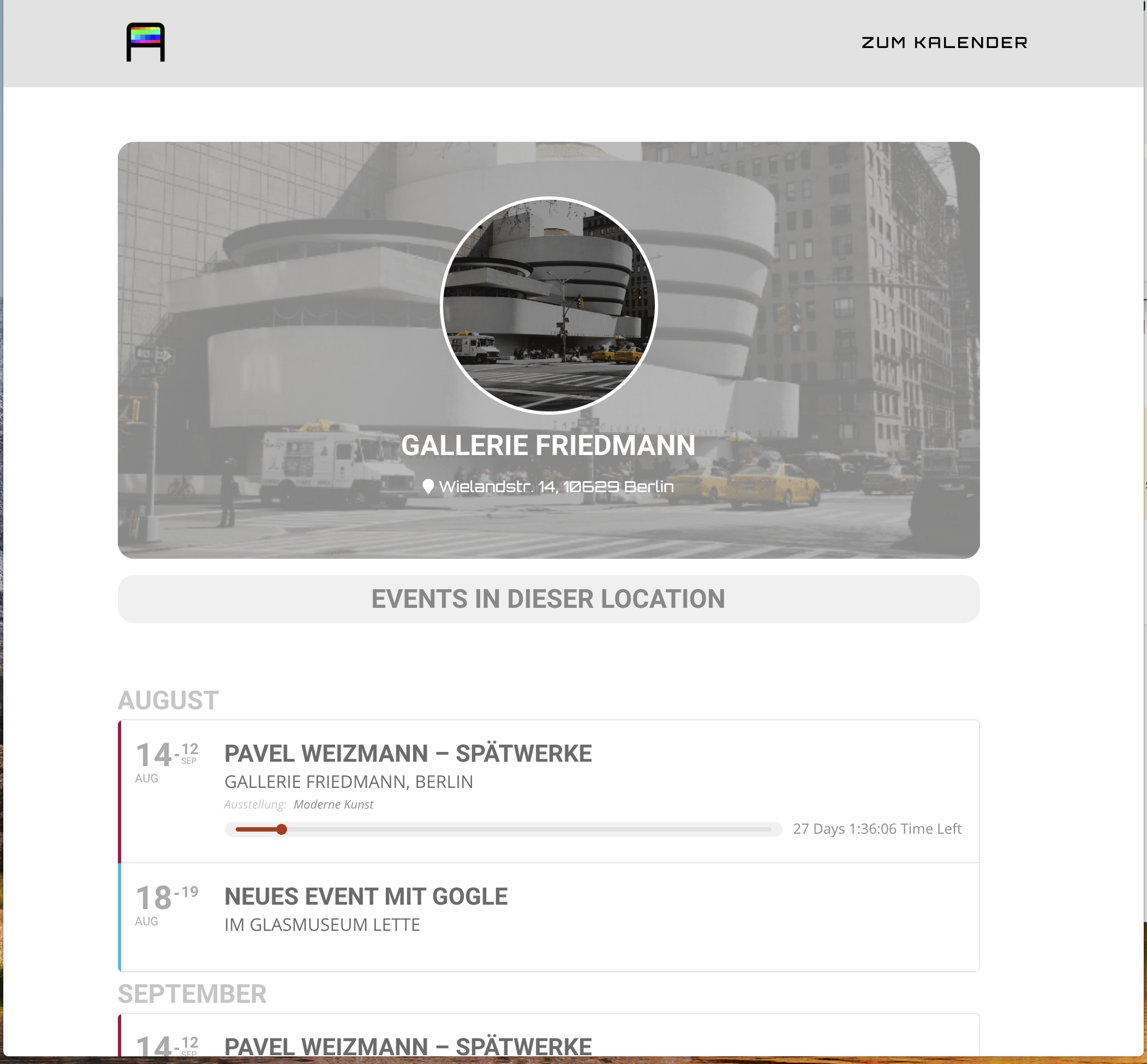
jumping from tablet to desktop view, I can see, that the content ist not centered, but left-sided.
Do you think, we may fix this?
Enclosed a screenshot of it.
best
Hans
It seems to be working now: 
Could you check with clean cache?
Please also note that we decided to only show Title and Date because from our experience they are the most important. Plus more events the customer sees, the better.
Hi Basislis,
thank you for your answer.
best
Hans
Unfortunately, we don’t provide old versions of our products. Could you send us your shortcode? So I can try it on our server.
Please use this code:
.tax-event_location #main-content .container:before { content: none !important }
Hello,
Could you try cleaning Autoptimize cache? Please also go to EventON Settings > Scripts & Styling > make sure that “Disable font awesome fonts” is disabled.
If my suggestions won’t help please send us wp-admin access to your site as a private message for us to further assist your situation.
