“I cannot find any information related to your purchases. Could you send us order id?”
Well that’s not very reassuring. The order ID is #214653 ( purchase was on Aug 27 )
Yes, the event with id 5726 does exist.
Replies for tickets on suppota
“I cannot find any information related to your purchases. Could you send us order id?”
Well that’s not very reassuring. The order ID is #214653 ( purchase was on Aug 27 )
Yes, the event with id 5726 does exist.
How do I update it where it can continue into the future beyond 99 instances? I’ve tried manually updating the number of instances, but all that does is slow down the calendar from being displayed. Do I have to recreate the event again? Or is there a way to delete the past repetitions?
Follow-up on no. 2: I think just making the text white will do. I mean, the images ARE darkened by EventON, so that should work. Could you point me to the right setting for changing this tile view text to white? Thanks!!!!!!
Maybe I found a way to display the map.
I have 23 more questions:
1. How do I change the height of the map on a single event?
2. To display all events on the map, do I need to purchase the add-on?
3. What shortcodes and views are included in the license I purchased?
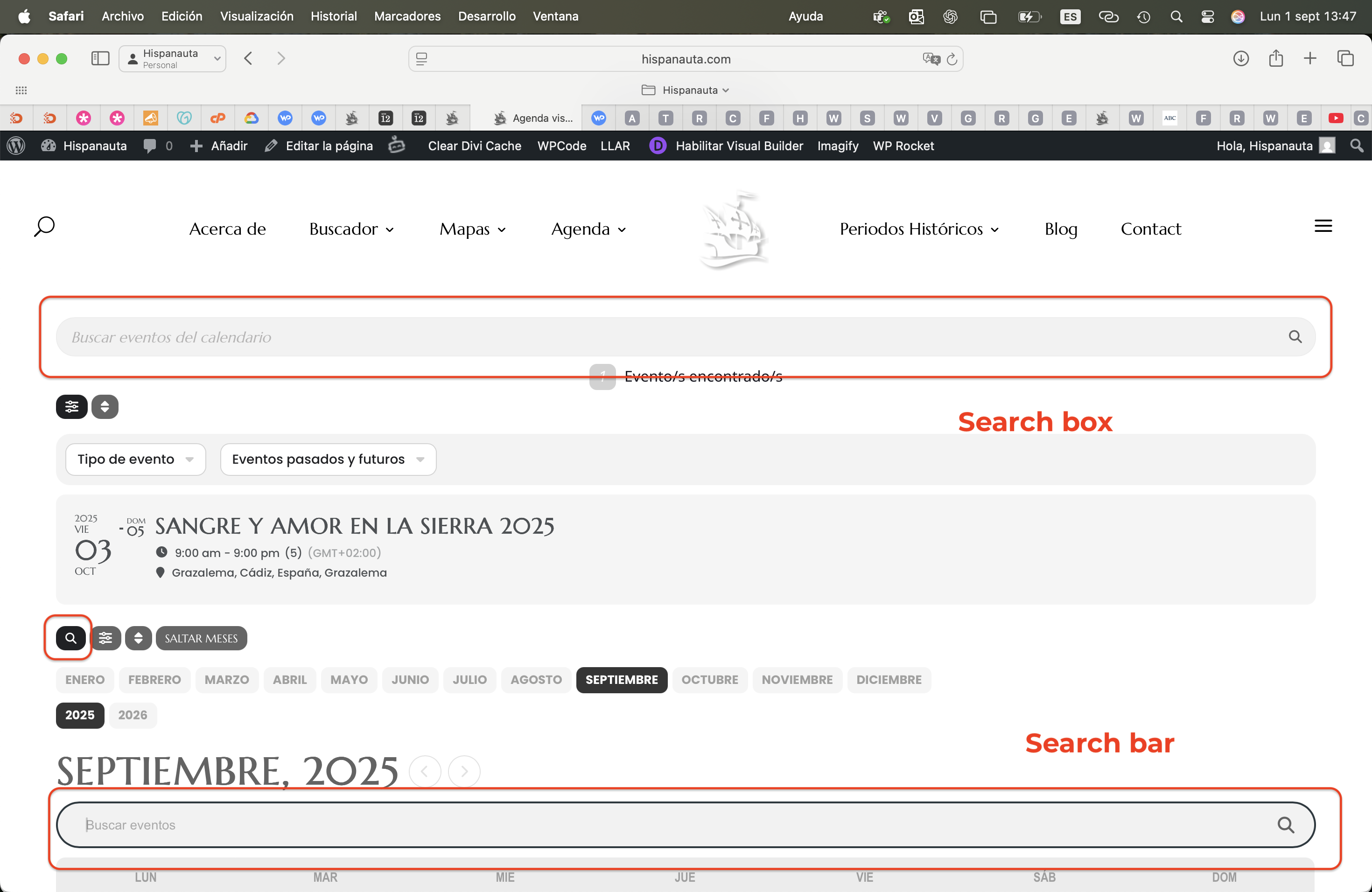
correction! FYI: I currently have the search box shortcode string OUTSIDE and BEFORE the calendar shortcode.
ok cool, thanks Artem. I was under the impression that there is a specific setting for changing the full cal date number and underlying dot?? I would swear I’ve done it before on my old site. Is CSS really necessary for this style tweak? I’ve added it for now and it does the trick.
On no. 2, sure, I’ll wait. If not possible, I can always make that text white (please let me know which setting to adjust to turn it to white!!) and darken the images before I upload them. I believe though they already get darkened by the calendar anyway?
Hello Artem, I see… hmmmmmm… yeah this doesn’t seem to allow you to style the maps in any other way other than those 4 options provided. I’ll open a ticket and suggest the feature, as it’d be nice to have your maps with the same style as your website. ChatGPT says it can be done by adding a php script that includes the snazzy maps json…. thoughts?
Ok, thanks Artem. Couple of follow-up questions:
1. I understood from your “add the Search Box before the calendar” that the specific shortcode for this search box is to be added INSIDE the existing shortcode of my calendar; is this correct? Or must it go OUTSIDE the existing shortcode? That’s what I’ve done (INSIDE) and the result seems to be ok. See screenshot below or link:
2. However, I have removed the search_all=”yes” from the existing shortcode, thinking that it is no longer necessary since now I have the search box, but notice how the magnifying glass icon AND the search bar still appear in the calendar below it. Shouldn’t they disappear? Is it supposed to behave this way? If so and if there’s no way around having two search bars, I guess I can rename the search box placeholder to something like “Search for events in the next 12 months” and the search bar placeholder to “Search for events in the current month”.
3. Lastly, I’ve noticed there is no “clear” button or alike to clear your search after the results pop-up. They just stay there. The only option is to refresh the page. Isn’t there an option for this?
Lastly, the Search Box seems be working nicely, picking up my 2 test events using any associated words/text in them, so that’s cool :), nice job!
https://hispanauta.com/agenda-vista-almanaque/
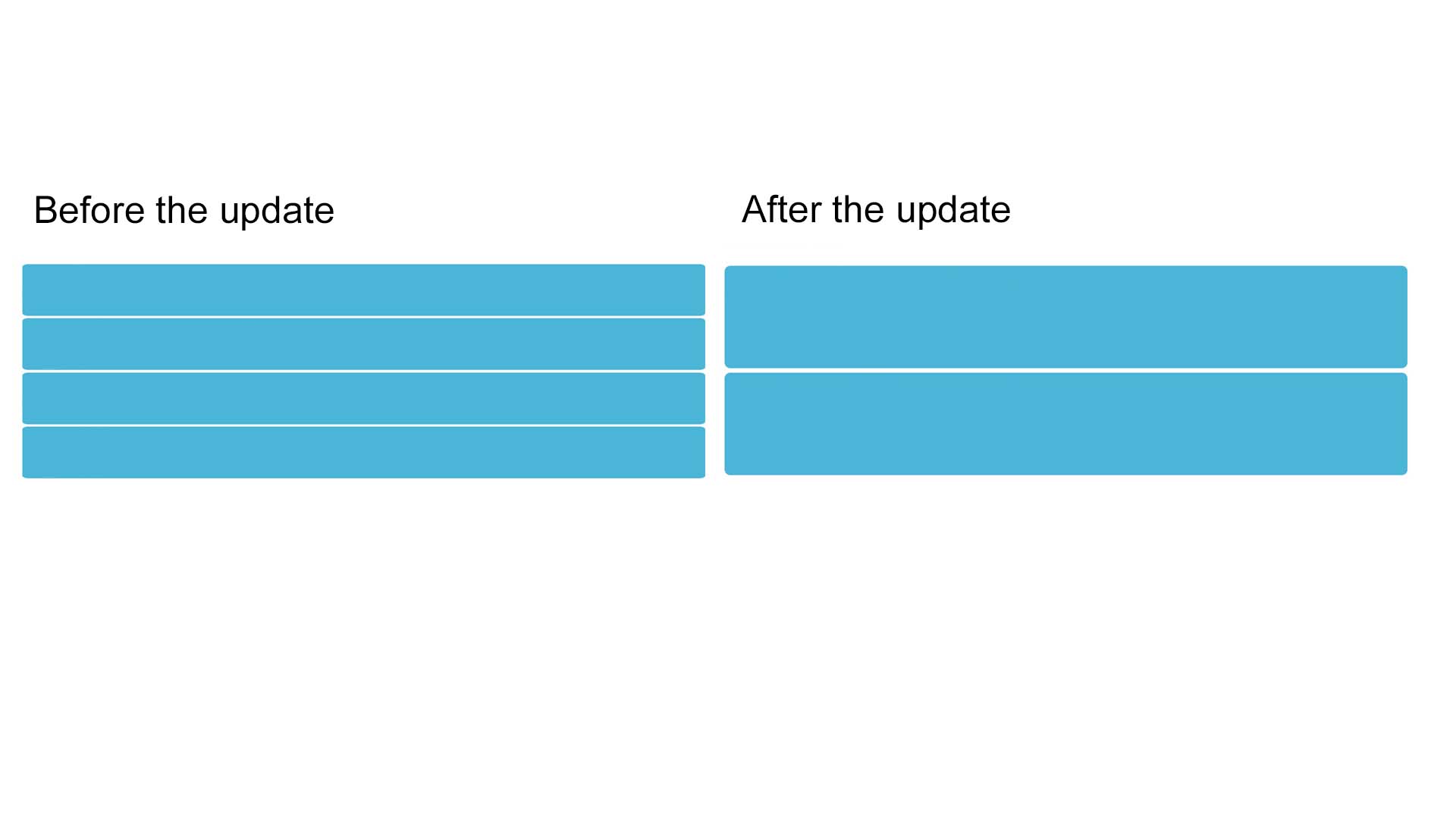
Hello, thank you for your reply. The code you sent me doesn’t change the height of the blue bars. I’ve attached a graphic that illustrates what I mean. After updating EVENTON, the blue bars are twice as high as before, and I’d like to change that. I would appreciate your help. Best regards, Markus
Hello,
Please follow the instructions in this documentation to activate debug in your site to see any PHP errors recorded that can provide insight on to whats going on. Please reply with a link to debug.log file. If you are not able to do this please send us FTP access to your site so we can do this for you.
Maybe there is some kind of error in debug.log that we can check and then fix.
Can your cache plugin remove certain URLs from caching?