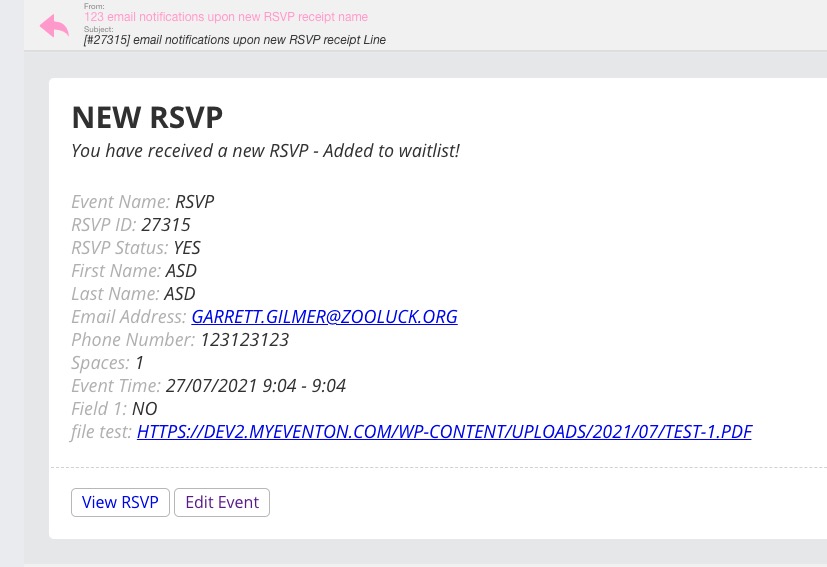
Hello Nate,
We will be waiting to hear from you.
Cheers!
Replies for tickets on suppota
Hello Nate,
We will be waiting to hear from you.
Cheers!
It shows August for me: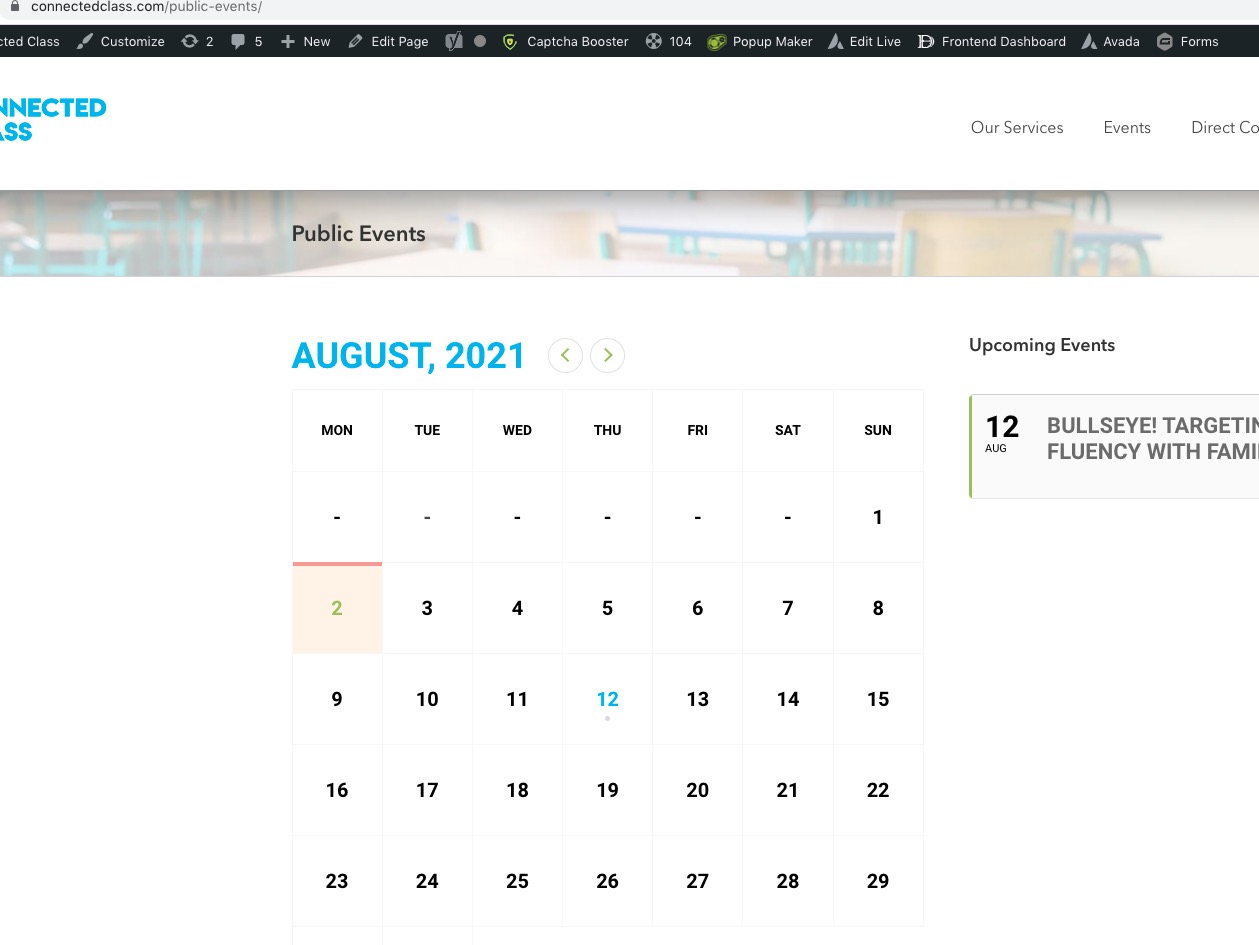
Could you send us a screenshot?
Hello,
1. When I logged-in as “Eric” I can see Edit (see attach. screenshot). Could you make sure that you also assigned as “Eric”?
2. I went to EventON Settings > Action User > enabled “Allow frontend deleting events” and “Allow event assigned users to delete those events in event manager”:
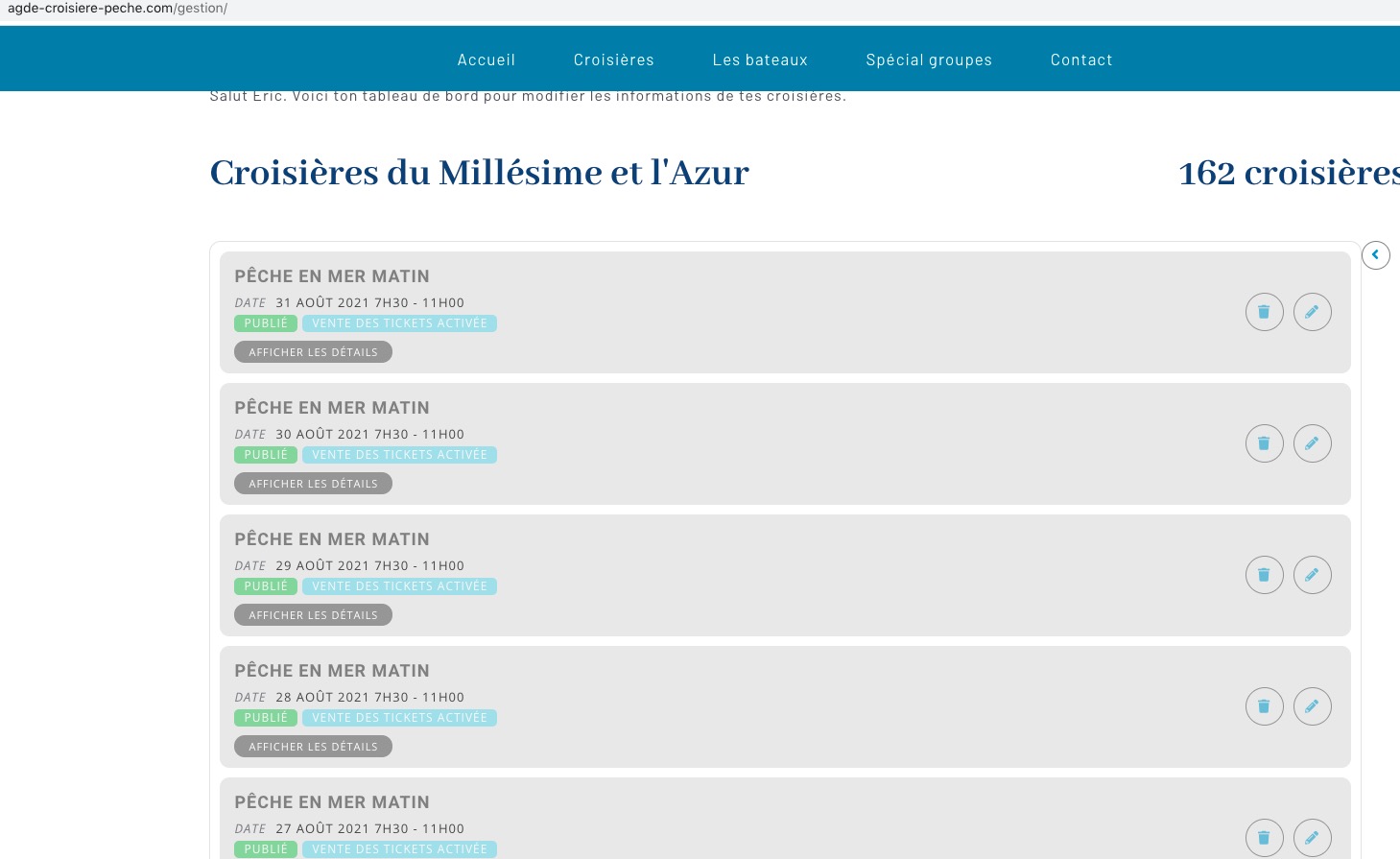
Could you check and let me know?
Sorry I forgot we made the login use email address – use this email – eventon@rockpapersimple.com
Ashan,
Could you check Reply to: 247127 > 1? I tested and the file was attached as link inside of the email: https://helpdeskx.s3.amazonaws.com/wp-content/uploads/2021/07/27021648/Screenshot-2021-07-27-at-11.16.35.jpg
Please also check 2.
Thank you for your messages, I am going to assign this ticket to Ashan and he will be able to take it from here and find you a solution. Please allow some time for him to get back to you, we greatly appreciate your patience and thank you for being a eventon customer! Also please disable any IP blocking on your site if there are any.
1. I don’t think that RSVP attaches files to emails. I think it only adds them as links: https://helpdeskx.s3.amazonaws.com/wp-content/uploads/2021/07/27021648/Screenshot-2021-07-27-at-11.16.35.jpg. Ashan will check this one.
2. By default all files are stored in Media folder. Did you change this through the code?
Thanks for the clarification. I will make the calendar public and let you know when that is completed.
EventON ICS Import is supposed to download the file using https://outlook.office365.com/calendar/published/06a90788e954441fb2e65eb9b53b2086@gobbc.edu/b2fea585e7a94af0a18ee754dca78c9716738164352224333209/calendar.ics.
The problem us that it seems that only logged-in users can see/download it. Please make sure that the file is public.
I need to download the file and then check it’s contents (timezone event times and so on).
Hello,
Could you please try updating ICS Import with this one https://helpdeskx.s3.amazonaws.com/wp-content/uploads/2021/01/18030912/eventon-ics-importer-2.zip? This link will further explain the process.
Hello
thanks for the support.
Please use this event only for tests: https://www.altemarkthalle.ch/events/test-evens-ticket-seat/
My problems are:
I don’t need the daily digest.
The problem remains also with another e-mail-account (also yours for example: I receive the email notifications upon new RSVP receipt but NO FILES ATTACHED!).
–> the problem has nothing to do with SMTP, Mail etc. The upladed files must just be integrated in the mail.
Please check also Ticket #122211 (and what folowed after).
Can you try to help me again?
Thanks a lot.