1.- Thank you for the help but I think I did not explain myself correctly. I do already have 211 WP users and there are not going to be never ever more than those 211 users (https://limebayattamarac4.com/wp-content/uploads/2021/07/211.png). So I think the process you indicated was to populate my wp database with new users. After doing the exercise you indicated I got the following xml file with a single user: limebayattamarac4.com/wp-content/uploads/2021/07/subscribersDoc.png but all I want is to add those 211 already WP users to the list of EventOn subscribers now that I have the plugin Addon “Even Subscription”. Please correct if I am wrong in understanding your response. Thank you.
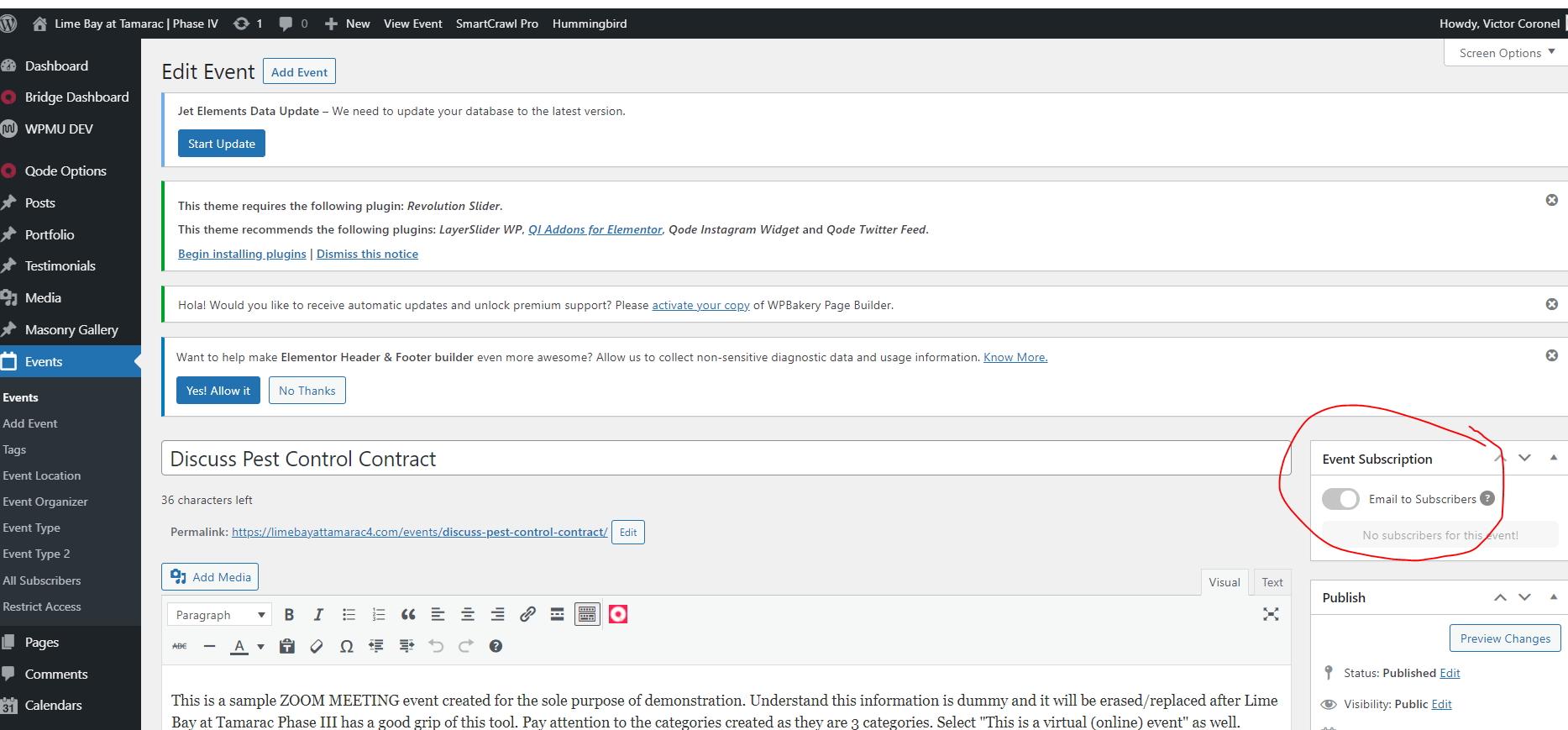
2.- That is correct and that is the way the Addon “Even Subscription” should work: sending an email notification to ALL SUBSCRIBED Eventon registered users. And that is working fine. My complain is that if I go back to tweak the event, lets say I change the date or text or anything. Then after I save the file my users get a second email notification. If I come back for a third time, and then I save the event, my users get AGAIN another notification by email. I think these changes should be hidden from the users as they are administration steps to do the work behind the scene. Then I was asking you if there is a way to trigger that email from the EDIT EVENT page only when the administrator knows it is to be sent the final notification to all users. So we do not get our users overwhelmed with so many emails for every single little change. See attached image.
Hi Artem,
Could you please take a look first at our site we are trying to install it to because we have had a few paid customisations done by EventOn, and we want to make sure it is not a conflict issue.
- Site: https://stage.meltonlearning.com.au/wp-admin
- username: eventon
- pw: %VQURELwH8oaKpnh%Wos^rj5
If we were to contact MoMo themes, they will most likely tell us to contact you because of the customisations. If you find that it is an issue with MoMo’s plugin, then we will let them know so we can avoid the back and forth.
Please let me know if you need any further details from me.
Thanks
Mitchell
I really appreciate your quick and clear response, thank you.
Clark
1. Please try using WP Import for this. Go to wp-admin > Tools > Export > select Subscribers. Now open the file and check it’s format. Create similar file. Copy it and go to wp-admin > Tools > Import.
2. I tested this event https://limebayattamarac3.com/wp-admin/post.php?post=12292&action=edit and received only one notification email:
Could you send us a screenshot?
Could you try creating a new event? It seems to be working on my side:
This is good, thank you!
I have 2 related questions:
I have the plugin Addon “Even Subscription” so every time I add a new Zoom event an email is sent to all my subscribed users at once. And it is working great as I have my email subscribed right now while I test the site and goes life. So, in the meantime I am testing the functionality of sending email notifications ONLY to myself.
1.- How I can easily add my 172 WP Users as subscribers other than having to enter them each user manually to my subscribe list? If that is not possible by a plugin or anything else can you provide a shortcode to send all my user a simple quick form to be filled by each of my WP users?
2.- I noticed that even when I go back to an event to make a minor change the email notification gets sent AGAIN and for every little thing is not good to send notifications. Is there a way to control WHEN the email be sent? Is there an option in the Edit Event that needs to be trigger ON/OFF so the email is not sent in cases that it doesnt make sense?
Ok, please confirm exactly which details you require us to provide in order to validate the license.
Order refunded. If you have more questions, kindly send us a new ticket and we would be more than happy to help you resolve your issues!
API addon is refunded now as well. FYI your subscription is still active. https://docs.myeventon.com/documentations/how-to-cancel-addon-subscription-before-auto-renew/
Hi Javid, when you purchase that please use the same coupon at the checkout and you should be able get a discount with that 🙂

