I tried re-create events, but the issue persists. What can I do?
Archives: Replies
Replies for tickets on suppota
Reply to: tickets(241875)
We are glad your issue is resolved, if you have any further questions or concerns please feel free to create a new ticket. If you have a moment, we would greatly appreciate if you could kindly leave us a review at codecanyon from your account > downloads.
Cheers!
Reply to: tickets(242001)
And the mail not sent…
Reply to: tickets(239471)
Ashan. His work was completed and delivered.
He has not made any complains about it before.
https://helpdesk.ashanjay.com/ticket/remove-full-name-from-additional-ticket-holder/
Reply to: tickets(241749)
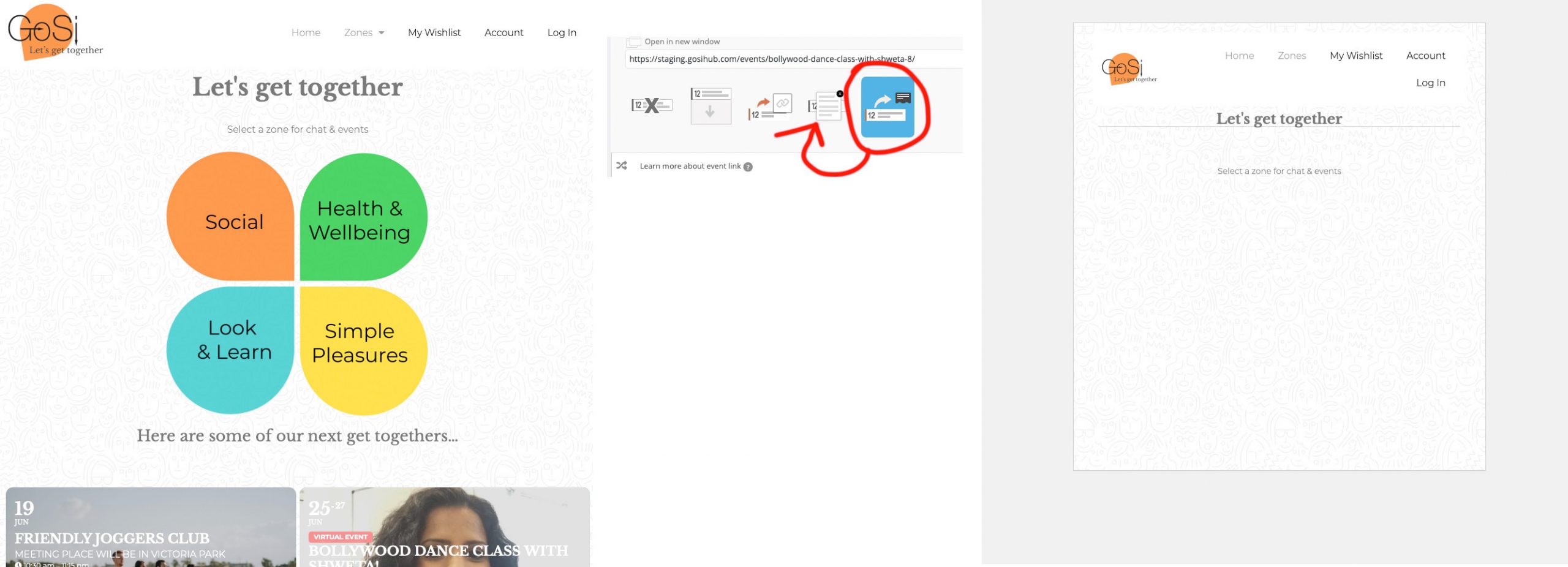
- See how the frontend home page looks correct
- I go to edit an event – ID – 2494
- I change the User Interaction for event click from “open event in new window” to “popup”
- I click update and review the homepage
Reply to: tickets(239471)
Hello David,
I delivered fully working, completed custom work for you. You have acknowledged that.
Why are you asking for a refund?
Reply to: tickets(241875)
Nice!! that’s what i need!!
Reply to: tickets(241960)
Hello,
It seems that the only solution is to re-create events with issues again and then try to export.
You can also try the instructions mentioned in this documentation.
Reply to: tickets(241961)
Hello,
Could you send us a schedule format?
Have you checked our CSV Import add-on: https://www.myeventon.com/addons/csv-event-importer/?
You can test it on https://dev.myeventon.com/wp-admin/
Reply to: tickets(241969)
when you show your calendar- do the events slide down, pop up or go to the single events page when you click an event
why do i ask?
because css can be applied to the single event page only
other than that theres no option within eventon currently to remove it for 1 day events