Hi Rogier,
You can do that by going to myeventON > Settings > Event Top
Replies for tickets on suppota
Hi Rogier,
You can do that by going to myeventON > Settings > Event Top
Password for the Frontend Page is: Stade
Hello Artem, thank you for your reply.
I know the article and I have respect to take these steps since I know zero about php. I can hardly afford a customization request, especially since your plugin and all the addons I bought in the meantime are not cheap in total either. That’s also the reason why I just submitted a feature request for Elementor widgets for EventOn in parallel to this ticket (ticket #241721) – although of course I still don’t know how your feature requests find their way into your development pipeline (or not; see ticket #241246).
Do you see alternative possibilities for these questions that do not require direct access at php level? Or is there a videotutorial that shows how to do this (easily)? Thanks for your info.

…and here you find the Elementor Widgets for post archives for you inspiration
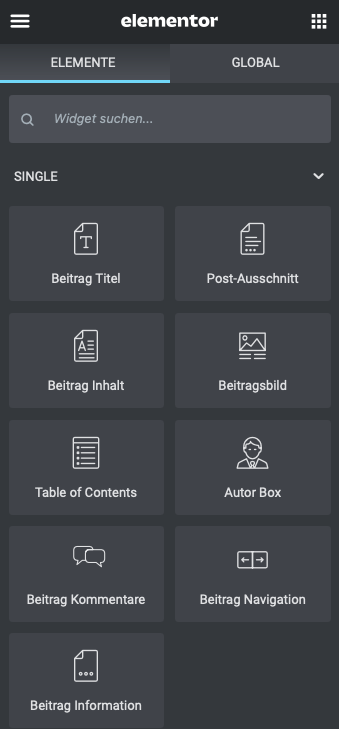
Here you find the Elementor Widgets für Single Posts, maybe you can adapt or reuse or introduce your specific code into them
Ok, this is fine i will provide one link to you can you please check once, Previously when you click on the book now button it redirects to the checkout page, now you have changed the options on direct checkout, now it is redirected to the cart page, we need book now button redirects to check out page not cart page.
https://mediahq.com.au/Product/the-huddle-room/
don’t use the executer thats more for sidebars copy and paste the shortcode into a text widget instead
see vid below
Hello,
It’s not working at my end, i have cleared the cache and checked in incognito, please find the below video link source, when i have added the first event ticket to cart it’s redirect to shop page and added the next ticket to cart it’s redirected to cart page. And please check in incognito not admin panel.
https://mediahq.com.au/wp-content/uploads/2021/06/cartvideo.mp4
No that was not helpful. This shouldn’t be this hard and your guides are no help. I have purchased the Full Calendar Add-on and all I’m trying to do is get a full month to appear. All I can get to appear when I enter [add_eventon] is a single event…. I want the ENTIRE MONTH to appear like it does on the full calendar add-on page… https://addons.myeventon.com/fulcal/