Hey Artem,
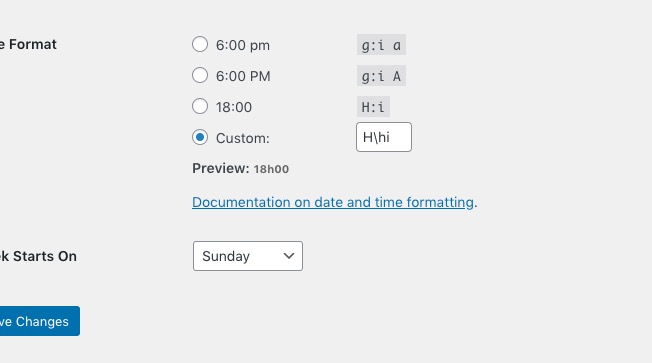
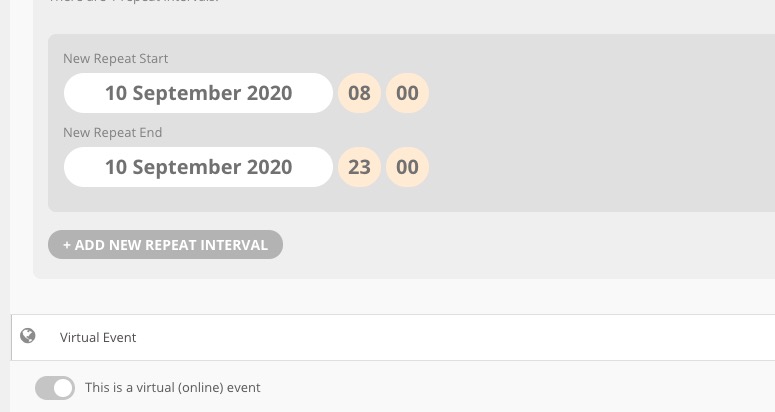
I removed the mu-plugin that was hiding some stuff there. It looks like the date picker breaks when the date format is set to custom and has a blank field. I have it configured up that way to force that stuff in code, but I can retool it for this project.
In general, it’d probably be wise to set a fallback so that it defaults to ‘F j, Y’ or something in case there’s no date format given, since that configuration renders the event submission form entirely unusable.
That should be everything I need here; thanks for pointing me in the right direction!
Best,
Mark
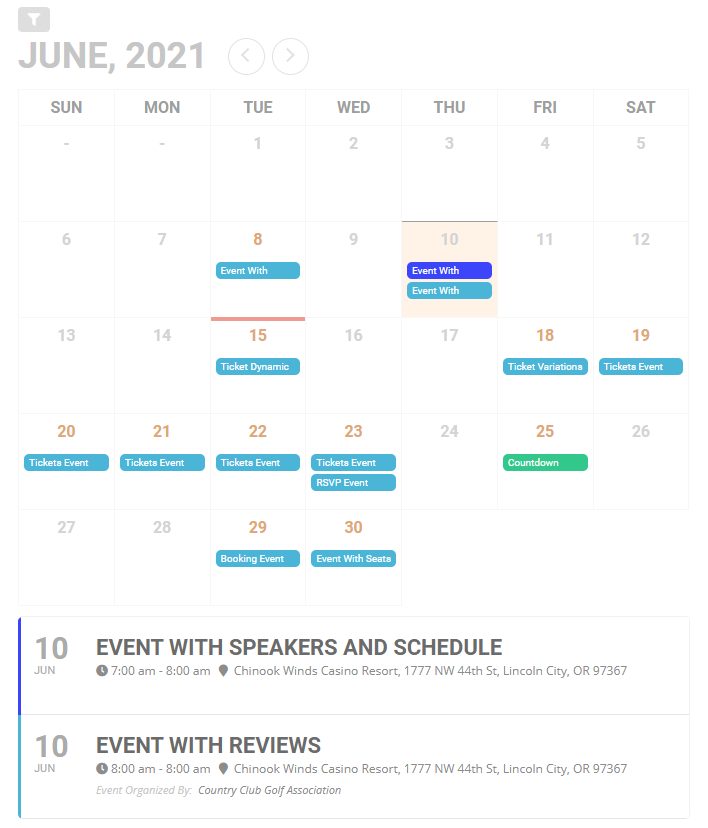
For the extended list, the shortcode I am using is [add_eventon_el event_count=”10″].
Link to page: http://34.101.133.232/
For the full cal addon I was able to get it to work but what is the shortcode for the view shown in attachment 001?
Link to page: http://34.101.133.232/event-directory/
EventON uses 24H only if you use H instead of G:
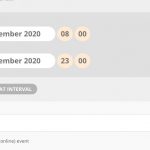
Could you check and let me know?
Hello,
1. Since WooCommerce handles the checkout process you can only add such fields to Checkout: https://docs.myeventon.com/documentations/how-to-add-additional-fields-at-checkout/
2. Please check https://www.myeventon.com/addons/dynamic-pricing/. Yu can go to Edit Event > Tickets > Enable dynamic ticket pricing options for this event > enable Activate Separate Logged-in Member Pricing. Try on https://dev.myeventon.com/wp-admin/. You can put 0.00 to Ticket Price to make it free.
Hello,
What you need is this guide: https://docs.myeventon.com/documentations/customize-single-events-page/. Please copy page.php or single.php of the theme and then put do_actions and The Loop from Step 7: Insert single event template hooks.
You can also send us a customization request from Customize EventON Page.
Hello,
I don’t think that the issue is in EventON but in one of your login buttons (LOG IN or Try For Free). For example, https://mdbilling.ca/events/ohip-payment-date-for-november/. As you can see the page works completely fine.
Could you check?
Hey Kenneth,
I’m not entirely sure what the front page means but here’s a report of the 404s. I hope that helps.
| URL |
Organic traffic |
HTTP status code |
Depth |
Is indexable page |
No. of inlinks |
First found at |
| https://mdbilling.ca/wp-login.php?redirect_to=https%3A%2F%2Fmdbilling.ca%2Fontario%2Fohip-cut-off-dates |
0 |
403 |
2 |
No |
1 |
https://mdbilling.ca/ontario/ohip-cut-off-dates/ |
| https://mdbilling.ca/wp-login.php?redirect_to=https%3A%2F%2Fmdbilling.ca%2Fbritish-columbia%2Fmsp-close-off-remittance-schedule |
0 |
403 |
3 |
No |
1 |
https://mdbilling.ca/british-columbia/msp-close-off-remittance-schedule/ |
| https://mdbilling.ca/wp-login.php?redirect_to=https%3A%2F%2Fmdbilling.ca%2Fevents%2Fohip-payment-date-for-november |
0 |
403 |
3 |
No |
1 |
https://mdbilling.ca/events/ohip-payment-date-for-november/ |
| https://mdbilling.ca/wp-login.php?redirect_to=https%3A%2F%2Fmdbilling.ca%2Fevents%2Fohip-payment-date-for-december |
0 |
403 |
3 |
No |
1 |
https://mdbilling.ca/events/ohip-payment-date-for-december/ |
| https://mdbilling.ca/wp-login.php?redirect_to=https%3A%2F%2Fmdbilling.ca%2Fevents%2Fmsp-remittance-available-for-june |
0 |
403 |
4 |
No |
1 |
https://mdbilling.ca/events/msp-remittance-available-for-june/ |
| https://mdbilling.ca/wp-login.php?redirect_to=https%3A%2F%2Fmdbilling.ca%2Fevents%2Fmsp-remittance-available-for-june-2 |
0 |
403 |
4 |
No |
1 |
https://mdbilling.ca/events/msp-remittance-available-for-june-2/ |
Hi,
Did you have time to check ?
Thanks,
Nico
You can change what is said in myeventon>>>>language>>>>>>General calendar
(near the bottom of that section)
so you could change and make the button say
JOIN THE LIVE STREAM
and replace join the event now with simply click here
I added eventon test with no issues
It could be a shared server and the server is overloaded
but try going into
myeventon>>>>RSVP
toggle
Disable Nonce verification check upon new RSVP submission
and see if that has an impact