I just updated MyEventOn, tryed again, and still didn’t receive admin confirmation email. And, as client, i receive confimation email.
Archives: Replies
Replies for tickets on suppota
Reply to: tickets(240454)
Hi Art,
You should find the Eventon licence from your Codecanyon aacount. Please take a look there and let us know how it goes.
Reply to: tickets(240717)
You are very much welcome. If you have any other question please feel free to create another ticket. If you have a moment, we would greatly appreciate if you could kindly leave us a review at codecanyonfrom your account > downloads.
Cheers!
Reply to: tickets(240674)
Hi there,
Thanks so much for getting back to me so quickly. I have a revised assessment from the client.
1. Can we change the monthly display to a weekly display? How is this week shown? Is it everything for this current week? Or the next 7 days?
2. With events that are set to repeat, the client has commented how when this is created there is a link that they can use to direct people to the page. However, when the first date passes, that page link gets destroyed (removed / deleted) so that they need to essentially create a new ‘repeating’ event in order to have a new link. They would like one link and for it to remain the same so that visitors only need to be reminded of the same link each week.
Thanks in advance.
Reply to: tickets(240454)
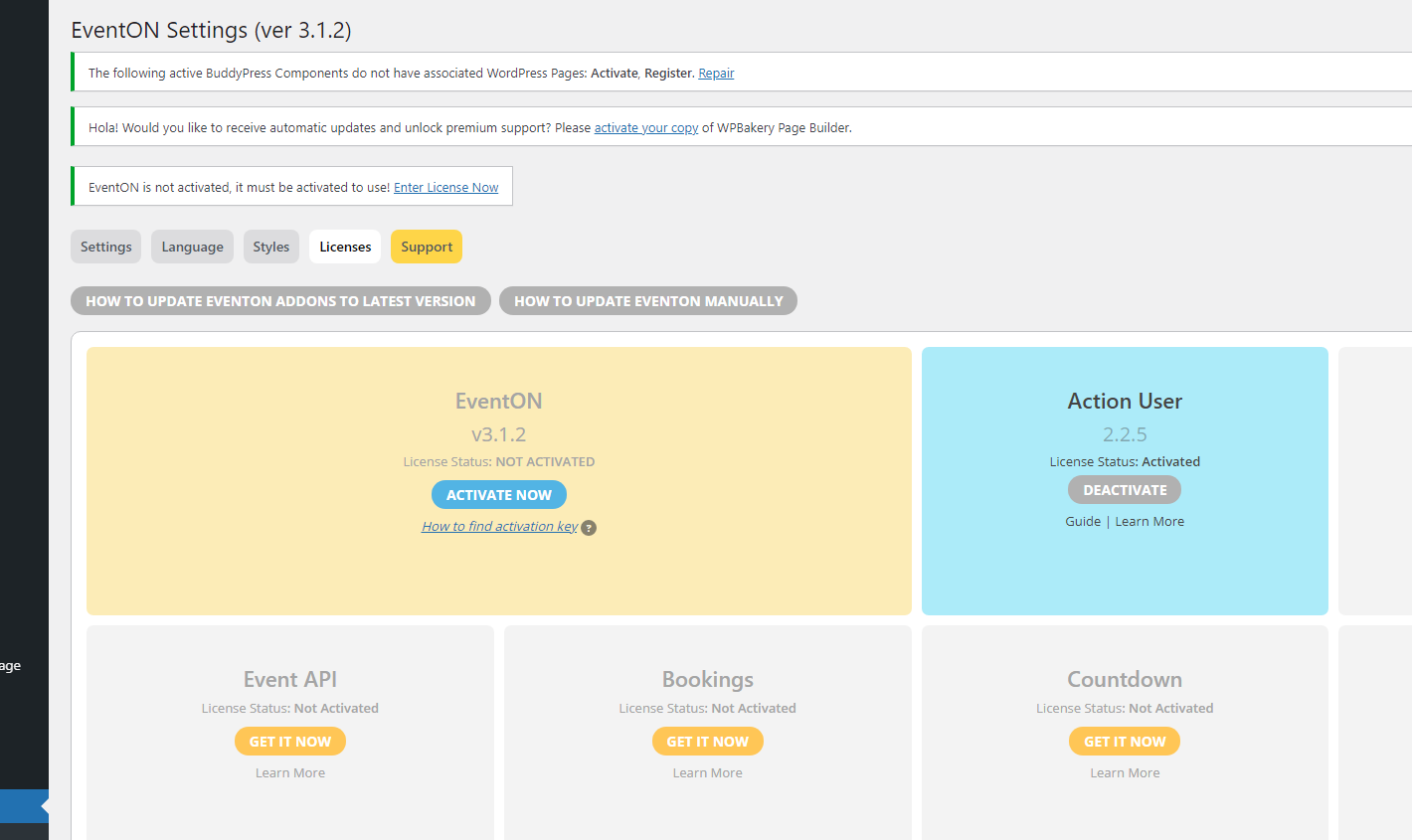
I believe we might have a miscommunication here since I have tried again and it is still not working, so can you please tell me what product is what I purchased.
Please see the image below and you will see that the credentials I have activated the “Action User” but not the EventOn. Did I purchase the wrong product?
Reply to: tickets(230502)
I will check this. I will let you know tomorrow
Reply to: tickets(240692)
Okay, I got it running.
- How can I enable the option to book more than 1 place? I actually activated this option, but I always get an error message.
- Can I rearrange the form input field order? Currently it’s a bit mixed, which is confusing.
- Can I arrange the form input fields to 1/2 of the size, so 2 fields can be in one line?
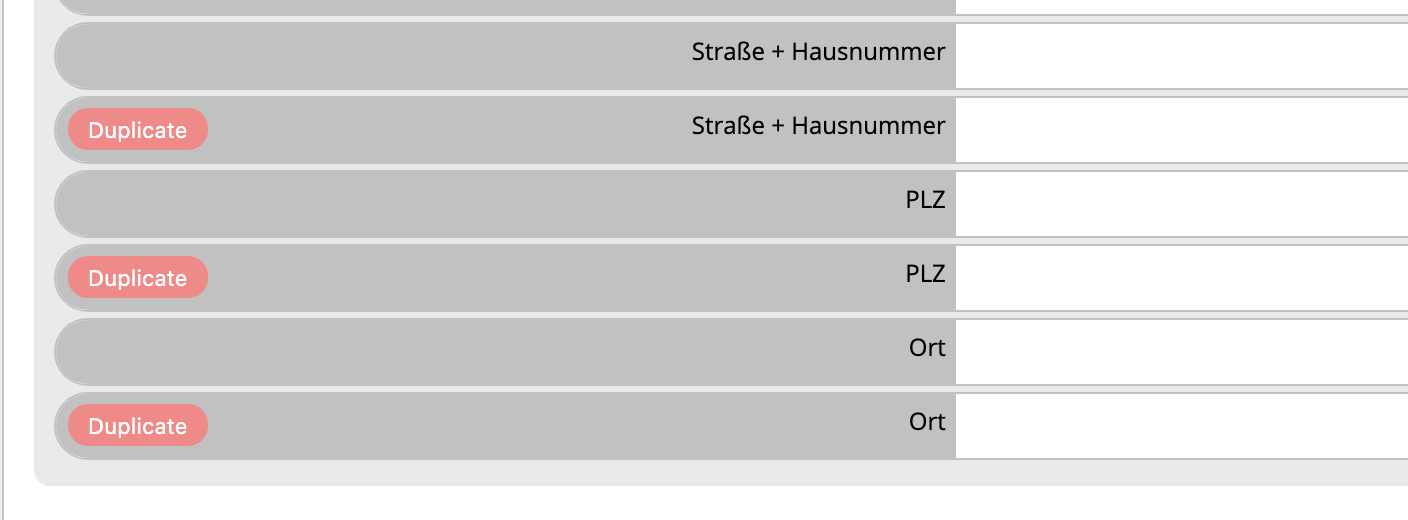
- When I add additional fields, I get the message as shown in the screenshot.
- When I send a reservation and delete it in the backend, the counter will still show 1 place less than it should be (https://cresco-akademie.de/events/praxisanleiter-fuer-paedagogen-08-06-2021/)
Thanks, Enrico
Reply to: tickets(240717)
that’s perfect! Thanks very much.
Reply to: tickets(240579)
What I mean is, how can I change the table that the plugin points to when creating events? Currently it points to the table of the site where the plugin is working, although it is installed globally, each minisite works with a different post table.
At save time, I need to change the table where it points.
Reply to: tickets(240717)
Hi Jack,
Please add the custom CSS code below to Appearance > Customize > Additional CSS to change the colors
.evoRS_status_option_selection span, .evors_rsvped_status_user, .evors_change_rsvp span.change{background-color:#6dc56b; color:#fff;}
.evcal_desc .evcal_desc3 .evors_eventtop_section_data .evors_eventtop_data.remaining_count em, .evcal_evdata_row .evors_stat_data .remaining_count em{color: #808080; border-color: #cdcdcd; background-color: #ffffff;}