Hello Rob,
So woocommerce disable stock management for ticket product when variables are enabled. and then stock will need to be calculated for each variable. In here.
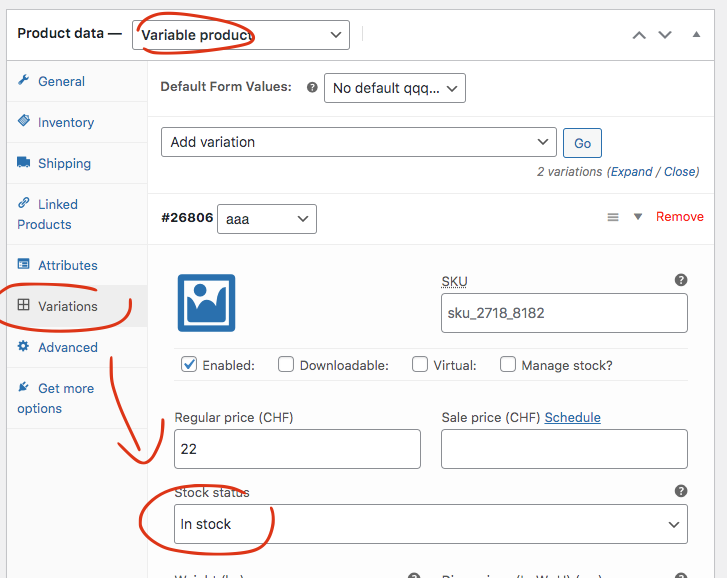
We will add an option to disable setting stock when ticket type is variable.
Replies for tickets on suppota
Hello Rob,
So woocommerce disable stock management for ticket product when variables are enabled. and then stock will need to be calculated for each variable. In here.
We will add an option to disable setting stock when ticket type is variable.
Sounds good. Well just write this down somewhere so you can change this again if something happen. I am not quite sure if we can accomodate this in the code in future updates. If you have more questions, kindly send us a new ticket and we would be more than happy to help you resolve your issues!
You are very much welcome. If you have any other questions please do hesitate to create a new ticket.
Hi Kayla,
Could you please try the instructions mentioned in this documentation to make sure your issue is indeed coming from eventon.
Thank you a lot, that’s perfect i may be able to test everything
thank you again
Thanks for getting back to me. A refund on the variations add-on would be very gratefully received, thank you.
The issue is still that our client wants to be able to offer ticket variations, but going through WooCommerce only allows one ticket type (e.g. Adult) to be purchased at a time. Meaning anyone booking tickets will need to go back to the event and then add further ticket types (Child).
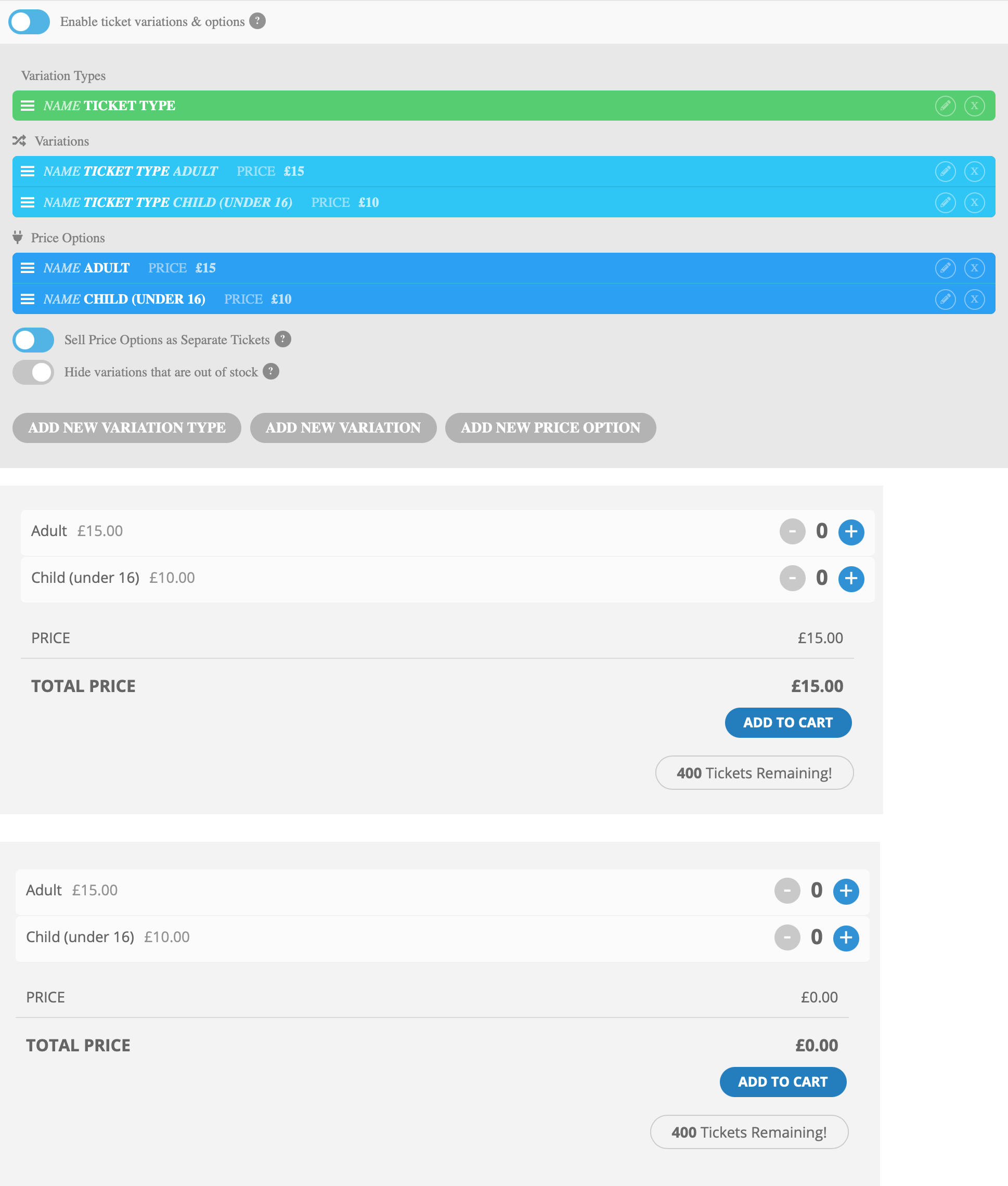
I have tried to use the Variations & Options add-on, but this still only allows for one ticket type to be purchased at a time. I thought I had got round this by using “Price Options” as individual tickets. But this means that there is always one ticket already selected, but not listed. Or, if leaving the price field as £0.00, it means tickets can be acquired for free.
I have attached three screenshots (in one file) showing what I mean. Is there something that can be done to allow a user to select the amount of adult and child tickets they would like, or is this not available in your system? I am in the processing of communicating with our client who is getting a little frustrated with the situation, as you can imagine.
How do I edit this page
https://dev.fondationggl-helenis.com/visite-de-la-fondation/
please send the direct link to the edit page as I cannot find it in your pages within wordpress- and we can double check everything and diagnose better
Thank you so much
Could you please try the instructions mentioned in this documentation to make sure your issue is indeed coming from eventon.
Hello Support,
I have to ask manager to give you the wp-admin access. Can I send you a screenshot for that?
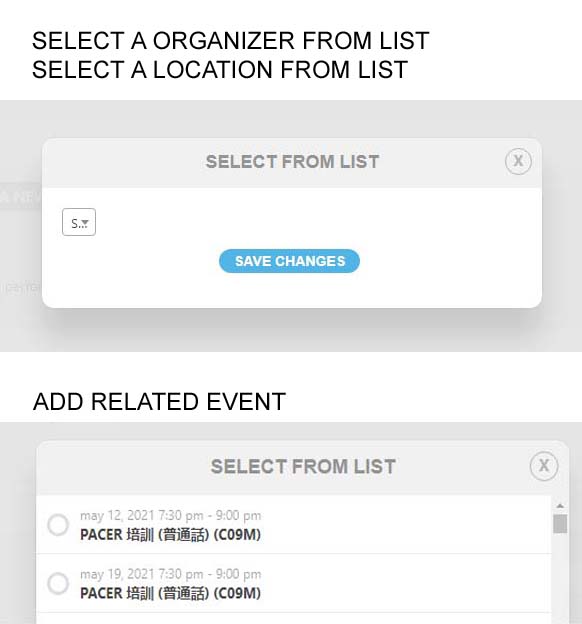
When I click buttons “SELECT A ORGANIZER FROM LIST” and “SELECT A LOCATION FROM LIST” in adding/editing event. I saw the dropdown list too small to select. Please see the screenshot image “SELECT A ORGANIZER FROM LIST” “SELECT A LOCATION FROM LIST” part.
But when I click button “ADD RELATED EVENT”, I can select. looks like this is correct, no error. Please see the screenshot “ADD RELATED EVENT”.
Hope this would help. Thanks.
Shaylee