Hello,
You can remove the progress bar by going to myeventOn > Settings > Event top and enabling the option to hide the progress bar.
Replies for tickets on suppota
Hello,
You can remove the progress bar by going to myeventOn > Settings > Event top and enabling the option to hide the progress bar.
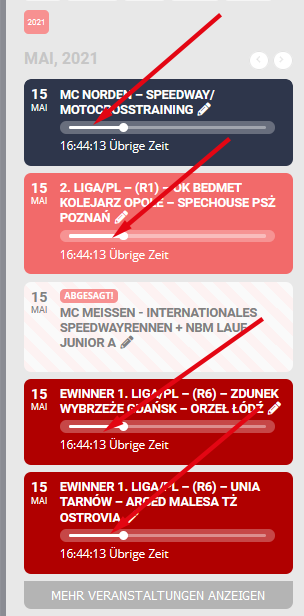
For example
Hi Daniel,
I am able to see the option to add variations to tickets on my end. Please take a look at the test event. Here is a tutorial which can help on how to create the ticket variations.
Hi Ella,
In that case use the custom CSS code below to make the text black.
.eventon_events_list .eventon_list_event .evcal_cblock em, .evo_pop_body .evcal_cblock em{color:black !important;}
its working now you can delete the test rsvp
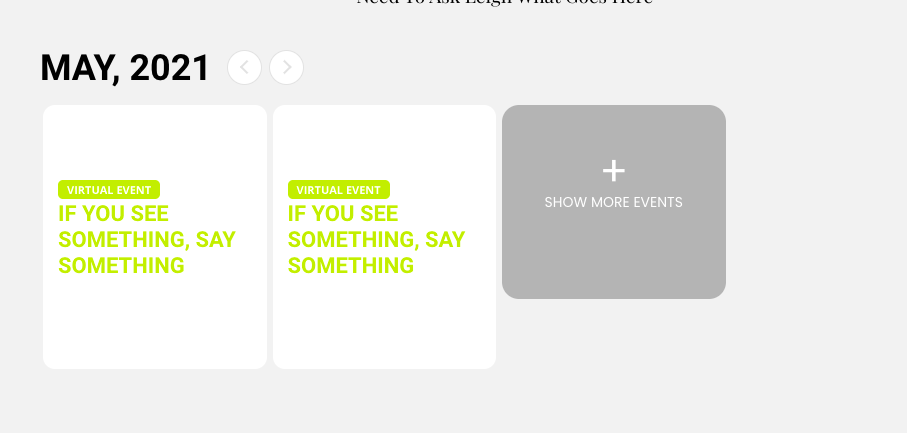
I’m not trying to change the backround — I’m trying to change the color of the date and time in the text — see image attatched.
Notice that the date which should be in the top right of the calendar doesnt show bc its white. How do I make it black?
Hi Ella,
You can change the background color by adding the custom CSS code below in Appearance > Customize > Additional CSS
.ajde_evcal_calendar.boxy #evcal_list .eventon_list_event .desc_trig .evcal_cblock{background-color:grey !important;}
Hello,
Please tell me what happened?
Why are they not responding, what is the problem?
Are you running out of time to meet this requirement?
Thanks.
Hello,
Please tell me what happened?
Why are they not responding, what is the problem?
Are you running out of time to meet this requirement?
Thanks.