That is working…I did not double check that setting after the reinstall, I assumed a default setting other than what it was. Thanks! Appreciate what you guys create here! It is fantastic and so is your support!
Archives: Replies
Replies for tickets on suppota
Reply to: tickets(237213)
We are sorry for the delay. Unfortunately, I am not sure how to remove the bottom space, so we need to wait for Ashan.
Again, sorry for the inconvenience.
Reply to: tickets(237509)
By following https://docs.myeventon.com/documentations/add-additional-fields-actionuser-event-submission-form/ you can add a completely new element that does what you need.
Unfortunately, we unable to help with customizations so please send us a customization request from Customize EventON Page.
Reply to: tickets(237981)
Hello,
Where can we see this issue on your website? On our test server images seem to be centred correctly: https://dev2.myeventon.com/26560-2/
Reply to: tickets(237674)
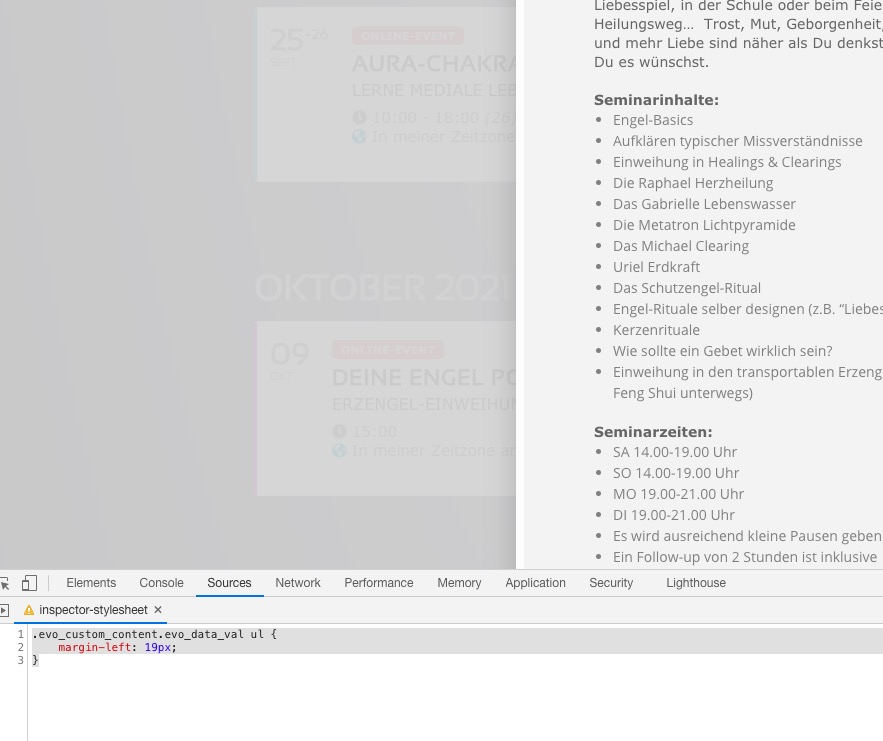
Please also add this code:
.evo_custom_content.evo_data_val ul { margin-left: 19px; }
Reply to: tickets(237989)
Hello,
Please go to EventON Settings > RSPV > disable Allow only logged-in users to submit RSVP.
Reply to: tickets(237762)
Ashan,
The same on dev2: https://dev2.myeventon.com/26557-2/
With added search_all=”yes” only future events are shown.
Reply to: tickets(237762)
Thank you for your messages, I am going to assign this ticket to Ashan and he will be able to take it from here and find you a solution. Please allow some time for him to get back to you, we greatly appreciate your patience and thank you for being a eventon customer! Also please disable any IP blocking on your site if there are any.
Reply to: tickets(236072)
ANY NEWSSS?????
Reply to: tickets(237980)
Hi there,
Could you please try the instructions mentioned in this documentation to make sure your issue is indeed coming from eventon.
Also, please note that I am unable to access your site. I am getting “Error occurred: 403 – forbidden”.
Kindly remove any Geographical or IP blocking on your site if any.