That did the trick – thanks for your help.
Archives: Replies
Replies for tickets on suppota
Reply to: tickets(237140)
Hi, thanks for getting back to me.
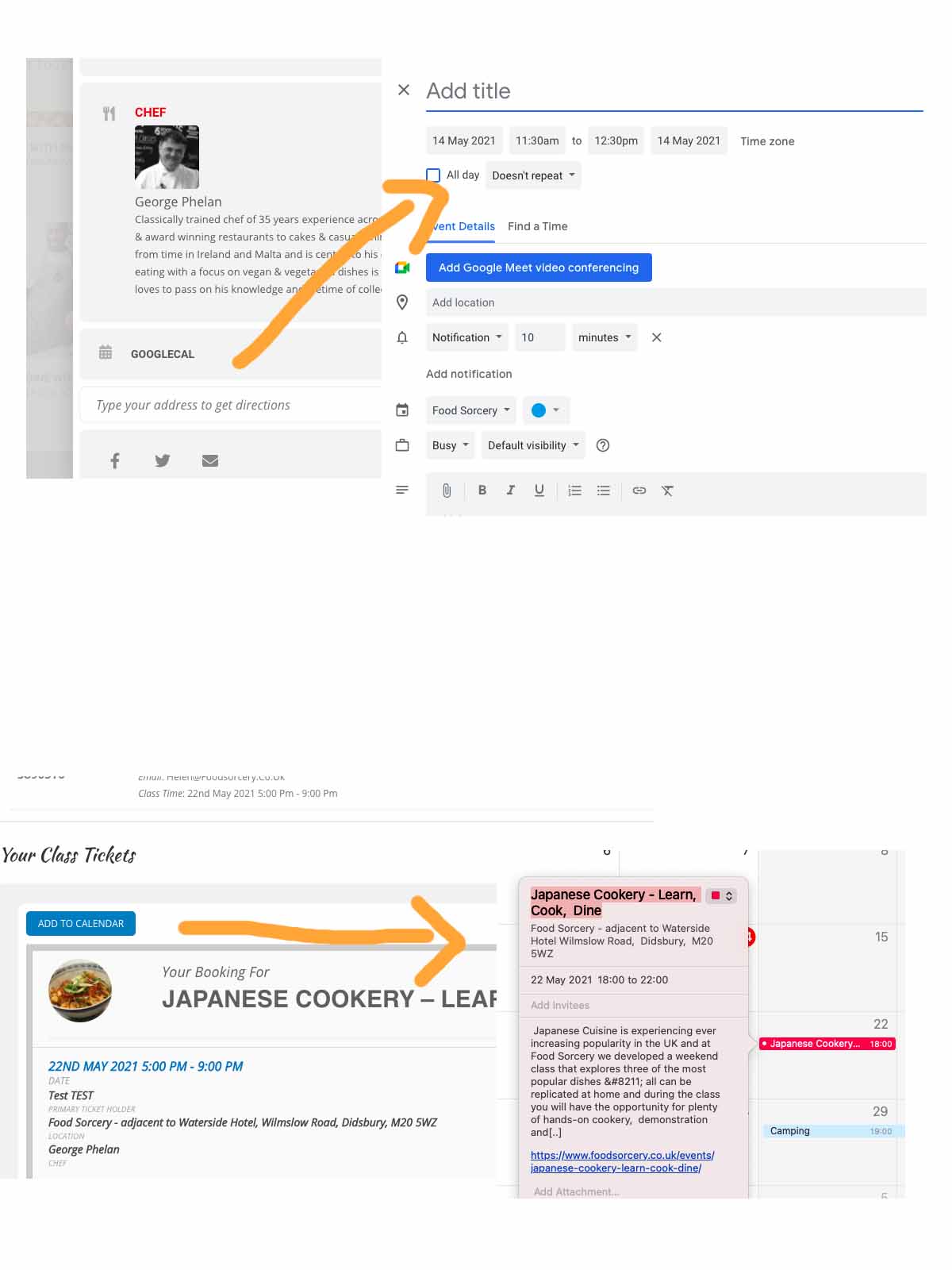
I changed the settings, however the problem is still there. When I use the add to calendar from the event card there is no time automatically put into the calendar.
When I try to add to calendar from the booking confirmation page the date is an hour wrong.
I have grouped the screen shots to show you
Thanks
Helen
Reply to: tickets(237400)
Basically, if someone deletes the last two figures of the ticket URL and creates a QR code of the URL (with the last two figures missing), you can check in the same ticket unlimited times, because the status doesn’t change to “checked-in”
As an example, this is the URL of a ticket as generated by the system:
https://test.vibekigali.com/checkin/?id=4448-4447-4446T0
As you can see it’s blue and already checked.
Now we take the same URL, and remove the “T0” at the end of the URL
https://test.vibekigali.com/checkin/?id=4448-4447-4446
This one is still green and will also remain green, when scanned multiple times.
This means, that if someone simply removes the T0 at the end of the ticket URL, this ticket can be used multiple times.
Reply to: tickets(237141)
Hi,
I’ve updated but the issue remains on the confirmation emails.
we’ve been through the process of switching off plugins to see if there is a conflict but this is not the issue, it seems to be image link as /image instead of https:///www.foodsorcery.co.uk/image so the email – is this something you can check?
Thanks
Helen
Reply to: tickets(237652)
Username: ev-on4532
Password: ZFa8ir1q9uo#
Thanks for your help
Reply to: tickets(187096)
It seems to be working with disabled “Disable font awesome fonts”:
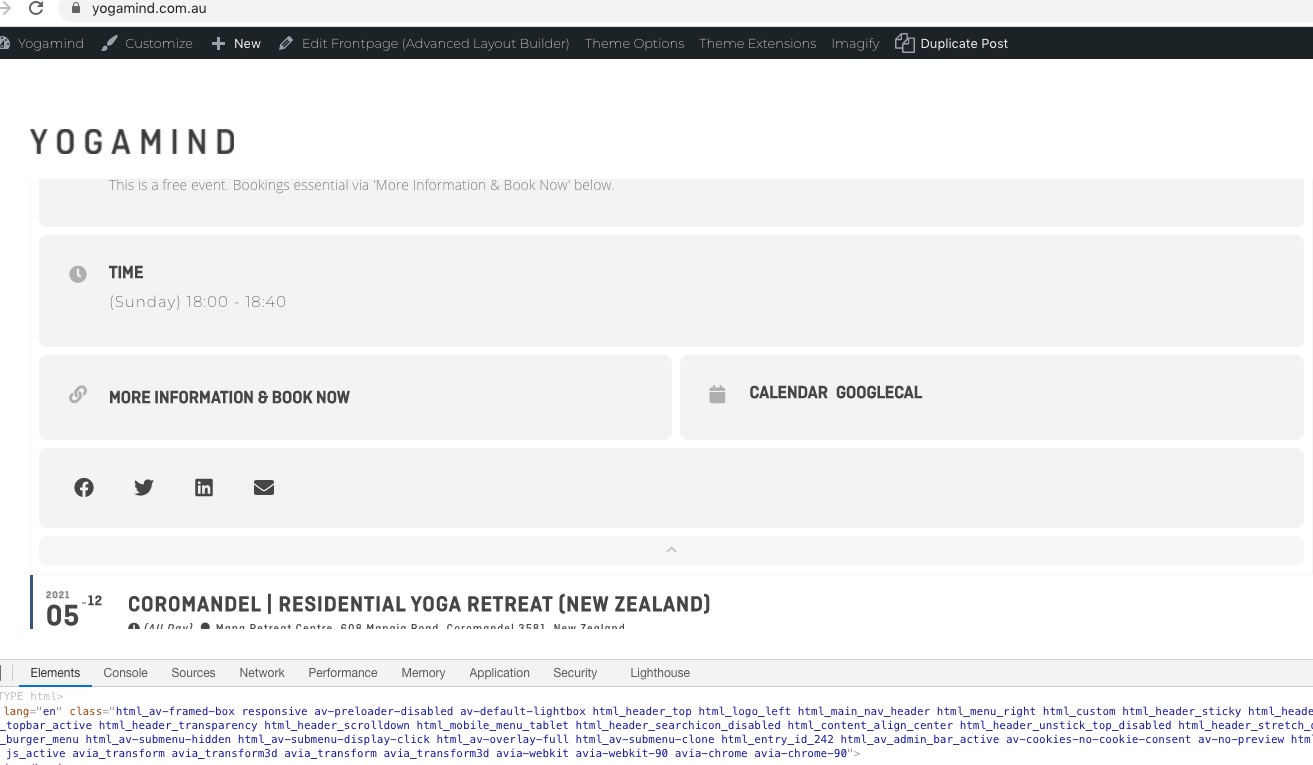
Could you check?
About the font. Could you go to https://yogamind.com.au/wp-admin/admin.php?page=eventon#evcal_002 and change Primary Calendar Font family?
Reply to: tickets(237914)
Hello,
Please check Slider: https://www.myeventon.com/addons/event-slider/.
OR Use Event Lists: Ext https://www.myeventon.com/addons/event-lists-extended/ with enabled Tile Design (only 4 per row). Try on https://dev.myeventon.com/wp-admin/:
[add_eventon_el event_count_list=”yes” tiles=”yes” tile_count=”4″ event_count=”4″]
Reply to: tickets(237854)
Please update the eventon plugin to version 3.1.5. Do let us know if that helps to fix your issue.
Reply to: tickets(237836)
Hi Vik,
Thank you for your messages, I am going to assign this ticket to Ashan and he will be able to take it from here and find you a solution. Please allow some time for him to get back to you, we greatly appreciate your patience and thank you for being a eventon customer!
Reply to: tickets(187096)
Hello Artem
I did send the link!!! There is only one page and you can see EventOn if you scroll.
https://yogamind.com.au
Looking forward to hearing from you.
Thanks, Corina