closed because of duplicate
Archives: Replies
Replies for tickets on suppota
Reply to: tickets(237896)
closed because of dulicate
Reply to: tickets(237895)
closed because of duplicate
Reply to: tickets(237897)
Password or username didn’t work for me
Reply to: tickets(237729)
I remove the code from “Styles” but still nothing happened.
So I dont’ know how to change CSS can you please do it or tell me how to do it?
Thank you
Reply to: tickets(231094)
If anybody else finds this, I had the same issue and indeed, clearing my cache solved it!
Reply to: tickets(237882)
Probably better to set up a mobile specific calendar
Such as an events list or basic weekly view like
[add_eventon_wv]
depending on the page builder you can hide content based on screen size
and only show content based on side
so you would use the current shortcode for desktop and tablet and the movibe calendar for mobile devices
see this page is using the full calendar
https://www.kidsmagicworld.com.au/kids-magician-events/
if you shrink it down to mobile it looks very similar however they are in fact 2 different calendars
1 for desktop and 1 for mobile
Reply to: tickets(237887)
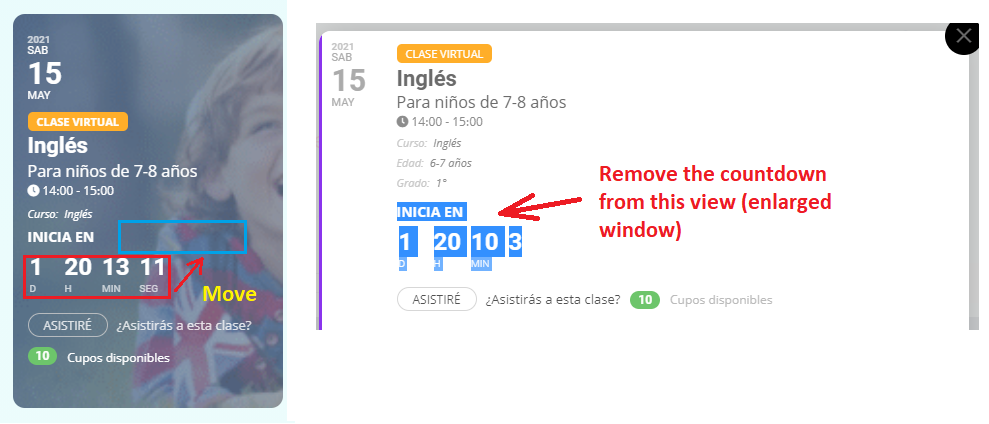
See image.
Reply to: tickets(237127)
https://learnpod.com.ng/login
eventon
YLJzSXyp0(9zu6pnFdWR$4EL
Reply to: tickets(237822)
Thanks for your quick reply. It worked.
It’s a pity the options are not very logical
- To disable Jitsi you have to go to “Scripts and styling”
- To disable PayPal and Zoom you have to go to “Thirs Party APIs”
- To disable Google Maps you have to go to Google Maps API…
and it’s not very intuitive that something is disabled when it’s blue instead of grey (“enable xxx” would be more intuitve)
Have a nice day.