Archives: Replies
Replies for tickets on suppota
Reply to: tickets(393356)
Hi,
first of all I closed all other ticket since all is solved,
This one did not work and I cleared the cache etc… Did I write it wrong?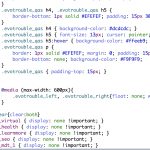
Also, I should by a plugin so my customers should be able to login and upload their own event. What was the name of that plugin?
Reply to: tickets(393681)
Great, I added it to Appearance > Customize > Additional CSS. and it worked so I close this and the other ticket now so all ok.
Many thanks!
Reply to: tickets(393739)
Hello,
With Event Photos add-on:
https://www.myeventon.com/addons/event-photos/
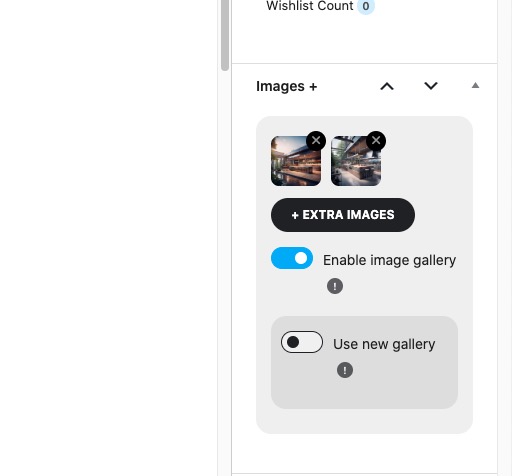
You can remove “Featured Image” from Event Card:
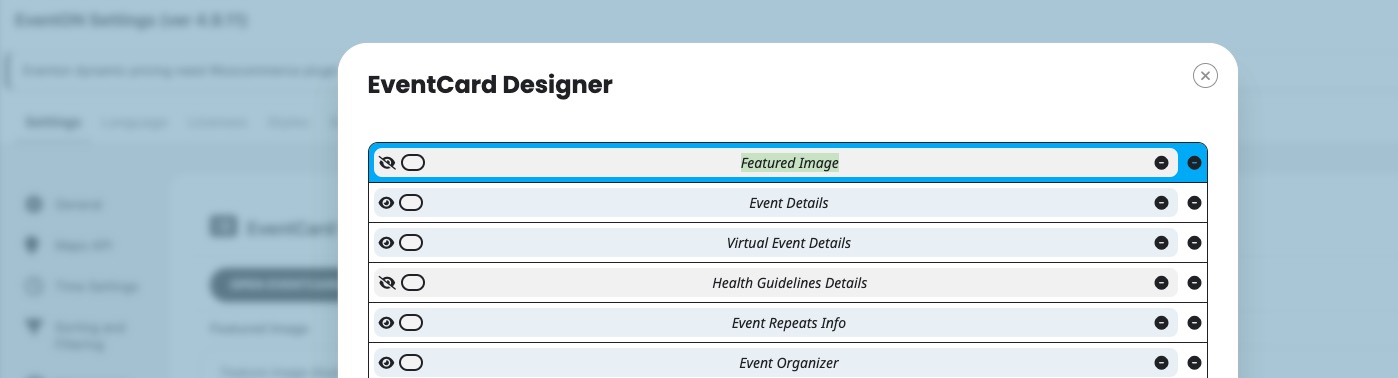
Then add more “Extra Images” and enable “Enable image gallery”:
How it will look like:
https://dev2.myeventon.com/events/test-47/
Try on
https://dev.myeventon.com/wp-admin/
Reply to: tickets(393637)
2. EventTop’s image is a background image, so it stretches to fill the container.
Please add this CSS code to EventON > Styles (If you don’t see any change, EventON > Scripts & Styling > turn off Write dynamic styles to header > save settings > turn on Write dynamic styles to header). You can also add this code to wp-admin > Appearance > Customize > Additional CSS.
.ajde_evcal_calendar.boxy .eventon_list_event.hasbgimg, .ajde_evcal_calendar.boxy.boxstyle1 .evo_boxtop, .ajde_evcal_calendar.boxy.boxstyle2 .evo_boxtop { -webkit-background-size: contain; -moz-background-size: contain; -o-background-size: contain; background-size: contain; }
3. Not possible to use Slide Down with Tile Design.
If you enabled Tile Design by adding tiles=”yes”, then you need to remove ux_val from the shortcode to let events to open as Lightbox popup window.
Reply to: tickets(391118)
You could save EventOn preset colors inside wordpress.
How it was possible before? Could you tell us more?
I just tried to set a new color and it got saved to “OR Select from other colors“:
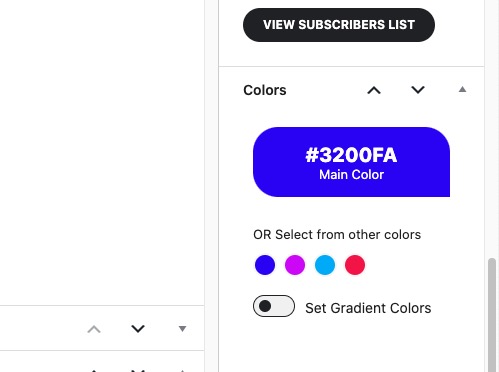
It’s not possible on your website?
Reply to: tickets(391118)
Ok, thank you. You used to be able to add those without code. You could save EventOn preset colors inside wordpress. I have a few sites running EventOn and have never had to add them via code or adding snippets to functions.php.
Reply to: tickets(393637)
1. Got it, thank you!
2. This is what the featured image looks like unless I physically edit it to horizontal. The event is in the month of Oct for troubleshooting purposes.
I would like to know why it is cropping when I have Feature image display style set to “Fit entire image, resized box height” 
3. Can I use tile design with the slide down enabled? If so, what would that shortcode look like?
Reply to: tickets(390018)
Hello?
Reply to: tickets(393486)
Ashan,
1 isn’t really an issue, but just a suggestion to add a new option to hide the events list, I believe.
2. The same on dev2:
https://dev2.myeventon.com/test-1055/