Hello,
Sorry for the delay.
1. Please add this CSS code to EventON > Styles (If you don’t see any change, EventON > Scripts & Styling > turn off Write dynamic styles to header > save settings > turn on Write dynamic styles to header). You can also add this code to wp-admin > Appearance > Customize > Additional CSS.
.ajde_evcal_calendar.eventmap .evoEM_list { display: none !important; }
2. Thank you for your messages, I am going to assign this ticket to Ashan and he will be able to take it from here and find you a solution. Please allow some time for him to get back to you, we greatly appreciate your patience and thank you for being a eventon customer! Also please disable any IP blocking on your site if there are any.
There is an issue with 4.9.10 that doesn’t let you to delete the custom styling from EventON > Styling. Thank you for letting us know! We are going to fix the issue in the next version.
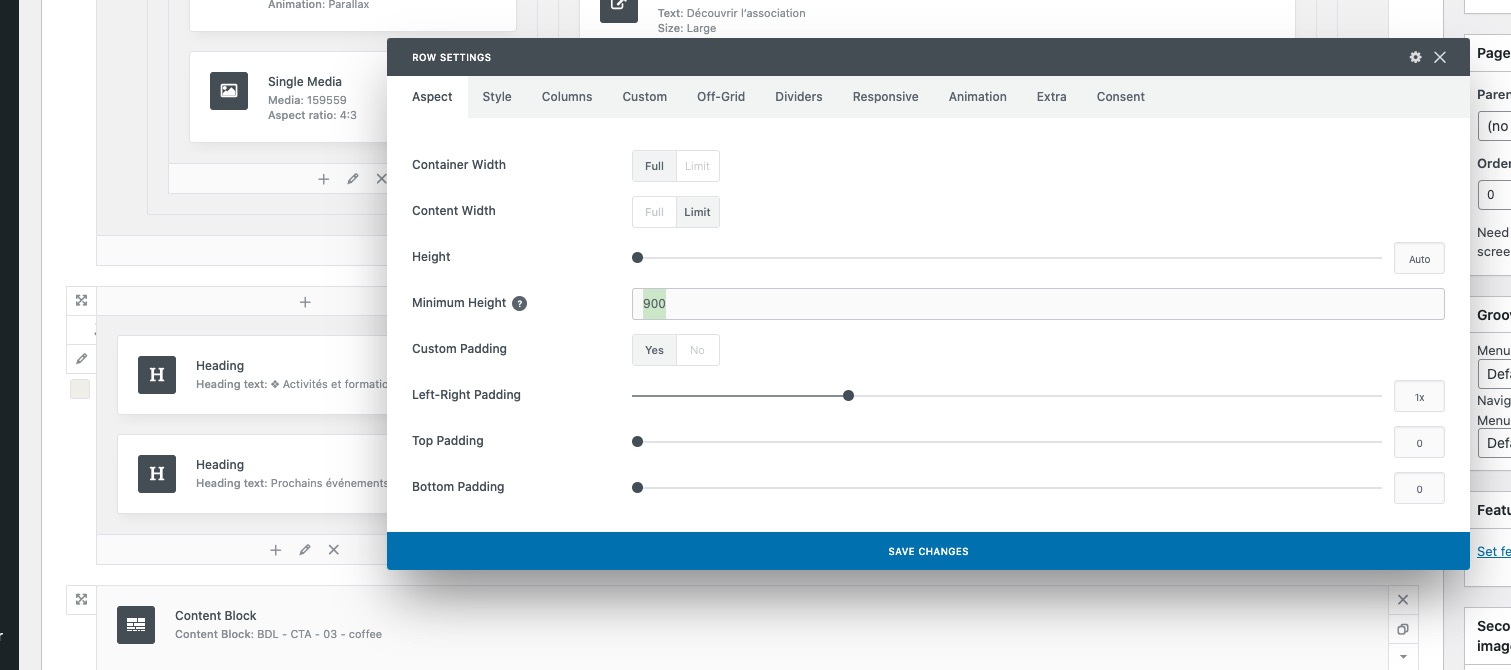
As for the issue, please try disabling EventON and also remove 900 from row’s settings:
Also try adding this code to wp-admin > Appearance > Customize > Additional CSS:
.ajde_evcal_calendar.evoFC { min-height: 600px; }
1. Thank you for letting us know. We figured out the issue. It will be fixed with the new version of eventON 4.9.12 which we are hoping to get out later this week., Much appreciate your understanding. You can stay up to date on our releases real-time via x.com/myeventon
Thank you for letting us know. We figured out the issue. It will be fixed with the new version of eventON 4.9.12 which we are hoping to get out later this week., Much appreciate your understanding. You can stay up to date on our releases real-time via x.com/myeventon
Hello,
Thank you for letting us know!
We figured out the issue. It will be fixed with the new version of eventON 4.9.12 which we are hoping to get out later this week., Much appreciate your understanding. You can stay up to date on our releases real-time via x.com/myeventon
Ashan,
The same on dev2:
https://dev2.myeventon.com/test-1053/
Hello,
Thank you for your messages, I am going to assign this ticket to Ashan and he will be able to take it from here and find you a solution. Please allow some time for him to get back to you, we greatly appreciate your patience and thank you for being a eventon customer! Also please disable any IP blocking on your site if there are any.
Hi there, could I ask that someone help me with this issue again please? We have recently update all plugins and the issue with the drop down to reveal customer details is happening again. We would prefer that all attendees details are available on view attendees as it allows my staff to check customers in quickly.
Sorry to ask again so soon.
Thank you, Iain.
Please remove tiles=”yes” from the shorcode since it enables Tile Design which is not compatible with Featured Image.