Hi,
I’m using the WordPress Accessibility Plugin – Readabler by merkulove, version 2.0.16.
Before the update, I didn’t have any RGAA issues.
Thanks for your help.
Replies for tickets on suppota
Hi,
I’m using the WordPress Accessibility Plugin – Readabler by merkulove, version 2.0.16.
Before the update, I didn’t have any RGAA issues.
Thanks for your help.
We are going to do some more test on this on our end. Thank you so much for your patience!
Could you please remind us what the plugin you use to get those compliance notices?
Hello Florian, can you give me more context on this? what was the payment method used? If the payment is cleared woocommerce may move order status to complete dispite the Ticket settings.
If the transaction are suppose to stay on processing. please try commenting out this code in your eventON tickets and see if that will achive your desired results.
file: eventon-tickets/includes/wc/class-wc-afterorder.php
line: 22
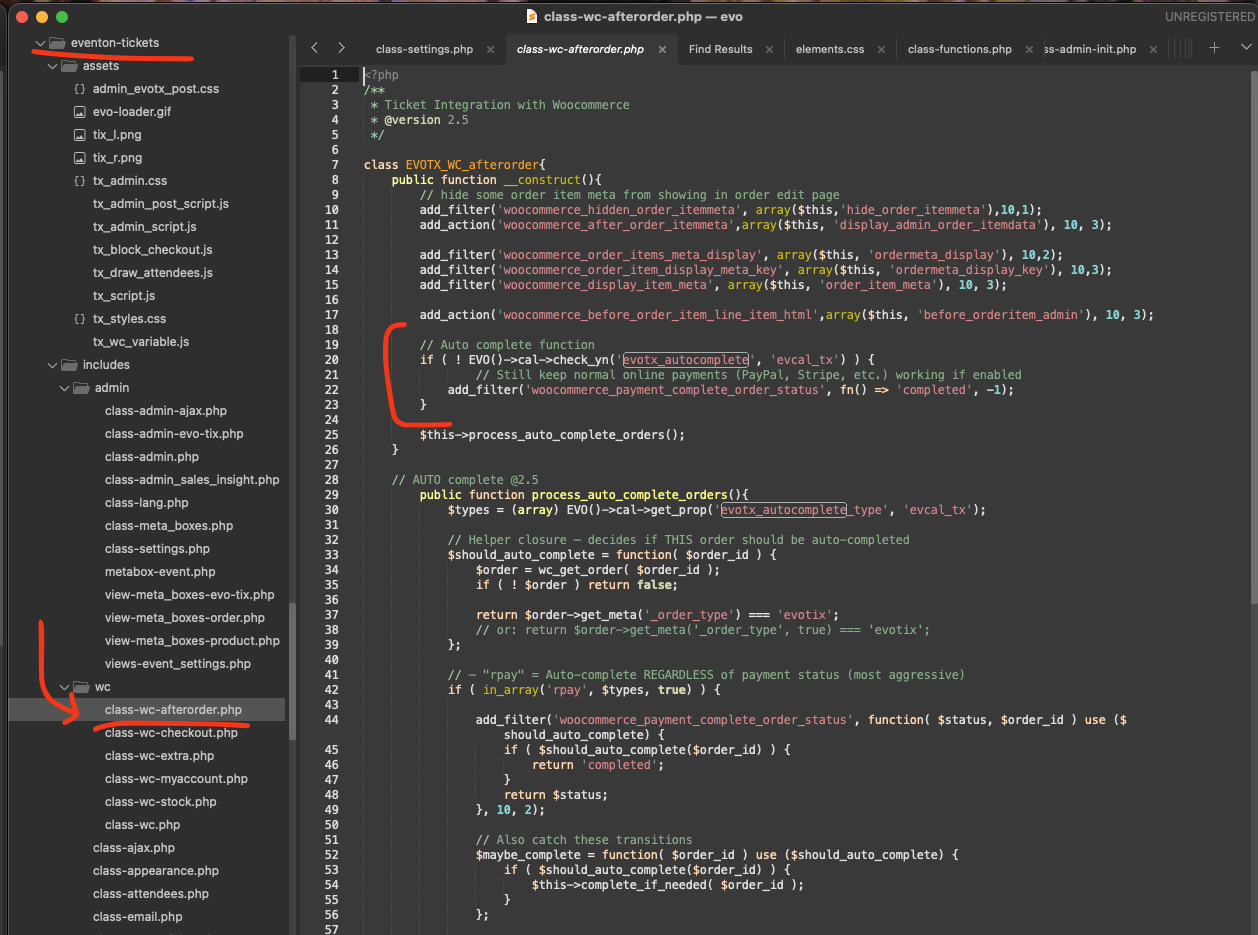
Thank you. This has worked perfectly. Very much appreciated!
Here is the oops message
Oops! Something went wrong.
Hello,
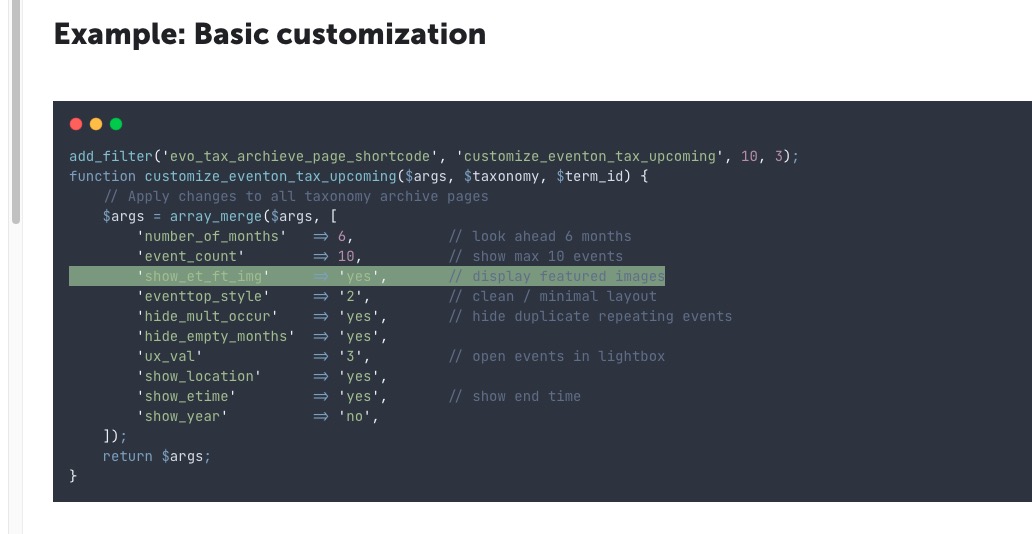
Could you please take a look at this guide:
https://docs.myeventon.com/documentations/how-to-customizing-the-upcoming-events-list-on-event-taxonomy-archive-pages/
The line that enabled the featured image:
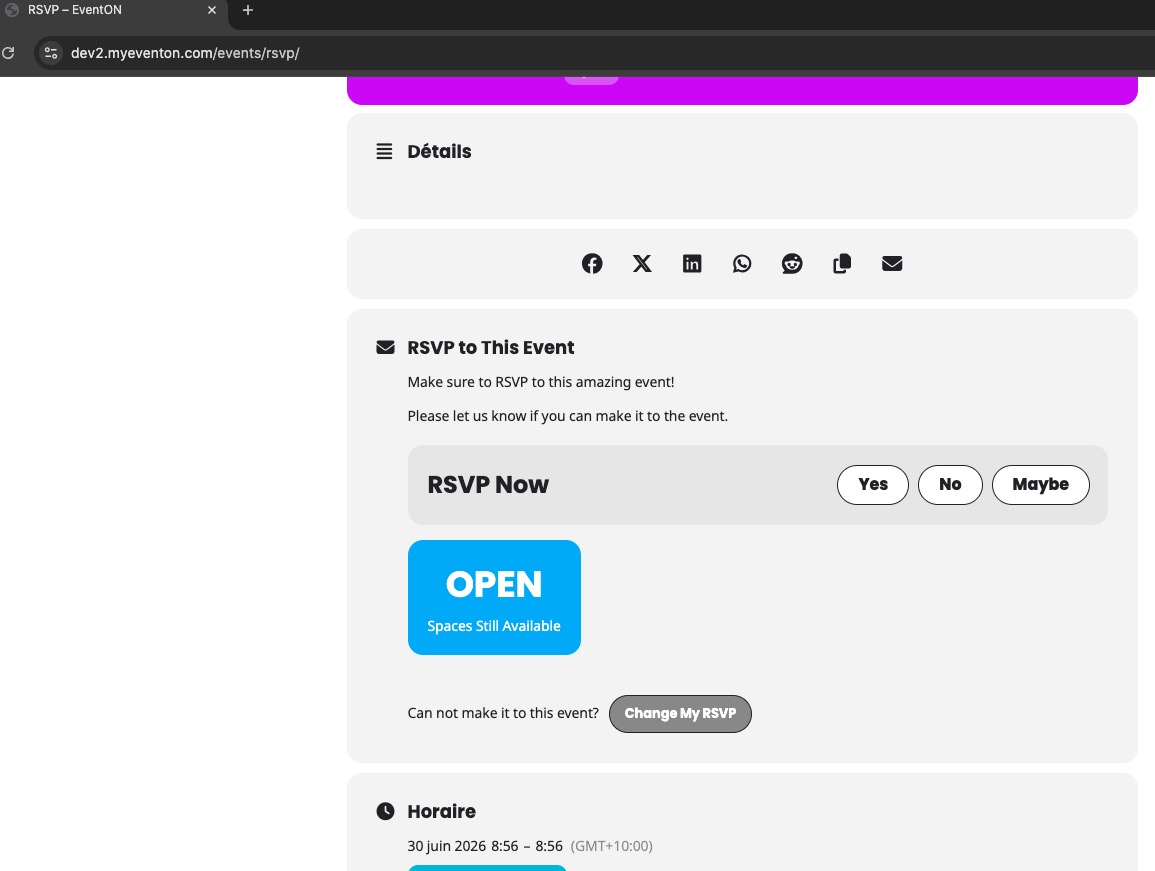
Could you try going to EventON > RSVP > RSVP Form > disable Show ’Change RSVP’ option only for the users who have rsvp-ed for the event?
On our website in Incognito Mode the change button is visible since all users aren’t logged-in:
No luck with either. I replaced ux_val=”3a” with ux_val=”3” and then ux_val=”4”.
Please add ux_val to this shortcode:
[add_eventon_search ux_val=”3”]
Please try my previous suggestion first and then try removing [add_eventon_search] to remove the search box and only leave Event Lists calendar.
Current version is 3.1.1