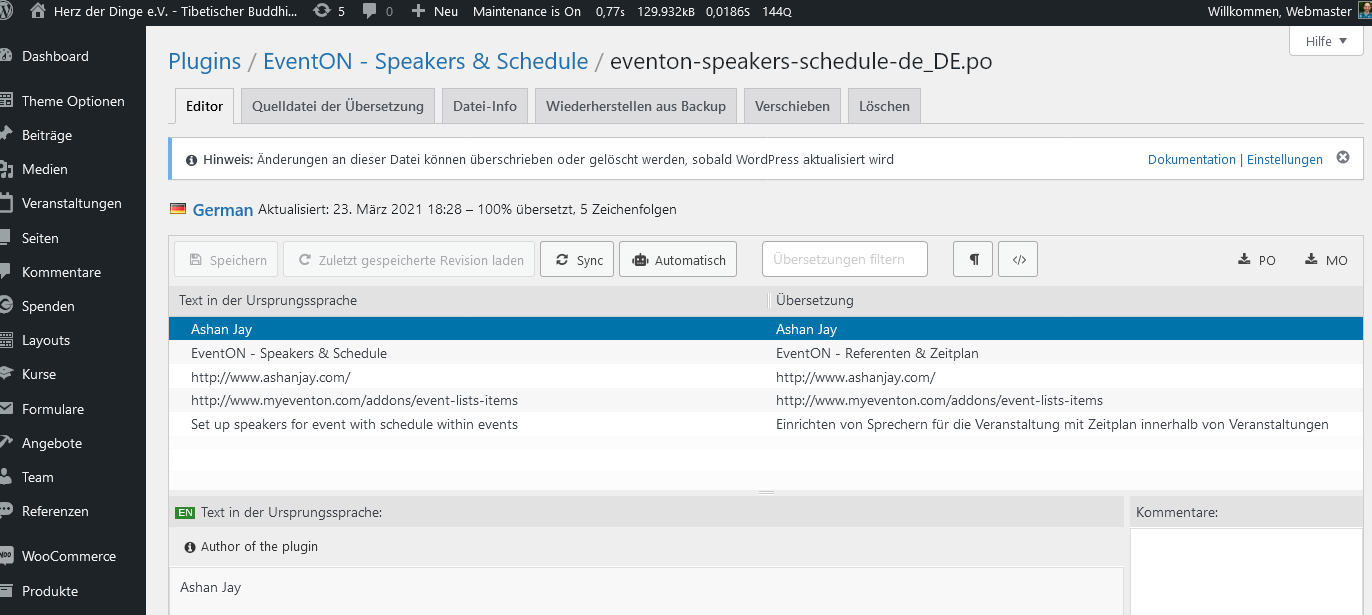
Look in screenshot as i said before: The eventon-speakers-schedule.pot files contains no relevant words to translate. So there is no way i can go to translate backend?
And frontend transaltion is only via (translate manally by hand) and not via Loco or .pot files.
Is that Correct?
I guess it was a 502 issue… currently it works 🙂
Sorry for the stop-start. We have installed a translation plugin on the site (Weglot) however my client still wants to feature events in local languages – ie. french events in French language, Spanish events in Spanish language etc. Therefore we are going to make an exception for the EventOn calendar and would like to now PROCEED with the customisation as previously discuss (for the fee of $850USD).
Can you please reply and let me know that you have received this instruction and I can proceed with payment.
Hi Ashan,
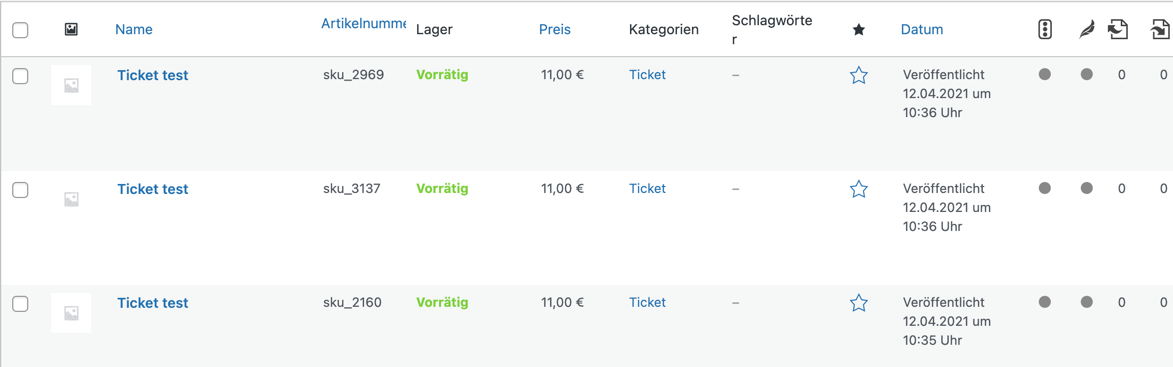
someone of your Team has logged into the backend of my verveforce.de WordPress and created a new Event named test on 12th of April 10:35 MEST.
As you can see, this has generated 3 different products named test having different SKU values.
You already have replicated this in my backend.
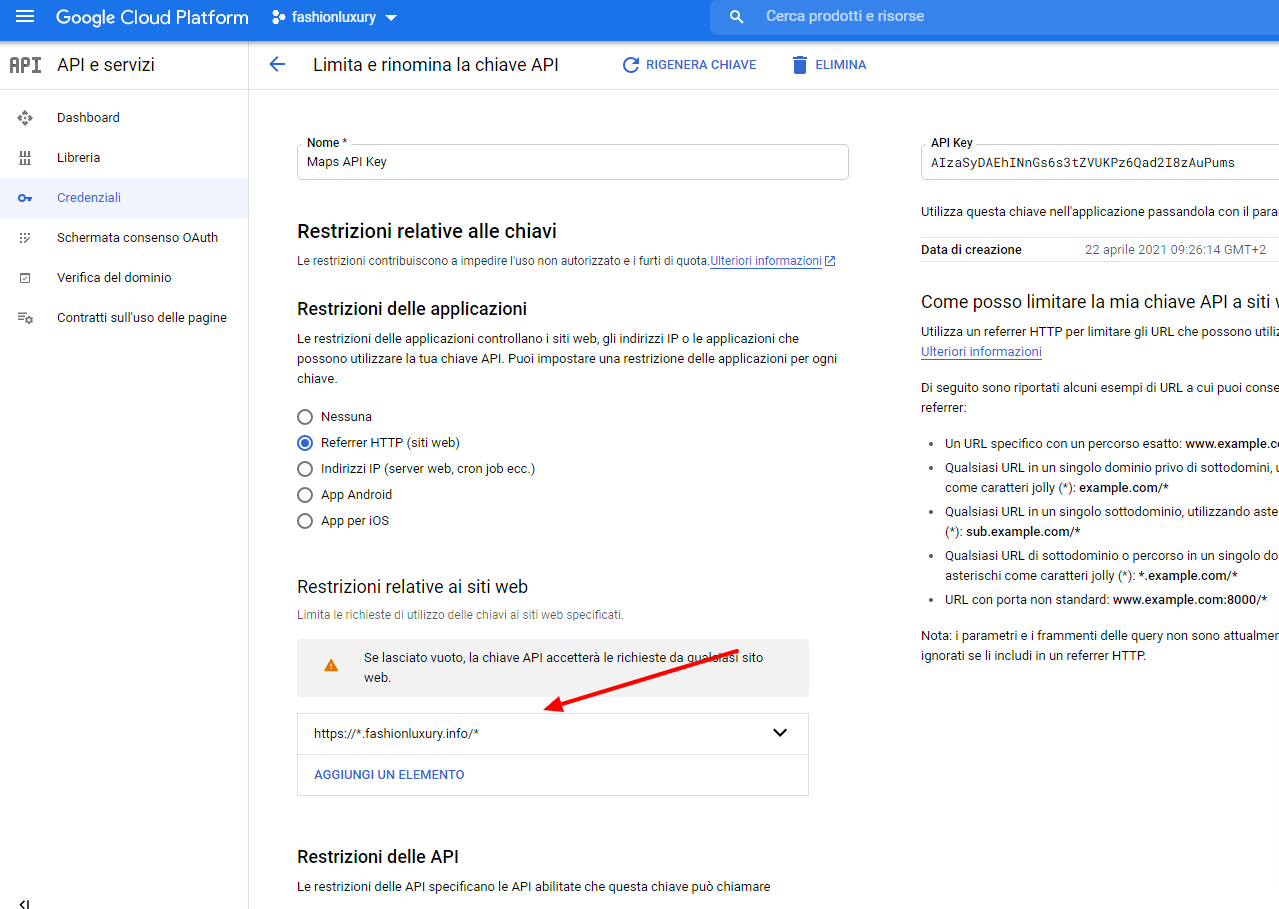
hi, changed url as per image but no maps are seen
Hi,
I have a dedicated server:
-CPU Inten Xeon 8 Cores 2,4GHz (2,6 GHZ Turbo Boost)
-32 GB RAM
-800GB SSD
Thanks!
https://helpdeskx.s3.amazonaws.com/wp-content/uploads/2021/04/22030456/Limita-e-rinomin.png
The URL isn’t correct. Please try: https://*.fashionluxury.info/*
Hello,
It seems that Outlook strips URL: https://answers.microsoft.com/en-us/outlook_com/forum/ocalendar-oimportcal/no-ics-link-option-when-sharing-calendar/a8ff8fa7-3ed2-4046-8c97-5f6e14273b3f
Please check and let us know.
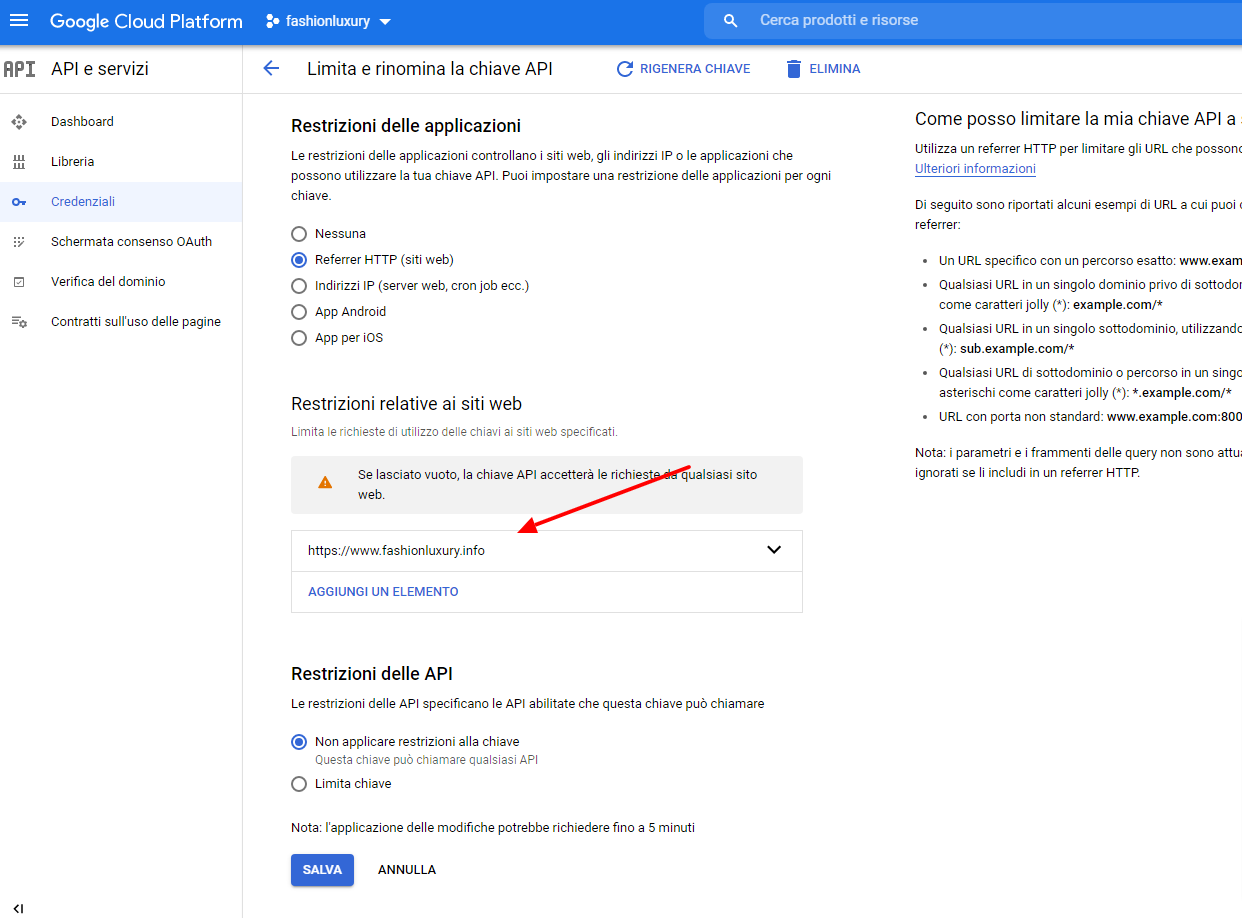
yes certainly as shown in the image
Thanks again
Hello,
Please try going to EventON > Scripts & Styling > turn off Write styles to header > save settings > turn on Write styles to header.