I dont understand how its doing this or why it is doing this?
Archives: Replies
Replies for tickets on suppota
Reply to: tickets(392139)
Sorry Artem but that won’t work. You see if you’ll notice our Dinagyang Tickets last time, it has more than 300 seats in it so making the map smaller won’t do the trick. I need that the map will take at least 1/2 or 3/4 of the browser which means I need to make the whole section bigger
Reply to: tickets(391993)
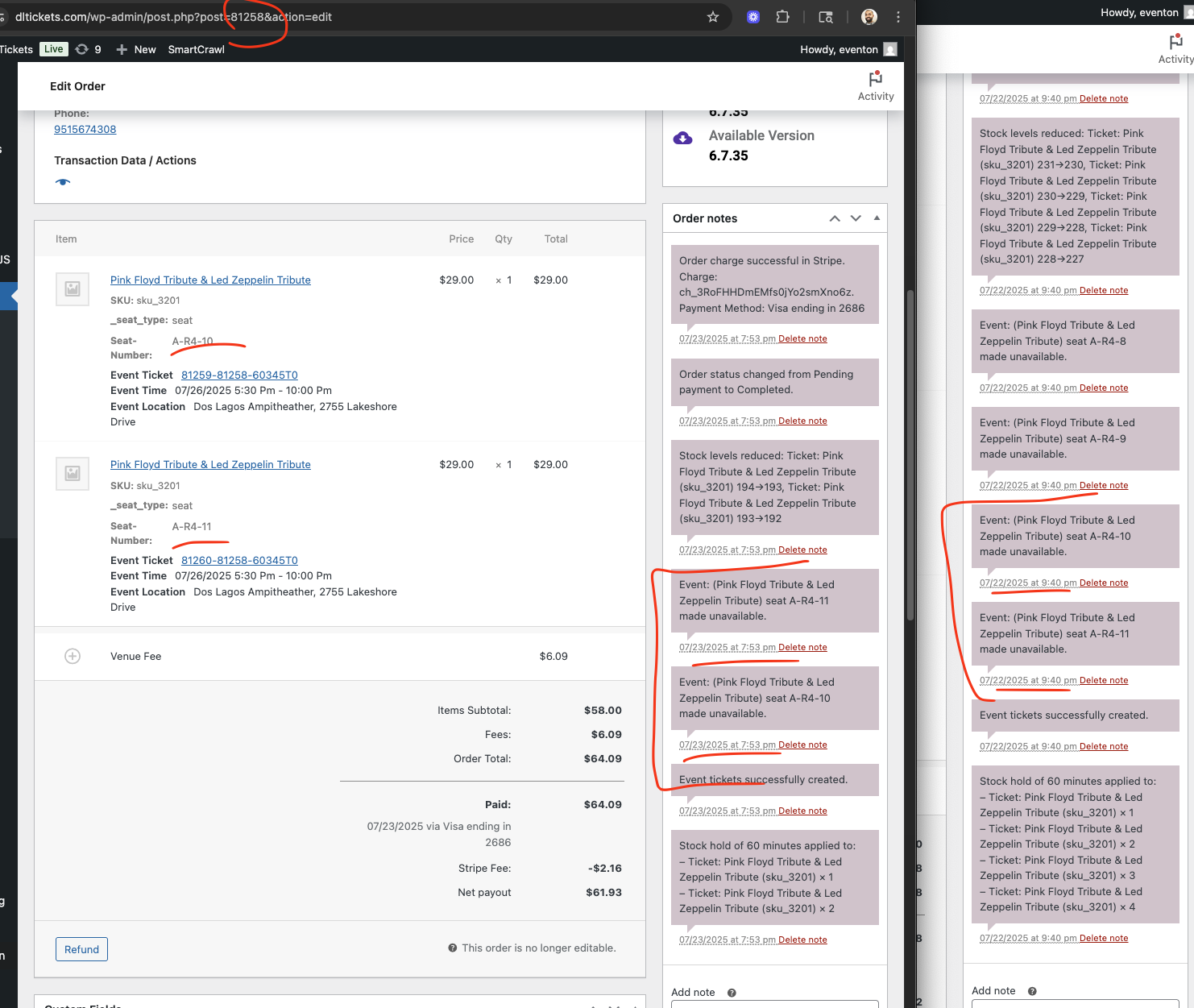
Shervin just checking on system logs for the ticket purchases and example i am looking at is order ID 81258 and 81117. 81117 bought the tickets 24hr+ ago. It seems 2 of the tickets from their 4, were available for someone else to purchase.
Reply to: tickets(362499)
Yes, sure! This is a copy of our live site, which I obviously patched with the code I suggested to you.
Reply to: tickets(391993)
Shervin we are terribly sorry this happened. Please allow us to see what is going on and see how the same seats are possible for purchase by more than once customer… looking into this now.
Reply to: tickets(390018)
ok, I checked the event (Sista Marybeth & Robyn Lobe – JUL 31), the “lightbox window” was already enabled. I refreshed the config and updated the event. No change, the seat map does not load.
Reply to: tickets(390018)
Ok, the wp config file has been updated. I will try the setting
Reply to: tickets(393175)
this error “Uncaught ArgumentCountError: Too few arguments to function EVOQR_Checkin::show_qr_code_TX3(), 2 passed“
comes from older version of Tickets addon but you have the new version 2.4.18 — i think updating may have resolved that issue for you.
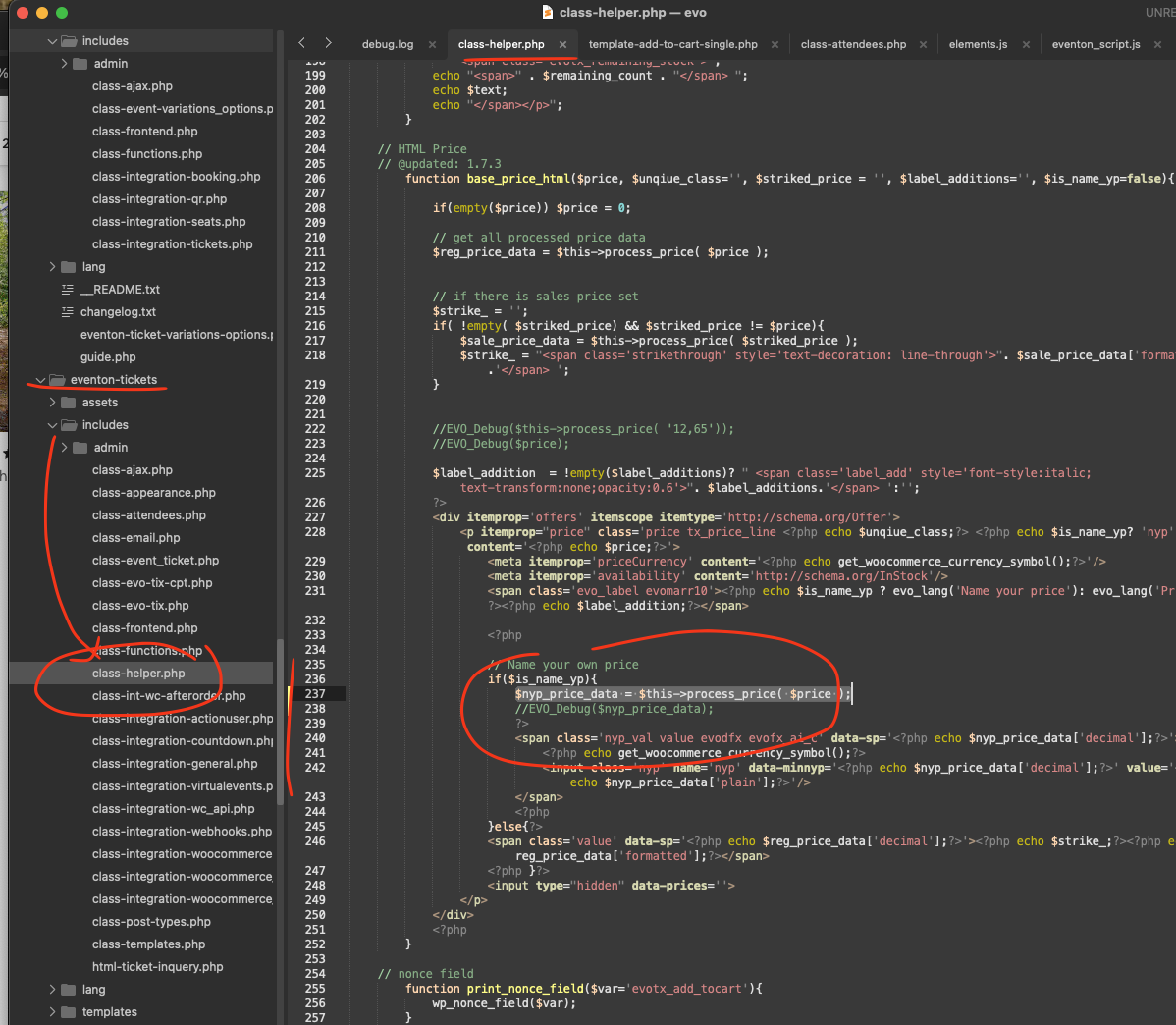
About name your price. Can you please make this code change?
code: $nyp_price_data = $this->process_price( $price );
Reply to: tickets(393384)
Hello,
Please send us wp-admin access to your site from “Access Info” box on right side menu, to further assist your situation.
How I set it on our test site:
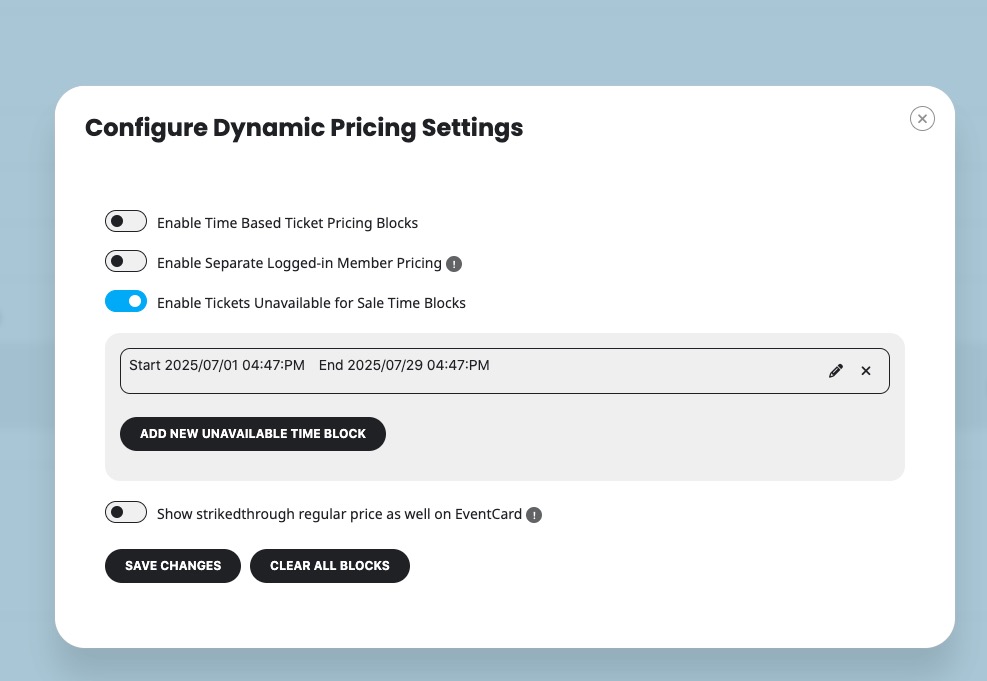
No issues:
https://dev2.myeventon.com/events/tickets-2/
Reply to: tickets(392699)
Hi there, I made a video here: https://www.loom.com/share/1f0e6eda957c4bf3971ba8f80195585b?sid=d008622e-7e0b-4583-a79c-633ba2c8f5d2
thanks,
Rachel