Please send us wp-admin access to your site from “Access Info” box on right side menu, to further assist your situation.
Archives: Replies
Replies for tickets on suppota
Reply to: tickets(390018)
Thanks Ashan, I’ll be sure that tickets and seats addons are updated.
Reply to: tickets(390574)
New Admin account created. Hopefully this one works.
Since the initial report, the widget has started working without any changes. Checking the database, it seems it was leaving open a large number of connections to the WP database, maxing out the number of concurrent connections. Is this something that can be configured, so it closes the database connection as soon as it has loaded? When those connections timed out, the widget started working again.
Reply to: tickets(390632)
Hi,
As I am writing – the message you see above is from the debug log. I already did all the things you are asking.
In terms of memory – I think you ask for 512MB – as you can see above, I have 4GB!
Reply to: tickets(390478)
…and select an image, but it doesn’t appear in the form
Could you elaborate more on this part?
Please send us wp-admin access to your site from “Access Info” box on right side menu, to further assist your situation.
Reply to: tickets(390632)
Hello,
Please follow the instructions in this documentation to activate debug in your site to see any PHP errors recorded that can provide insight on to whats going on. Please reply with a link to debug.log file. If you are not able to do this please send us FTP access to your site so we can do this for you.
Usually the issue is with memory limit:
https://docs.myeventon.com/documentations/increasing-wordpress-memory-limit/
Reply to: tickets(390636)
Hello,
By individual styles do you mean EventON > Appearance or custom CSS styling you put to EventON > Styles?
After you imported the .json file please make sure to go to EventON > Scripts & Styling > turn off Write dynamic styles to header > save settings > turn on Write dynamic styles to header.
Reply to: tickets(390647)
Hello,
Please go to EventON > EventTop > make sure that Tags is added:
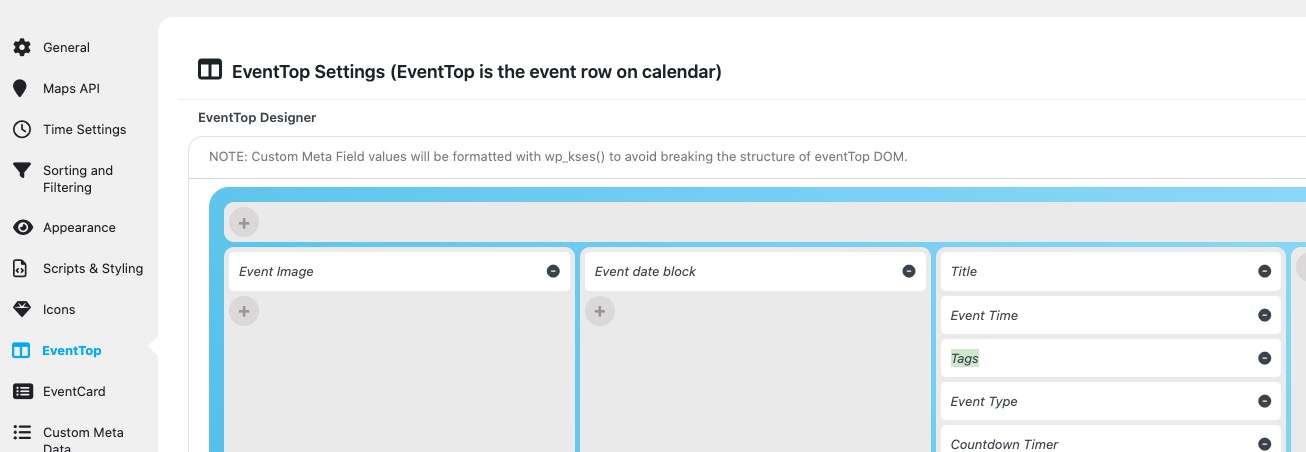
No issues on our test site:
https://dev2.myeventon.com/events/k1123k2k/
If the issue continues, please send us wp-admin access to your site from “Access Info” box on right side menu, to further assist your situation.
Reply to: tickets(390534)
Hello Ashan,
thank you for fast reply! I upgraded fullCal to version 2.2 but it did not help.
Yes, at that position in the sidebar I dont have no more space as for 6 events.
As there are much more events for today (22.6.25) it should not show the number 6 but the actual amount of events on that day.
Also events are only shown 6 for today and only 1 for tomorrow. The next days are not there…
Thank you for Help!
Bernd
Reply to: tickets(390018)
Hello Richard, Let me get this added to emails, that seems like a better place to add that. It will take a bit of time for us to get this implemented Much appreciate your patience! — tickets and seats addon updates will be needed or it to show correctly. 🙂 — will update you in here when we get this implemented.