Hello,
I went to EventON > EventTop > added Tickets Available. Now it should show the number of ticket. Please check and let me know.
Replies for tickets on suppota
Hello,
I went to EventON > EventTop > added Tickets Available. Now it should show the number of ticket. Please check and let me know.
We are glad your issue is resolved, if you have any further questions or concerns please create a new ticket.
If you have a moment, we would greatly appreciate if you could kindly leave us a review at EventON WordPress Page OR EventON > My Account > Downloads. Your review helps us a lot in continuing EventON improvements!
Unfortunately, too much variables. Because WordPress allows you to install third-party plugins and also use themes, only stress testing can help.
Ok Jo, I have gone ahead and refunded for that order ID and made necessary adjustments so the subscription will only include fullCal.
Do let us know if you need assistance with any other matters.
Kind Regards!
It seems that your theme changes all available elements to white color:
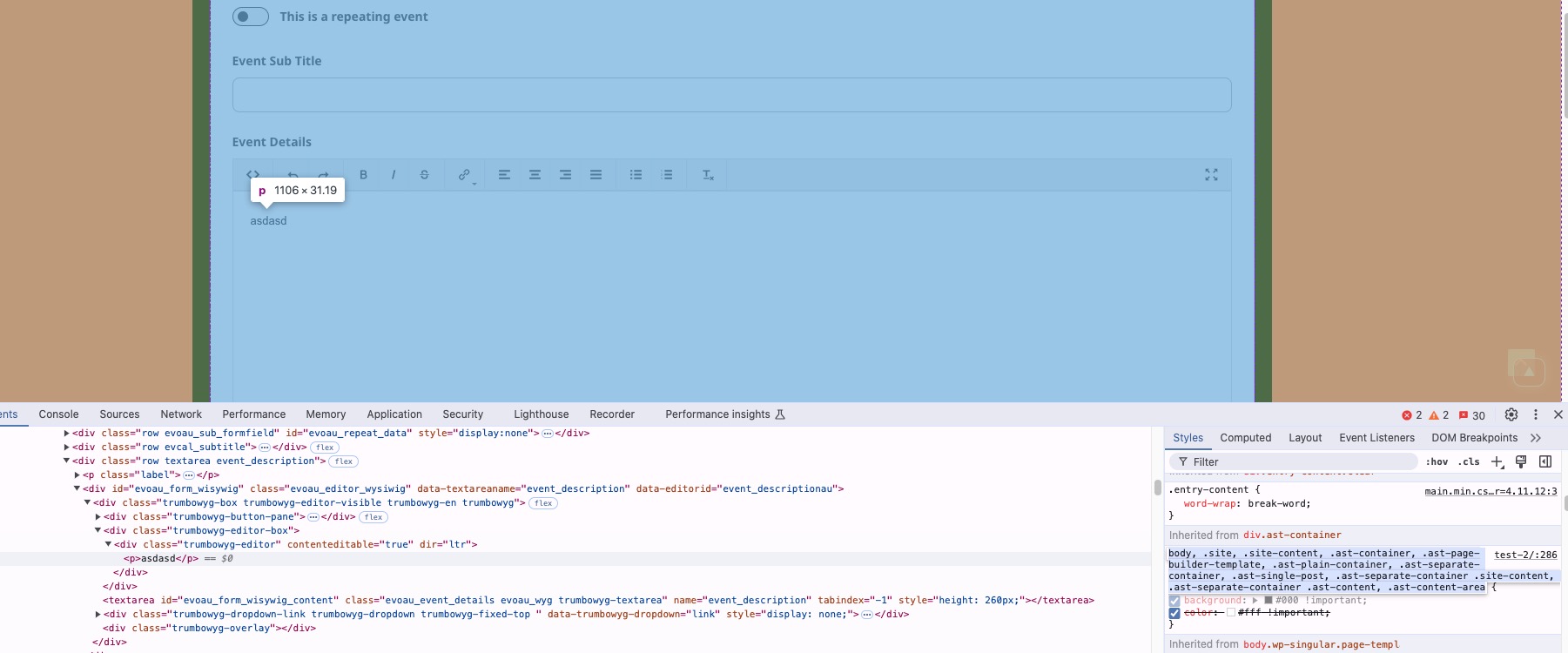
Please add this CSS code to EventON > Styles (If you don’t see any change, EventON > Scripts & Styling > turn off Write dynamic styles to header > save settings > turn on Write dynamic styles to header).
You can also add this code to wp-admin > Appearance > Customize > Additional CSS.
.evoau_submission_form .evoau_table .row .trumbowyg-editor-box p { color: black !important; }
Only one domain per license can be activated, I am afraid.
We are glad your issue is resolved, if you have any further questions or concerns please create a new ticket.
Closed as a duplicate.
Please disregard my last question about the image upload. I found the upload button; it was just grayed out and hard to see at first.
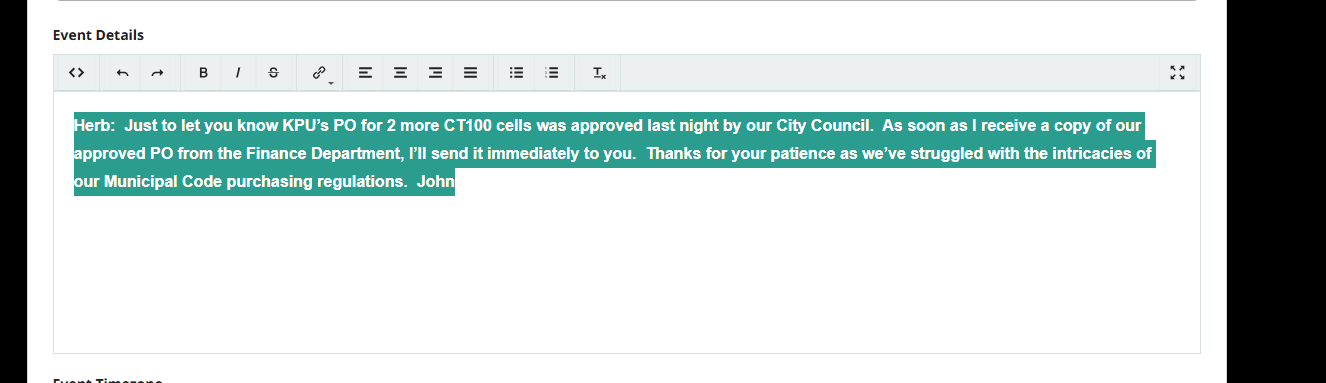
What I’m noticing now is that when typing into the submission form, the text appears white on a white background, so it’s basically invisible while typing. Is there a way to change the text color so users can clearly see what they’re entering?
Since many of the people submitting events aren’t very tech-savvy, keeping the form easy and readable is important for us.
ArtemI just want to thank you for your help with this — I really appreciate it.
I do have one more question. I was reviewing the event submission form and wanted to see if there’s a way for users to submit event flyers. I have a lot of visitors from different countries who come to my site, and many of them aren’t very tech-savvy, so I’m trying to keep the process as simple as possible.
Ideally, I’d like them to be able to fill out the form, upload an image, and then I can review and approve the submission on my end. I was specifically looking for an image upload option on the form, but didn’t see anything obvious.
Is there currently a way to allow image uploads with submissions without requiring user login? Or is there a recommended workaround for this?
Thanks again for your help — I appreciate any guidance you can provide.
You already have admin access!!!! Go ahed