oh in addition the cart status is not emptied and there is no payment done
Archives: Replies
Replies for tickets on suppota
Reply to: tickets(390269)
Oke thank you. I’ven done that but now I get an error message: Cannot read properties of undefined (reading ‘match’)
Although now the ticket is send with attachment so that is fixed. I have to say that I put WC Paynent in testmode. Could that have anything to do with the message?
Reply to: tickets(388545)
here are the results…
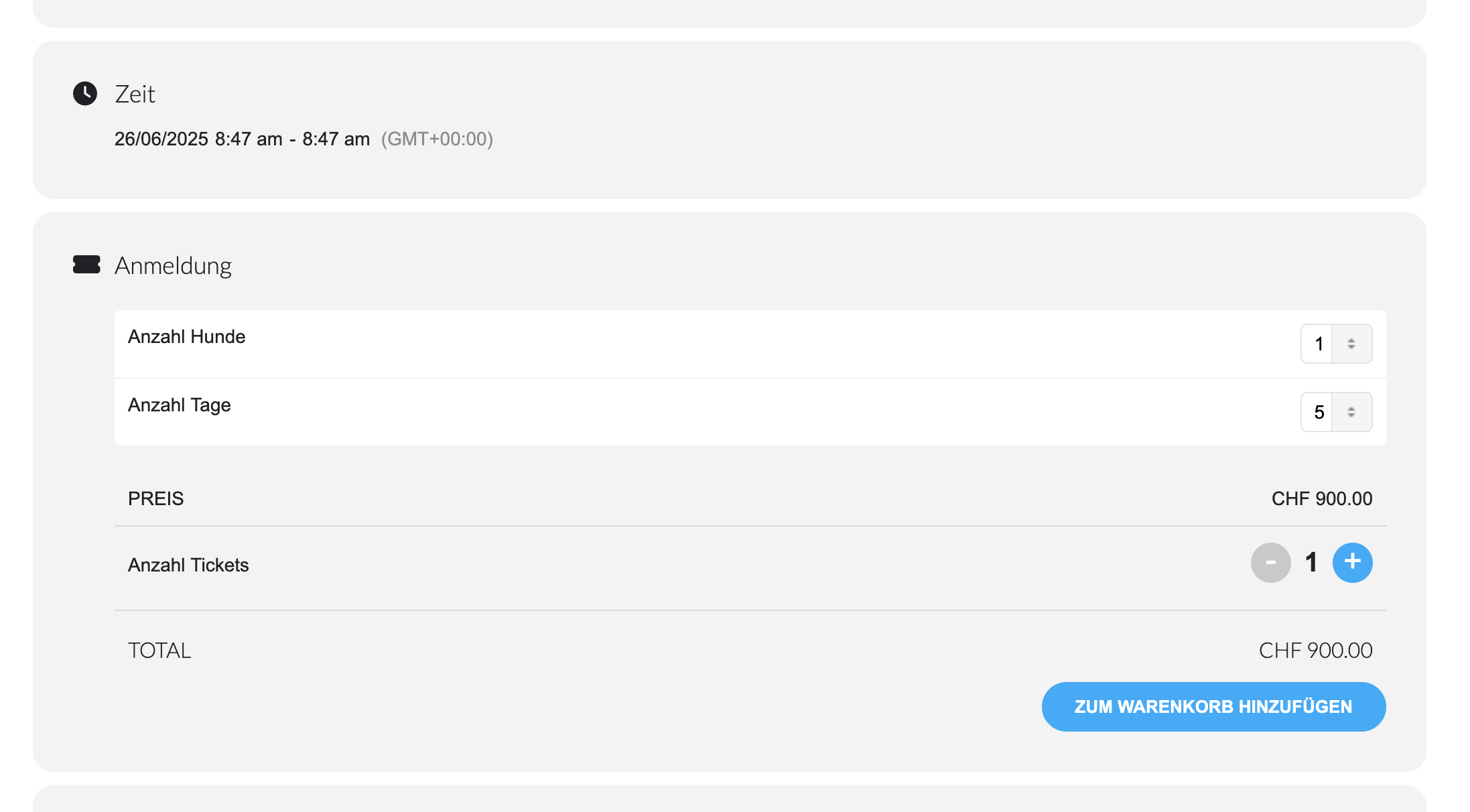
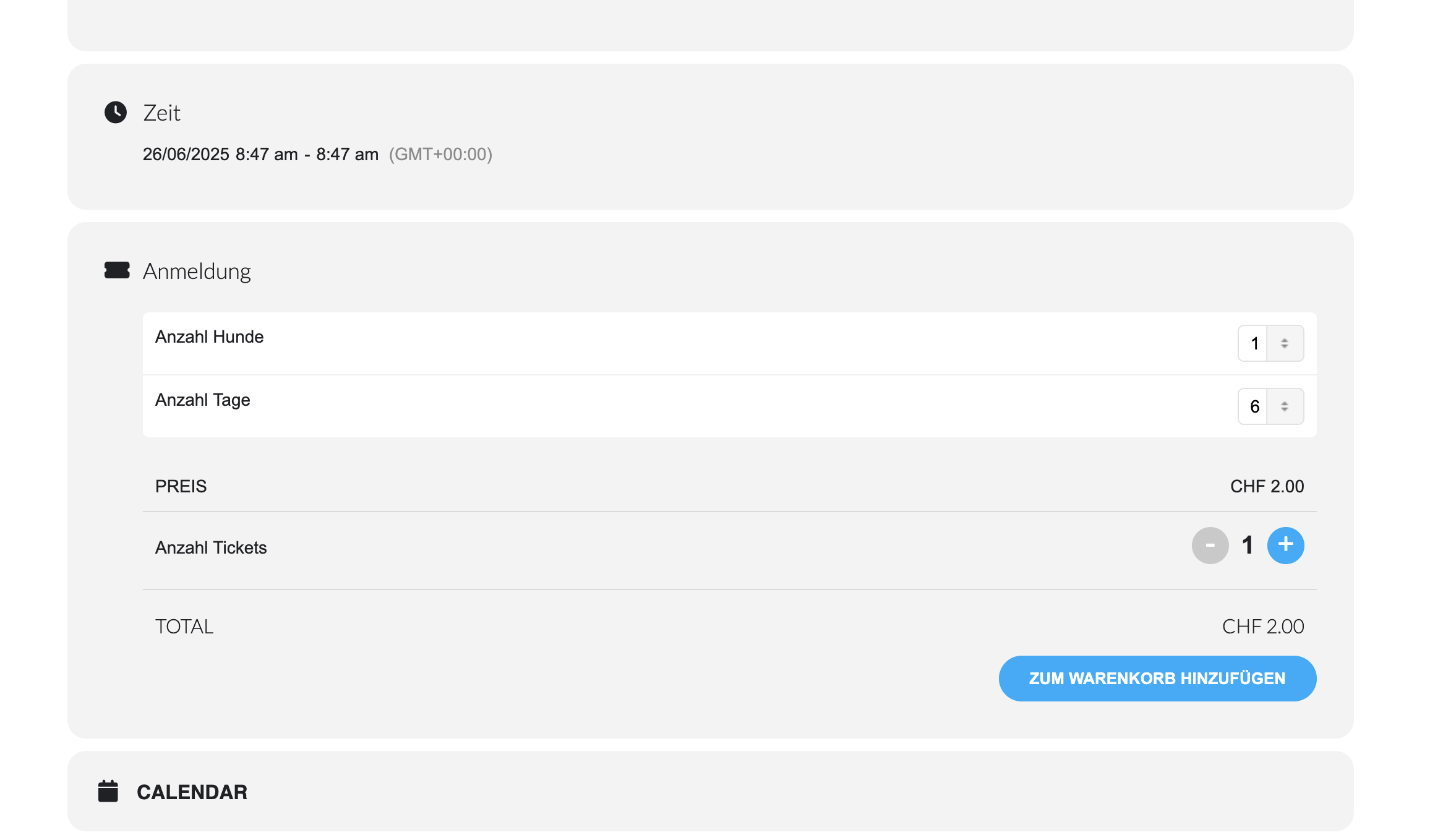
Reply to: tickets(388545)
Hi Ashan,
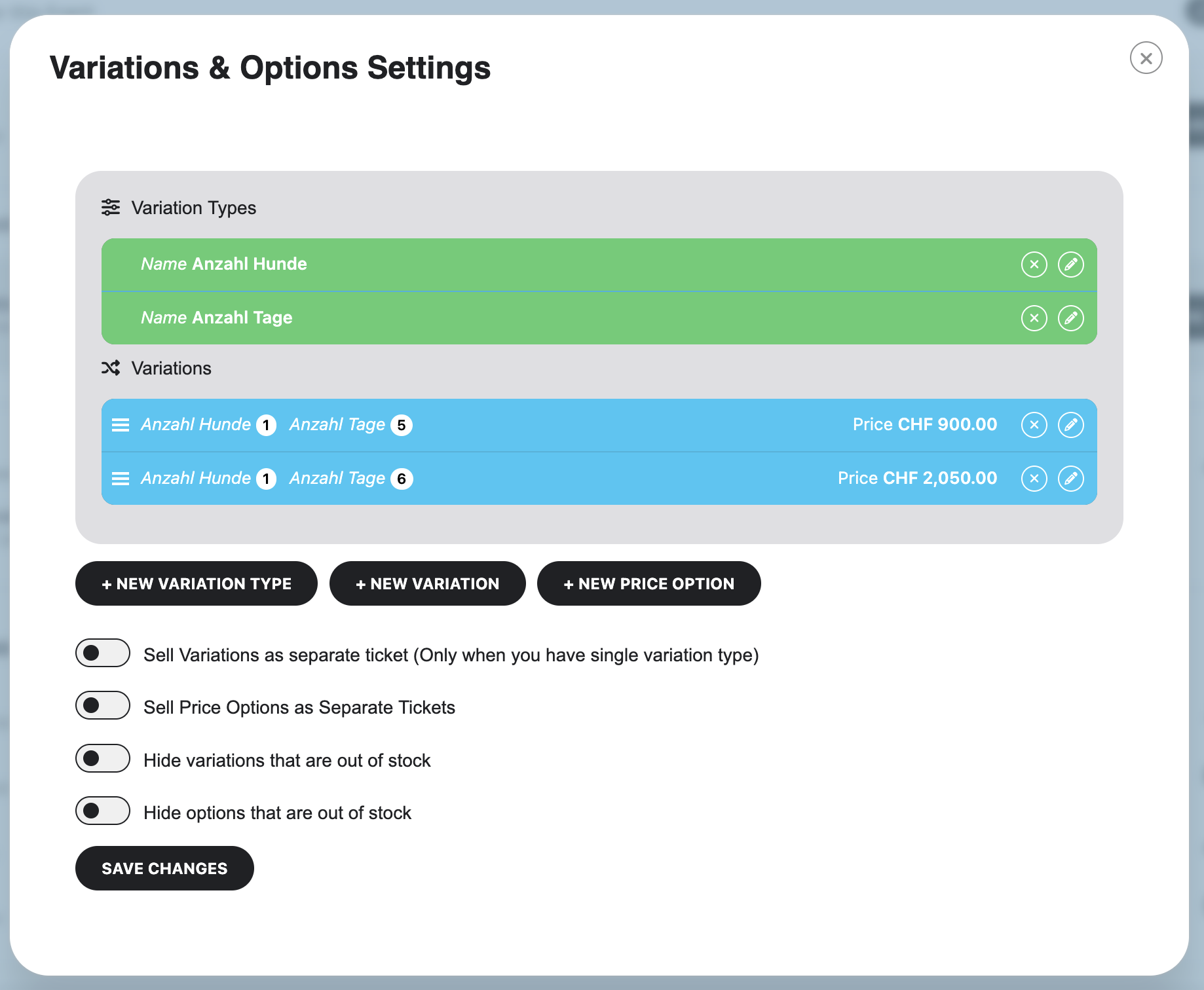
I just did another test and it looks like the comma is the problem.
I set the price over 2000 and now a price of 2 is shown.
Thanks
Marcin
Reply to: tickets(390280)
Hello,
Please send us wp-admin access to your site from “Access Info” box on right side menu, to further assist your situation.
Make sure that you are using the latest version of EventON and Event Map add-on.
Next, please check if the same issue happens on our test site:
https://dev2.myeventon.com/test-983/
Reply to: tickets(390265)
Hello,
We need to check your wp-admin to fix the issue. Please send us wp-admin access to your site from “Access Info” box on right side menu, to further assist your situation.
Could you also check and make sure that you are using the latest versions of EventON and add-ons?
Reply to: tickets(389348)
Thank you for the login info!
I just checked the website and it seems there are no issues with enabled EventON and Elementor (the error is referring to both of them). Could you let us know if the issue is still there?
Reply to: tickets(390269)
Hello,
First of please update Tickets to the latest version.
Next, please remove our snippet and then go to EventON > Tickets > Checkout > enable Enable auto complete ticket orders.
Try sending a new order.
If the issue continues, please follow the instructions in this documentation to activate debug in your site to see any PHP errors recorded that can provide insight on to whats going on. Please reply with a link to debug.log file. If you are not able to do this please send us FTP access to your site so we can do this for you.
Reply to: tickets(390117)
No, unfortunately the phrase cannot be found there.
I have also tried searching (see screenshot).

Reply to: tickets(390270)
Hello,
After you enabled “Enable language corresponding events”, you need to go to each event, select L2 or L3 language and then update them.
Please also note that they must be assigned to event_type with id 169″.