Hi,
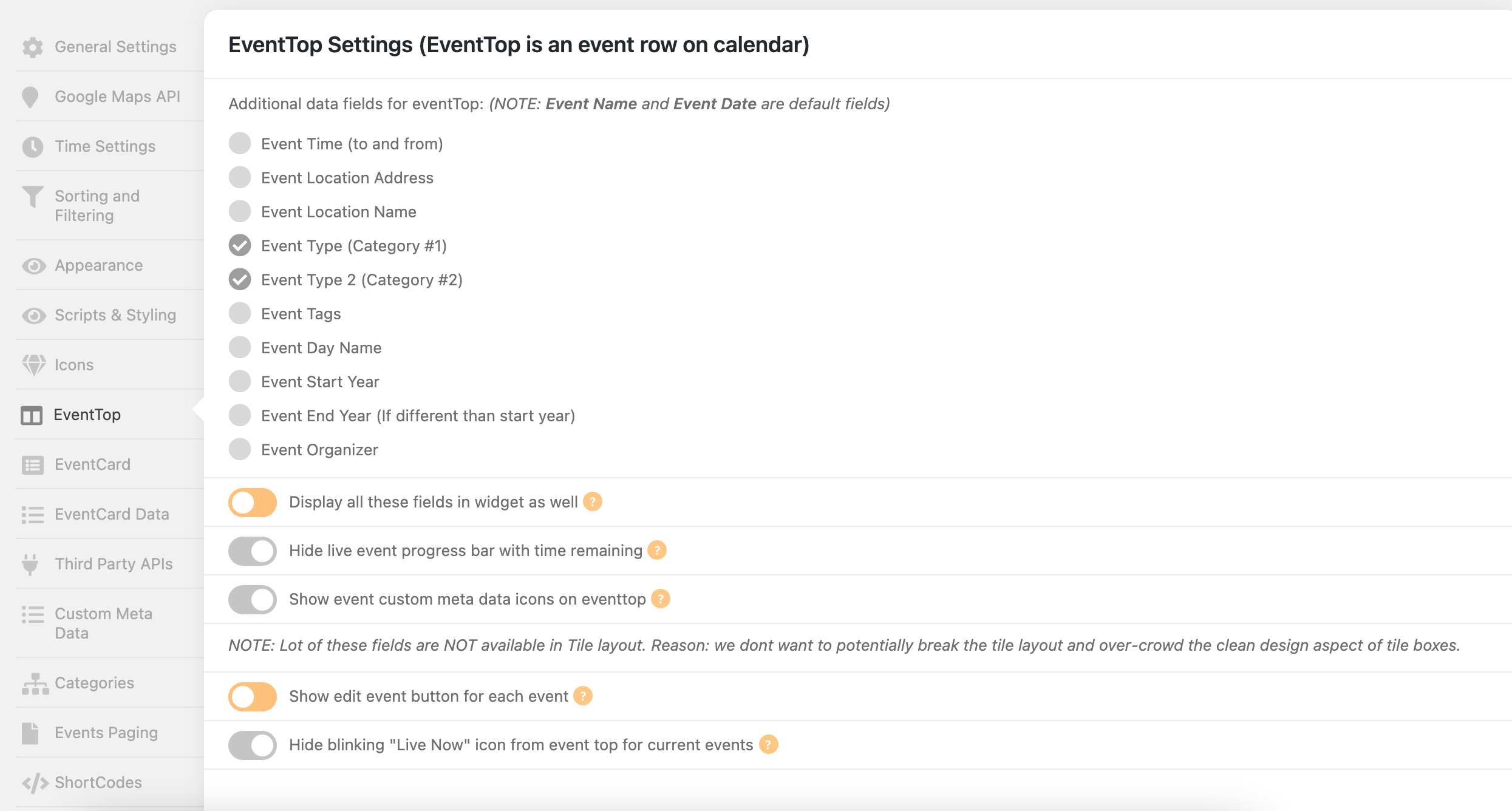
I changed the settings in Event Top to show the tags I created: Event Type (Category #1) and Event Type (Category #2 ). However, this is not showing up at the top of the calendar as a filter — the only filters I see are “EVENT LOCATION,” “EVENT ORGANIZER,” “EVENT TAG,” and “PAST & FUTURE EVENTS.” Within the “EVENT TAG,” these new tags are not shown.
I tried resetting the permalinks, but the change still does not show up on the calendar. Can you help me figure out why that is? Do I need to add something to the shortcode to get it to show up on the page?
Thanks!
@leah look slike you are using another calendar in your site. We can not help with your issues if eventON is not in the site.
RSVP addon versino 2.7.1 should resolve the confirmation email not sending virtual access info.
Ben, we are not trying to SELL you servers, we have no affiliated with them and we get nothing in return saying anything about servers. We are just SIMPLY trying to help your situation. If you want to stick with wpengine its solely your choice and we respect that.
If you choose that path, there is nothing we can do. The line 748 you are referring to is simply running a WP_Query() and that seems to be too much for wpengine. We would be more than happy to process you refund for eventON so you can use a calendar that fit better with wpengine and move on to more important things..
My friend, life is too short to be stuck in minute things and making a big deal of small things… 🙂
We are aware of the handlebars issue, we have updated to latest version and it broke so many other functionalities. So we have pulled back and are hoping to update the library carefully in the coming version updates. And sorry for the delay in 3.1.1 version with jitsi fix just have some issues testing before release now.
right now it is activated on this website https://etiquetanegra.org Send us wp-admin acceess and we can see why you are not seeing activating option in backend.
Try re-installing?
Sorry for the delay order is refunded. If you have more questions, kindly send us a new ticket and we would be more than happy to help you resolve your issues!
1. Yes, by default. Maybe there is a plugin that allows you to extend this.
2. This requires customization. You can send us a customization job request by creating a new ticket in here and selecting Customization Request as the category.
3. Please follow this guide: https://wpforms.com/docs/how-to-allow-additional-file-upload-types/
sorry about hte delay order is now refunded. If you have more questions, kindly send us a new ticket and we would be more than happy to help you resolve your issues!
Hello,
Thank you for your great suggestion, at the moment it is not supported. However please create a new ticket and select Feature Request as category so others can vote on your idea and get it moved into development faster. OR You can send us a customization job request by creating a new ticket in here and selecting Customization Request as the category.
Hello,
No issues on our test server: https://dev2.myeventon.com/25683-2/.
Could you please try the instructions mentioned in this documentation to make sure your issue is indeed coming from eventon.