Please check https://cureangelman.org/222108-2
Work is uploaded to your site.
Replies for tickets on suppota
Please check https://cureangelman.org/222108-2
Work is uploaded to your site.
Thanks, I’ve reactivated the plugins and the theme – it’s a dev site but the client is still looking at it while I build.
I was pretty tired, and meant “event cards”.
I fixed the problem I was seeing, by adding the following to my theme’s CSS:
.entry-content img {
align-items: center;
margin: auto;
max-width: 25%;
}
Thanks for the quick response; it’s solved.
Hello,
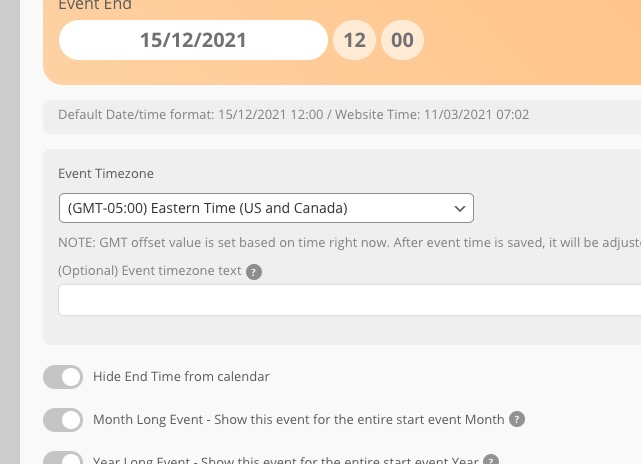
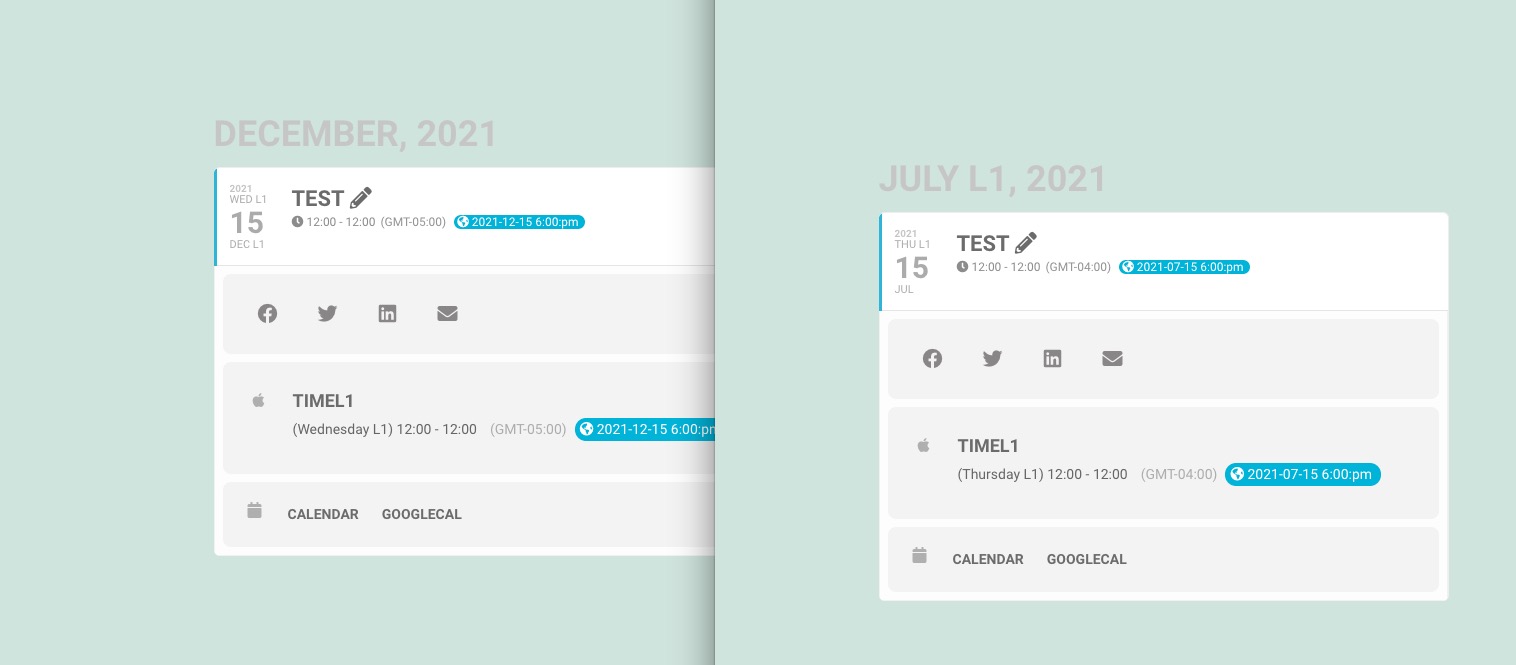
Please check these two events: https://dev2.myeventon.com/events/test-40/ and https://dev2.myeventon.com/events/test-39/
Both have the same timezone GMT-5:
Except one shows -4 and the other -5 because of Daylight saving time:
Hi,
All messages are private – do not worry 🙂
Hello,
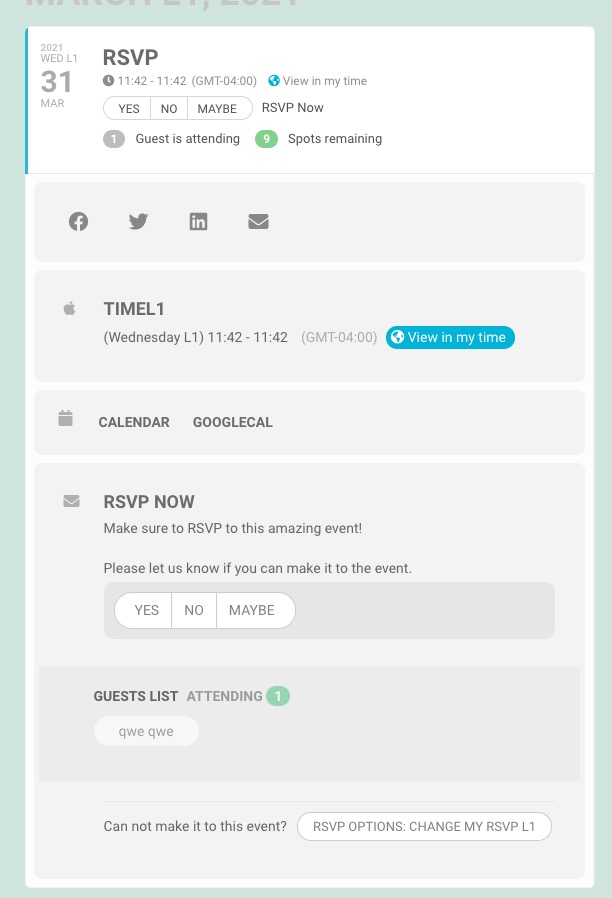
When you press One-Click rsvp registration it changes the data in Event Top and Event Card at the same time. Please check this screenshot:
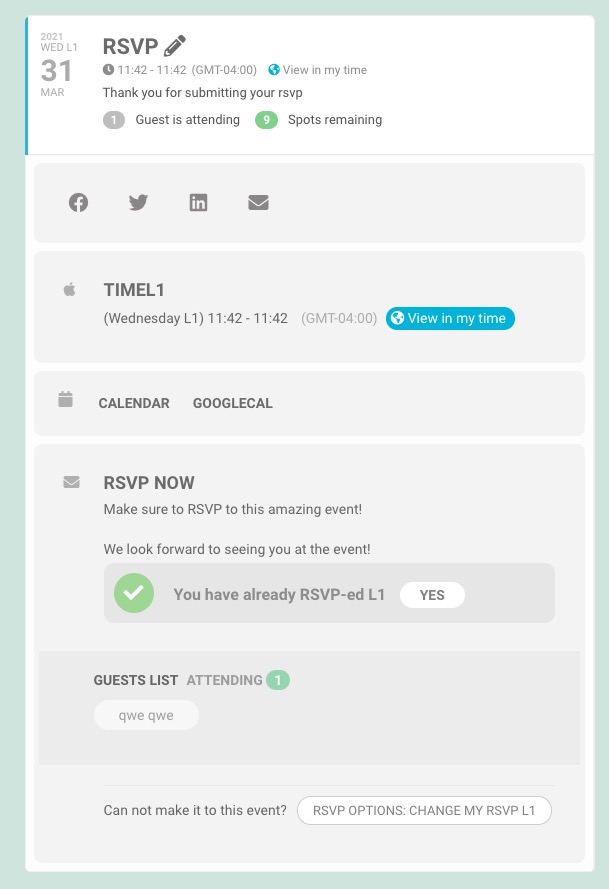
As you can see it says “Thank you for submitting your rsvp” and Guest List at the same time.
You can try yourself on our test server: https://dev2.myeventon.com/events/rsvp-8/
Before picture:
You can check subscribers by going to wp-admin > Event > All Event RSVPs or Edit Event > RSVP > View Attendees.
Nickname isn’t visible at the moment. However, you can send us a customization job request by creating a new ticket in here and selecting Customization Request as the category. The same with “It would then be really useful to have a widget where specifying the event name returns the names / nicknames of the participants.”.
Dear Ashan,
sure:
Login: http://test.fslci.org/wp-login.php
User: johndoe
PW: jC!J6R^abcCUKv&OVrfK8NkR
Kind regards, Philip
Yes, the toggles are now working. Thank you for your help.
I have some more questions, but I’ll close this and open another thread.
Really appreciate your fast response to help me out here.
Ashan,
Could you check Reply to: 226503
Even with switched theme and disabled plugin you still need to do these actions in order to make textareas work.
No issues on dev2.
Thank you for your messages, I am going to assign this ticket to Ashan and he will be able to take it from here and find you a solution. Please allow some time for him to get back to you, we greatly appreciate your patience and thank you for being a eventon customer! Also please disable any IP blocking on your site if there are any.