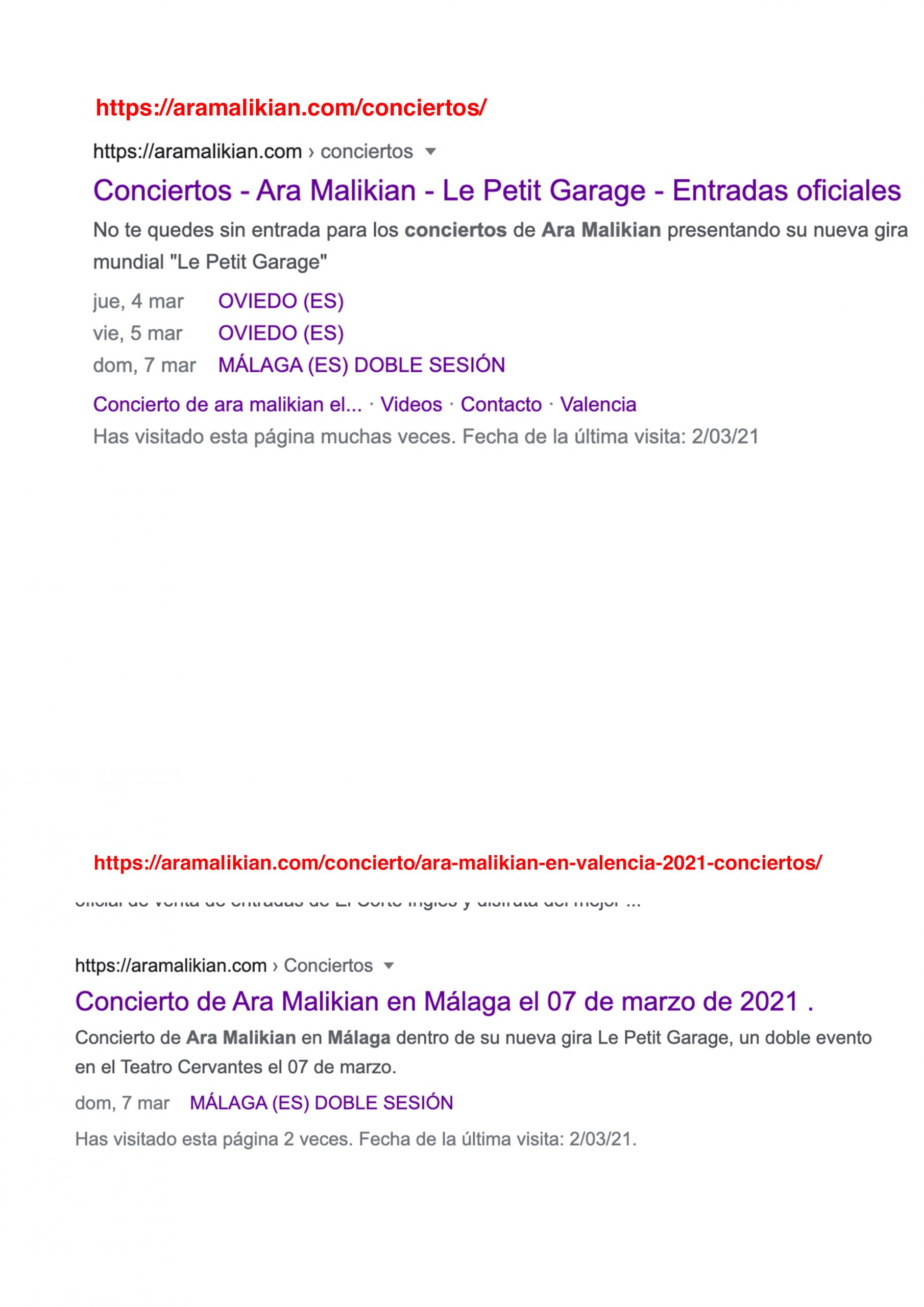
Just a couple of weeks ago the url was complete
https://aramalikian.com/concierto/ara-malikian-en-valencia-2021-conciertos/
And I think it contained more information for SEO.
Now you only see https://aramalikian.com/Conciertos
Google picked up that text from Event Text String Settings from Event On settings,
I don’t know what this function is for.
I send you an image that maybe helps.
Thanks.
You can check now. Keep the backup of the file.
can you try this
https://wordpress.org/plugins/usagedd/
and give us the results?
Hi,
I am doing the revisions and will let you know as soon as it is complete.
By the way, I last messaged you 5 days ago and not 2 weeks actually,.
Hello Team,
Is it possible to directly search from google Maps address? https://prnt.sc/10bhrcj
are you not getting my point? I need address like autosuggestion like https://prnt.sc/10c52kz
is it possible?
Can we please escalate this issue.
I find it hard to swallow that you blame the wpengine server – a known major player for WordPress hosting – for your plugin not loading. I did lots of troubleshooting and testing with wpengine and they say its not using the memory, so your ask to up the memory to load is moot. We maxed it out anyways. They also said its the way your plugin tries to cache – and not their servers.
Also find it hard to hear your solution to the issue is to just “switch servers” (get a new account, migrate the site, change the dns, and update the mail servers) (to a server we’ve never heard of), to see if your plugin could possibly work.
Hello,
Thanks for the info I will use one event list with 2 months showing.
egbar
If you have something like monster insights- it tells you how many people are visiting your site on desktop vs mobile
hide multiple occurrence works in events list when there are multiple months on the one calendar
in your case you have 2 calendars the right one using the +1 month increment so No its not going to work and currently there is no way to have it work as they are 2 different calendars
it would require heavy customization
You can send us a customization job request by creating a new ticket in here and selecting Customization Request as the category.
but to have 2 identical calendars on the same page with the only difference being +1 to the month increment is not possible.
personally I would just have the one events list with 2 months showing- why? because on mobile its going to shrink down to March on top and then april on the bottom and if thats the case
hide_mult_occur=”yes” would work
but you are using 2 calendars which ONLY benefits the desktop user
and makes it take longer to load on a mobile as you are loading 2 calendars instead of 1